

Web research needs the Growth plan or higher and costs 5 credits per product per run. The settings page itself is free to configure.
General
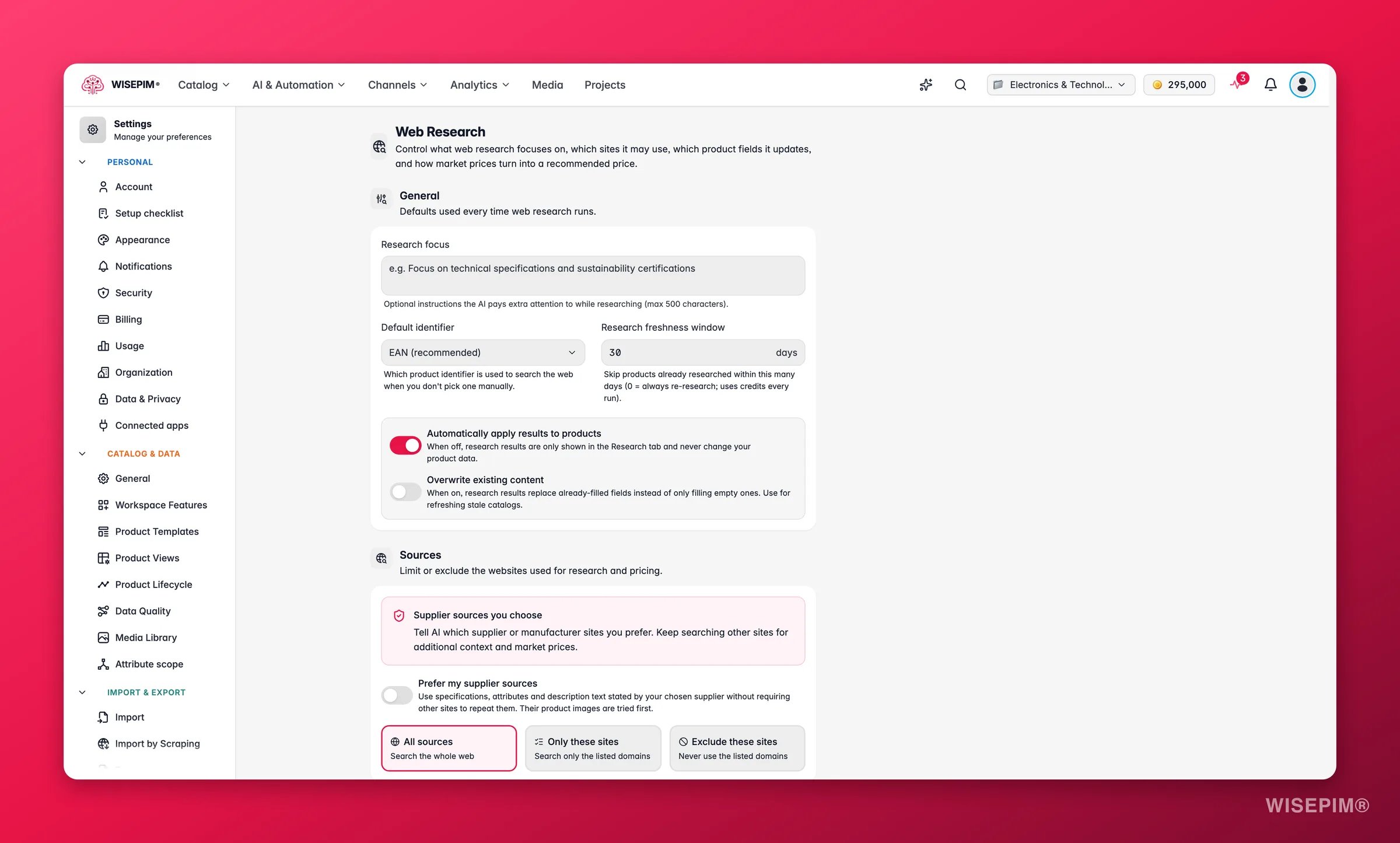
Defaults used every time web research runs:- Research focus: optional instructions the AI pays extra attention to while researching, up to 500 characters, for example “Focus on technical specifications and sustainability certifications.”
- Default identifier: which product identifier is used to search the web when you don’t pick one manually. EAN (recommended) by default; UPC, model number, SKU, brand + product name, and brand + MPN are also available.
- Research freshness window: skip products already researched within this many days. Default 30, up to 365. Set it to 0 to always re-research, but that spends credits every run. To refresh one product inside the window, use Research again instead.
- Automatically apply results to products: on by default. Turn it off and research results are only shown in the product’s Research tab, never written to your data. Useful when you want a human to merge results by hand.
- Overwrite existing content: off by default. When on, research results replace already-filled fields instead of only filling empty ones. Use it for refreshing a stale catalog.
Sources
Supplier sources you choose
Tell research which supplier or manufacturer sites you prefer. It keeps searching other sites for extra context and market prices.- Prefer my supplier sources: off by default. When on, specifications, attributes and description text stated by your chosen supplier are used without other sites having to repeat them, and their product images are tried first.
- Supplier website host: add up to 10 hosts in priority order, for example
www.manufacturer.com. The first host wins when suppliers disagree.www.and the bare domain count as the same site; add other subdomains separately. Add at least one host to switch the preference on.
Only passages that match the product’s identifier get this preference. Missing facts stay unknown and keep the normal check across sources, and conflicting facts from suppliers with the same priority stay unknown. The source restrictions below still apply. The product’s Research tab shows which supplier pages were used in a Trusted supplier source card.
Allowed sites
Limit or exclude the websites used for research and pricing:- All sources (default): search the whole web.
- Only these sites: search only the listed domains, for example just the manufacturer sites you trust.
- Exclude these sites: never use the listed domains, for example a competitor whose specs you don’t trust.
https://, www., and paths automatically, so pasting a full URL is fine.
Images
What product photos research adds to the Media Library when images are switched on for a run:
Research never replaces an existing image. New images go behind the ones you have, and the first one only becomes the main image when the product has none. Watermarks are recognised by source and file name, not by looking at the pixels.
Identifiers to discover
Research can fill in missing barcodes and part numbers: EAN/GTIN, UPC, MPN, and model number are all on by default. Two extra toggles calculate the UPC from a known EAN and vice versa. A UPC is an EAN starting with a zero, so one can be derived from the other exactly, no research needed.Identifiers are only ever written to empty fields. An existing barcode is never replaced, even with Overwrite existing content on. If research finds a different barcode than the one on the product, the mismatch is flagged instead.
Fields to update
Choose exactly which product fields research may fill when applying results, with All / None shortcuts:- Content: product name, long page title, description, short description, features, meta title, meta description, meta keywords
- Product data: brand, specifications (attributes), physical properties, category suggestions
- Compliance & shipping: country of origin, HS (customs) code, warranty, certifications, dangerous goods flag, fragile flag, handling instructions
Pricing strategy
Research also gathers competitor prices. This section turns those market prices into a recommended selling price:
Supporting options:
- VAT handling: tell WISEPIM whether your prices include or exclude VAT, and the rate to assume when a shop doesn’t state its own. Competitor prices are converted before they’re compared, and prices that can’t be converted are skipped rather than guessed.
- Split prices per variant: on by default. Variants of the same product often sell at different prices, so each variant gets its own market price instead of one blended average. This needs the parent’s product family to declare a variant axis (like size or color), so WISEPIM knows what distinguishes the variants; without one, you get a single blended price.
- Adjustment and rounding: the percentage for undercut/premium strategies, plus charm pricing (.99 / .95) or whole-number rounding. A live example shows the recommendation as you tune.
- Guardrails: a minimum margin over cost, and absolute minimum/maximum prices. The recommendation never crosses them.
Writing the price back
By default the recommendation is just shown on the product. Turn on Write recommended price to product to apply it to the regular or sale price field on every research run.Related
Web Research
What research gathers and how to run it on your products.
Import by Scraping Settings
Chain research automatically onto every scraped import.
Pricing & Margins
Pricing rules applied when products are exported.
Enrich Prompts
Default prompts used by the enrichment that follows research.