

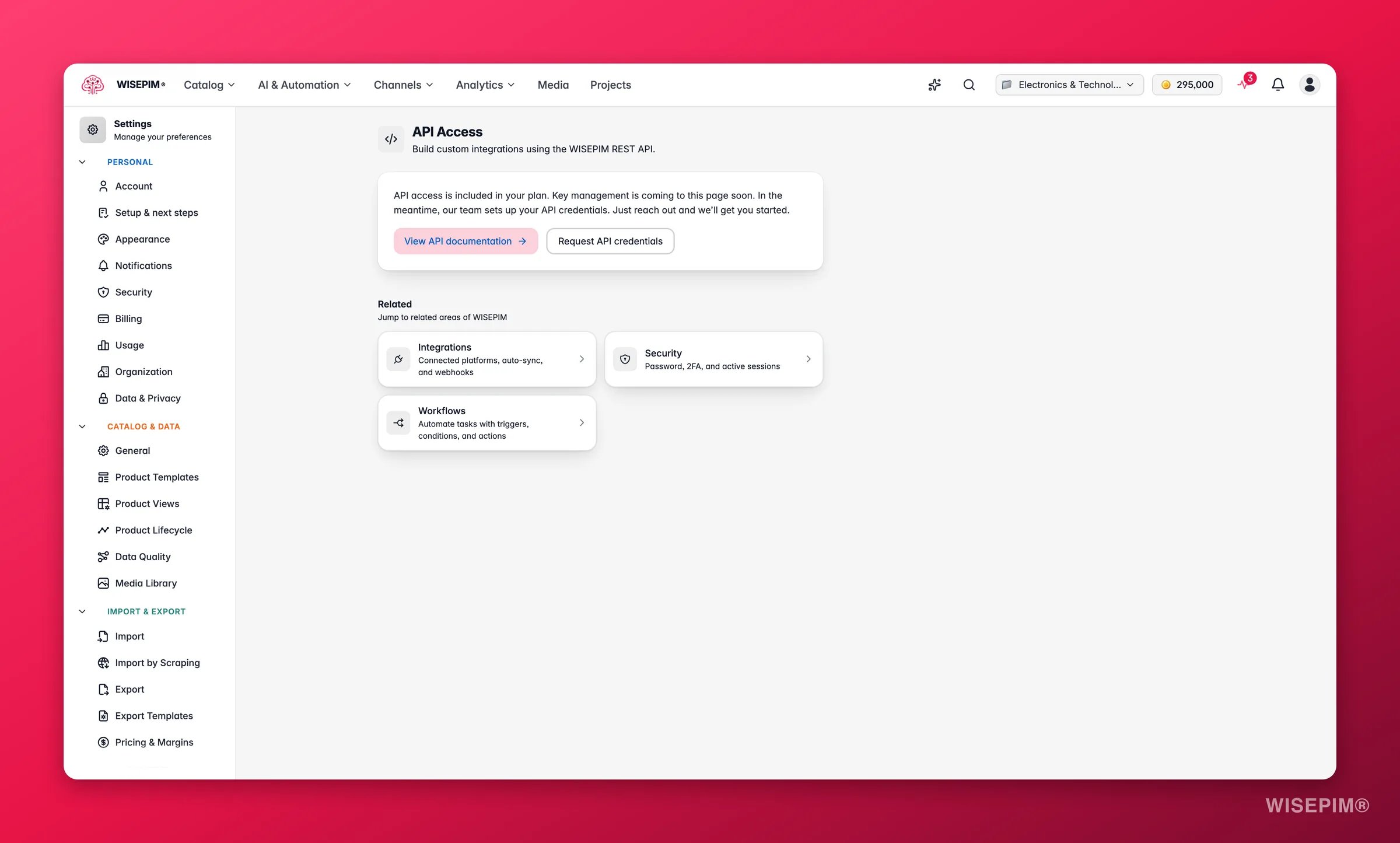
What API Access gives you
This page is the developer entry point to your project’s API. The WISEPIM REST API lets you do in code what you do in the app: list products, fetch a single product, create new ones, and push updates, all without manual exports. A typical request looks like this:/v2), and returns JSON. The response includes a count and a results array, so you can page through your whole catalog from your own code.
API Access is included in your plan. If the page shows a locked preview, your plan tier does not include API access yet. Reach out and we will enable it for your project.
Authentication
Every request must be authenticated. WISEPIM identifies your project from the token you send, so a token always acts on one project’s data. Pass your token in theAuthorization header on every request:
Request your credentials
Key management is coming to this page soon. For now, our team provisions API credentials for you, so you can get started without waiting for the self-service flow.1
Open API Access
Go to Settings > API Access in the WISEPIM app.
2
Request credentials
Click Request API credentials. This opens a short contact form where you tell us which project you want to connect.
3
Receive your token
Our team sets up your credentials and shares your token securely. Store it somewhere safe before you close the message.
4
Make your first call
Add the token to your
Authorization header and send a request to the /v2/products endpoint to confirm it works.Related
List products (API reference)
See the catalog endpoint in action, with parameters and a sample response.
Connected Apps
Let an AI assistant reach your catalog through a scoped, revocable connection.
Integration settings
Connect e-commerce platforms when you would rather not write code.
Security settings
Protect your account and review where it is signed in.
Settings overview
Find every settings page for your account and project.