

Only rules with Block severity send a product to quarantine. Skip rules quietly leave the product out of the export. Warn rules let it through and log a warning.
Read the queue
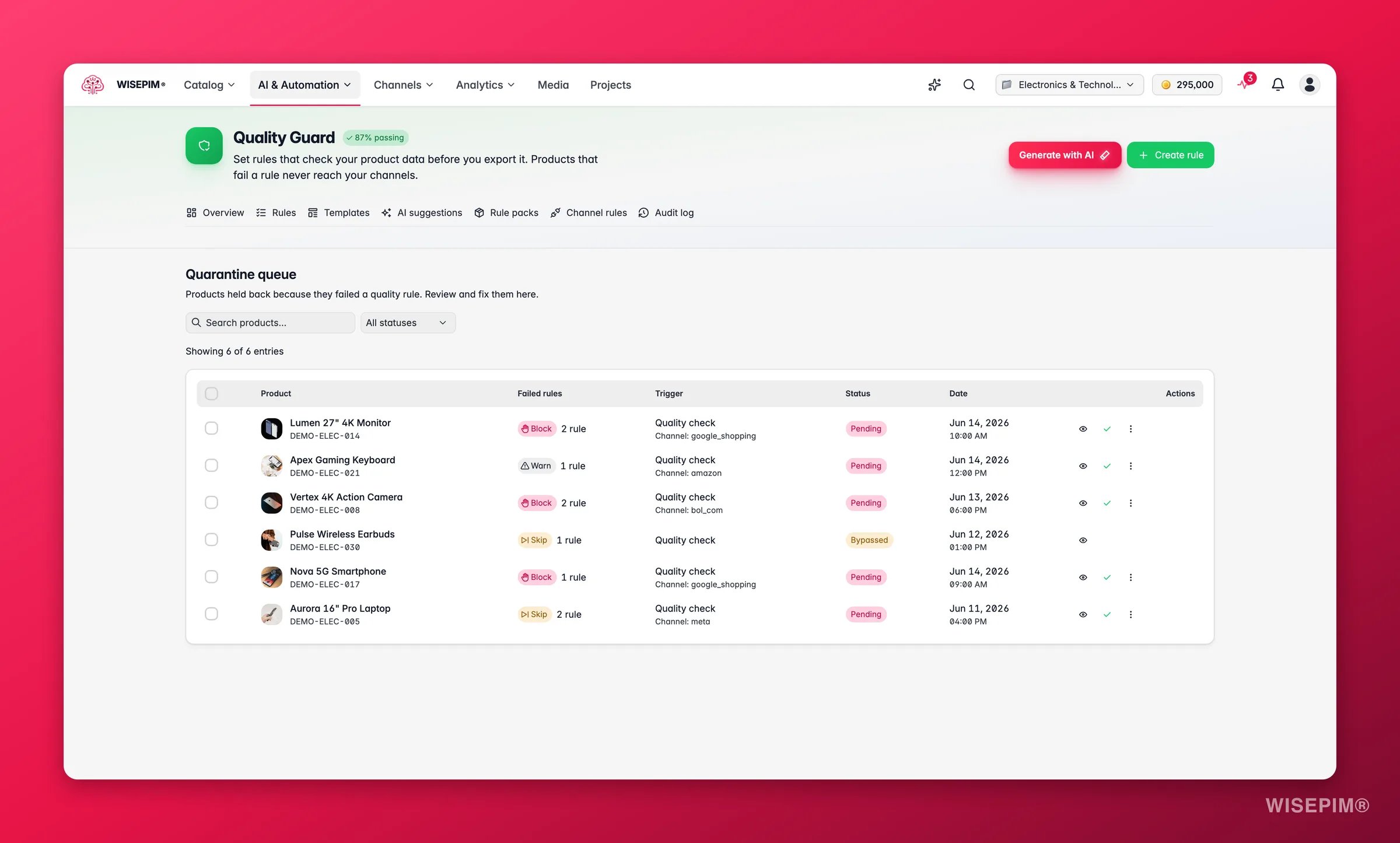
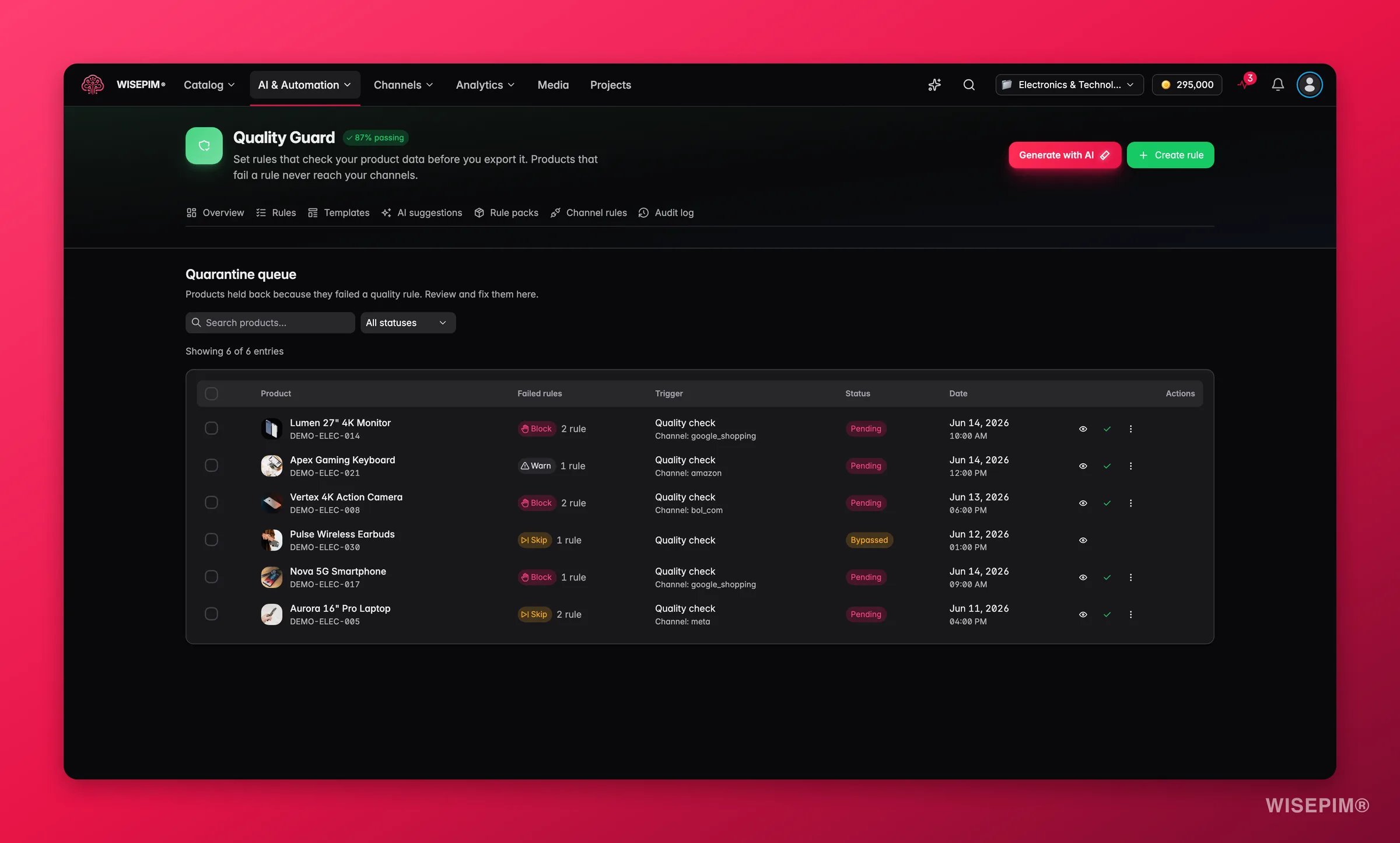
See why a product failed
Open an entry to see the exact rules and conditions it broke. Each failed condition shows:- Field that was checked, such as Product Name, EAN/GTIN, or Description
- Operator that was applied, such as “is not empty” or “length is at least”
- Expected value the rule required
- Actual value found in your product data
- Message that explains the issue in plain language
Resolve a product
Resolve a product once you have fixed the data behind the failure. The product leaves quarantine and passes the check on the next export.1
Review the violations
Open the entry. Read the failed rules and conditions so you know what to change.
2
Fix the product data
Go to the product and update the fields that caused the failure. Use bulk editing or AI enrichment for common fixes.
3
Mark as resolved
Back in the queue, click Resolve on the entry. The product exits quarantine and joins your next export.
Bypass a product
Bypass a product when you accept the violation and want to release it anyway. You enter a reason, and WISEPIM records it in the audit log. When you bypass an entry:- You enter a reason that explains why the bypass is acceptable.
- The bypass and your reason are saved to the audit trail.
- The product becomes exportable despite the violation.
- Your name is recorded as the person who approved it.
Work in bulk
Clear many entries at once instead of one by one:- Bulk Resolve: select several entries and resolve them together. Use this after a bulk data fix.
- Bulk Bypass: select several entries and bypass them with one shared reason. Use this when a whole group shares an acceptable exception.
Each entry is logged on its own in the audit trail, so you keep full traceability even when you act on many at once.
Status reference
Common reasons products land here
Missing EAN/GTIN
The top trigger for marketplace exports. Add or verify the barcode on each affected product.
Description too short
The description falls below the required length. Use AI enrichment to write longer, better copy.
No product images
Most channels reject products with no image. Upload at least one to release it.
Missing translations
A required language is missing. Use AI translation to fill the gaps.
The built-in price check
One check runs on every platform export even when you have no Quality Guard rules at all: a product without a usable price is skipped. It shows in the task log as Trustworthy numeric price (built-in). A missing, non-numeric or negative price cannot be bypassed. A confirmed price of zero is skipped too, unless the product has a per-product bypass or is a parent whose variants carry the price. Exports to Akeneo are exempt, because that is a PIM-to-PIM transfer. Negative prices are refused everywhere: the API answers with an error, every import path rejects them, and XML feeds leave them out.Keep your queue clean
- Check it often. Review the queue daily, or before every export, to avoid surprises.
- Fix data at the source. Repair the root cause instead of bypassing again and again. Your compliance rate climbs.
- Resolve in bulk. After a bulk data update, bulk-resolve the affected entries to clear the queue fast.
- Always give a reason. Write a clear, specific note on every bypass. Your future self and your team will thank you.
- Watch the count. The quarantine number on the Quality Guard dashboard shows how many products need attention at a glance.
Related
Quality rules
Set up the rules that decide what passes and what gets blocked.
Audit log
Track every resolve and bypass for full accountability.
Bulk editing
Fix many products at once before you release them.
AI enrichment
Generate the missing content that caused the failure.