

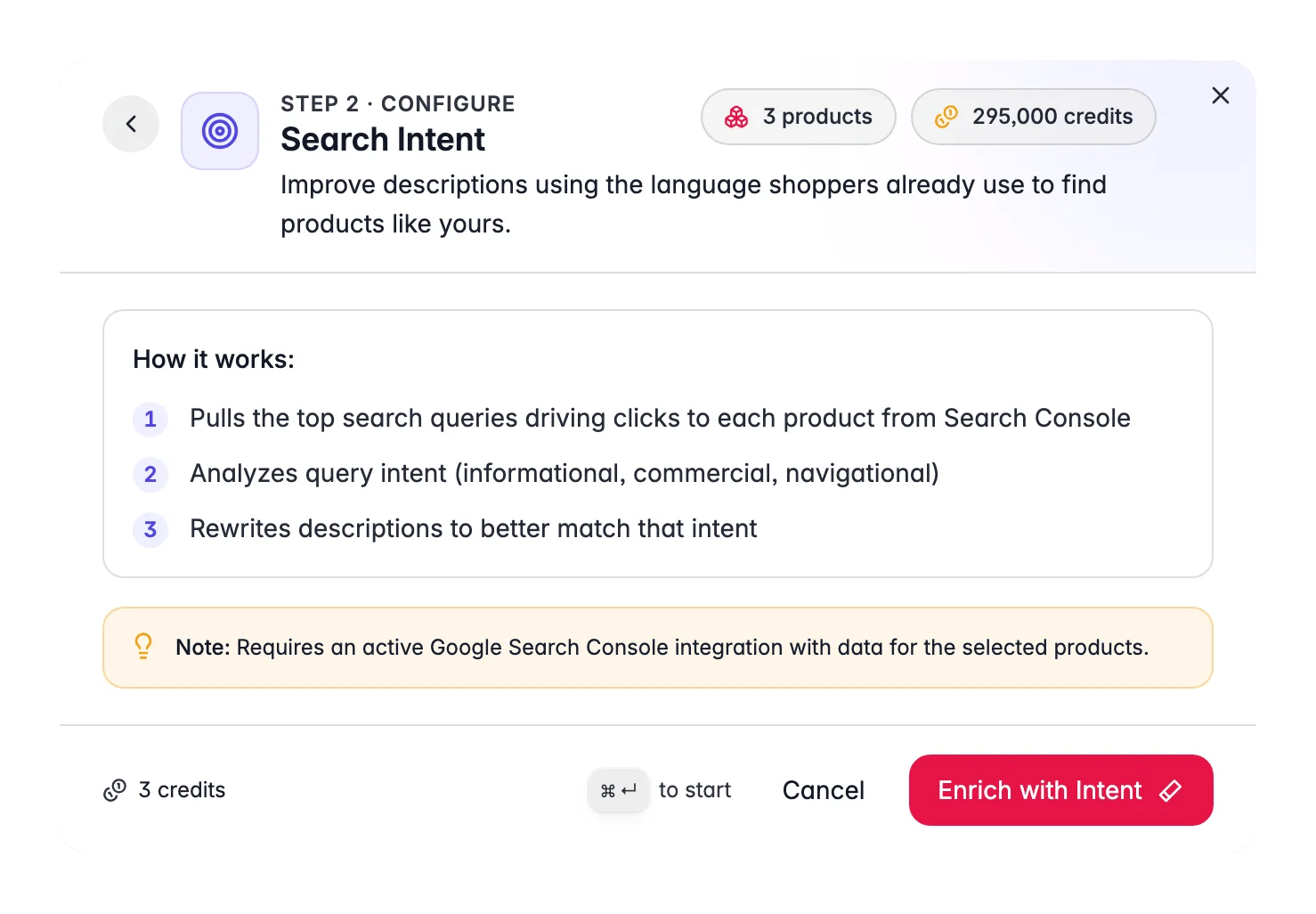
Search Intent costs 1 credit per product. It requires a connected and synced Google Search Console integration. The AI reads per-product query data directly from your GSC account. Without the integration, Search Intent is not available. Follow the connection guide to set it up in two minutes.
How it works
1
Pull queries from Search Console
For each product, WISEPIM fetches the top search queries that drove impressions and clicks over the past 90 days from your Google Search Console account.
2
Classify intent
The AI classifies the dominant intent behind those queries:
- Informational: shoppers want to learn (e.g., “what is a standing desk”)
- Commercial: shoppers are comparing options (e.g., “best standing desks 2024”)
- Transactional: shoppers are ready to buy (e.g., “buy electric standing desk”)
3
Rewrite the description
The AI rewrites the product description to lead with the content format that matches the dominant intent. An informational-intent product gets educational framing. A commercial-intent product gets comparison language and key differentiators. A transactional-intent product gets direct, confident buy-focused copy.
When to use it
The strongest candidates for Search Intent enrichment are products that:- Have high impressions but low CTR (more than 100 impressions per month, less than 2% CTR in GSC)
- Already rank on page 1 or 2 for relevant queries but are not converting
- Have descriptions that were written for internal use or supplier-style spec listings rather than search-driven buyer copy
How to run Search Intent
1
Confirm your GSC integration is active
Check Integrations to make sure Google Search Console is connected and has synced recent data.
2
Select products
Choose the products you want to optimize. Focus on high-impression, low-CTR products for the biggest return.
3
Open the Enrich modal
Click Enrich with AI in the toolbar.
4
Choose Search Intent
Select Search Intent from the enrichment type grid. No prompt configuration is needed.
5
Start Enrichment
Click Start Enrichment. The run processes in the background. Track progress in the Process Tracker.
What good results look like
- Descriptions open with the content format that matches the query intent (educational prose for informational, side-by-side differentiators for commercial, confident direct copy for transactional).
- Key search terms from the top GSC queries appear naturally in the copy.
- The content still reads like it was written for a human buyer, not stuffed with keywords.
Measuring the impact
Check GSC data 4–6 weeks after running Search Intent to see whether CTR has improved for the updated products. Use SEO Analytics to compare impressions, clicks, and position before and after. Products that moved from below 2% to above 3% CTR at the same average position represent a direct Search Intent win.Act on what you find
A product has no GSC data
A product has no GSC data
If a product has no query data in Search Console (very new, very niche, or never ranked), Search Intent cannot run for it, there is no intent signal to act on. Focus Search Intent runs on products that already have some organic presence. Outcome: every product in the run has real query data to work from.
CTR improved but rankings dropped after the rewrite
CTR improved but rankings dropped after the rewrite
Check whether the intent classification matched what you would expect. A transactional rewrite on a product whose main traffic is informational may have shifted the copy away from what ranked it in the first place. Re-run with the original copy restored, or use the Descriptions enrichment with a custom prompt to find a middle ground. Outcome: description that satisfies both the ranking query and the buyer’s intent.
You want to optimize for a specific query, not the dominant one
You want to optimize for a specific query, not the dominant one
Search Intent acts on the dominant intent across all queries. For fine-grained control over a specific query you are targeting, use the Prompt Lab to craft a description prompt that incorporates that query, then run it via the Descriptions enrichment type. Outcome: description tailored to a single high-priority keyword.
Pair with Internal Linking for maximum SEO value
Pair with Internal Linking for maximum SEO value
Run Search Intent first to align descriptions with real search behavior, then run Internal Linking to connect those optimized pages to each other. Together they improve both the relevance signal and the internal link equity for each product. Outcome: a catalog where intent-matched copy and internal links reinforce each other.
Related
SEO Analytics
Find high-impression, low-CTR products, your best candidates for Search Intent.
Internal Linking
Connect intent-matched pages to each other to spread link equity.
Enriching Products
Overview of all 15 enrichment types.
AI Chat
Ask the AI copilot to surface high-impression, low-CTR products for you.