

Recalculate quality scores
1
Select products
Check the products you want to recalculate, or use filters and select all matching results.
2
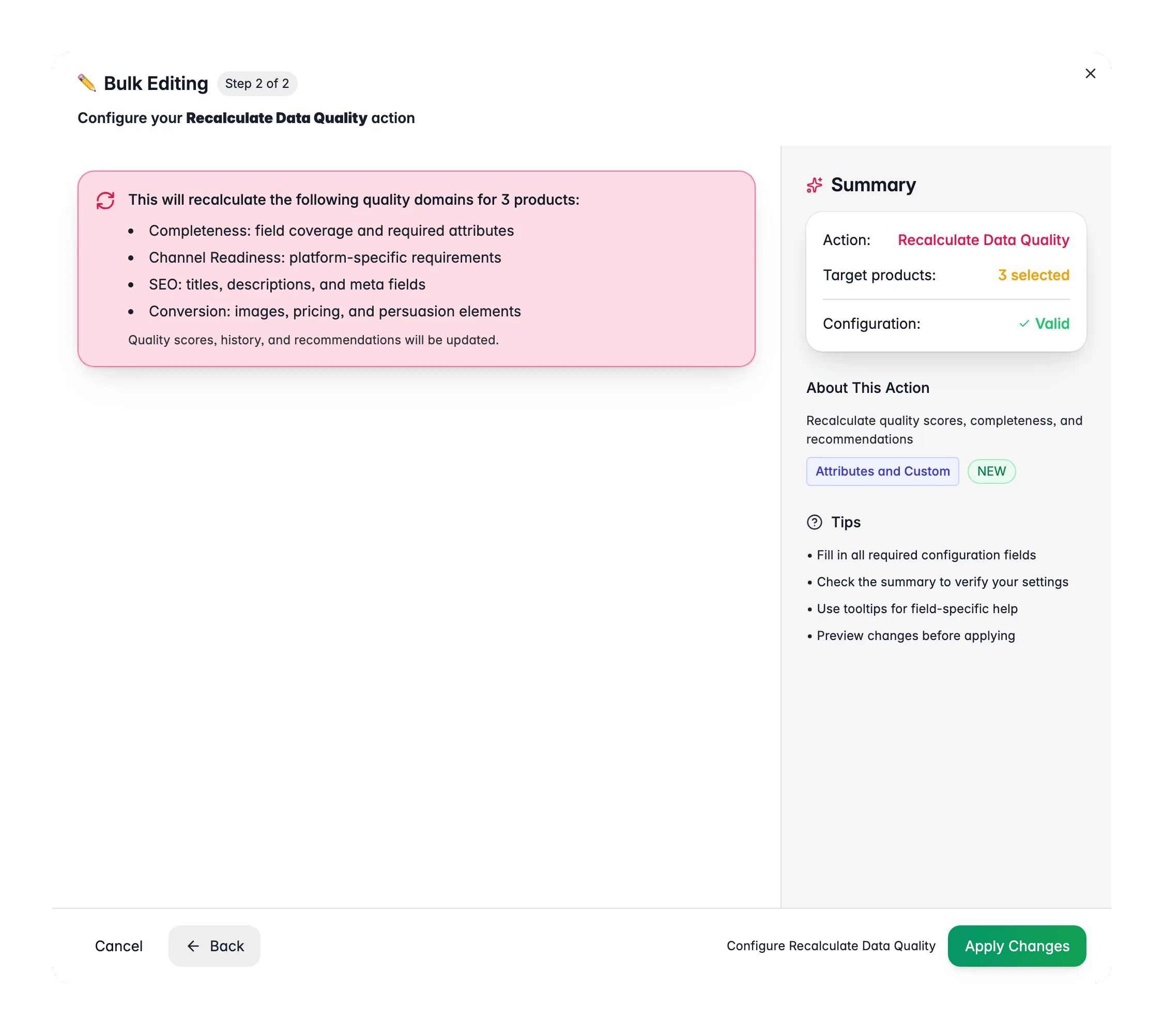
Open Bulk Edit and choose Recalculate Data Quality
Click Bulk Editing, then search for “Recalculate” or find it under Attributes & Custom Fields.
3
Apply
Click Apply. No additional configuration is needed.
What gets recalculated
- Quality score: overall data quality rating based on completeness and accuracy
- Completeness percentage: how many required and recommended fields are filled in
- Recommendations: actionable suggestions for improving product data
Tips
- Run this after bulk imports or large enrichment operations to get up-to-date quality metrics.
- Quality scores normally recalculate on their own when you edit a single product, but bulk actions may not refresh them right away.
- Use quality scores to spot products that need work. Filter by low scores and focus your enrichment there.
Related
Data quality dashboard
See completeness and quality trends across your catalog.
Enrich products
Fill gaps with AI to raise your quality scores.