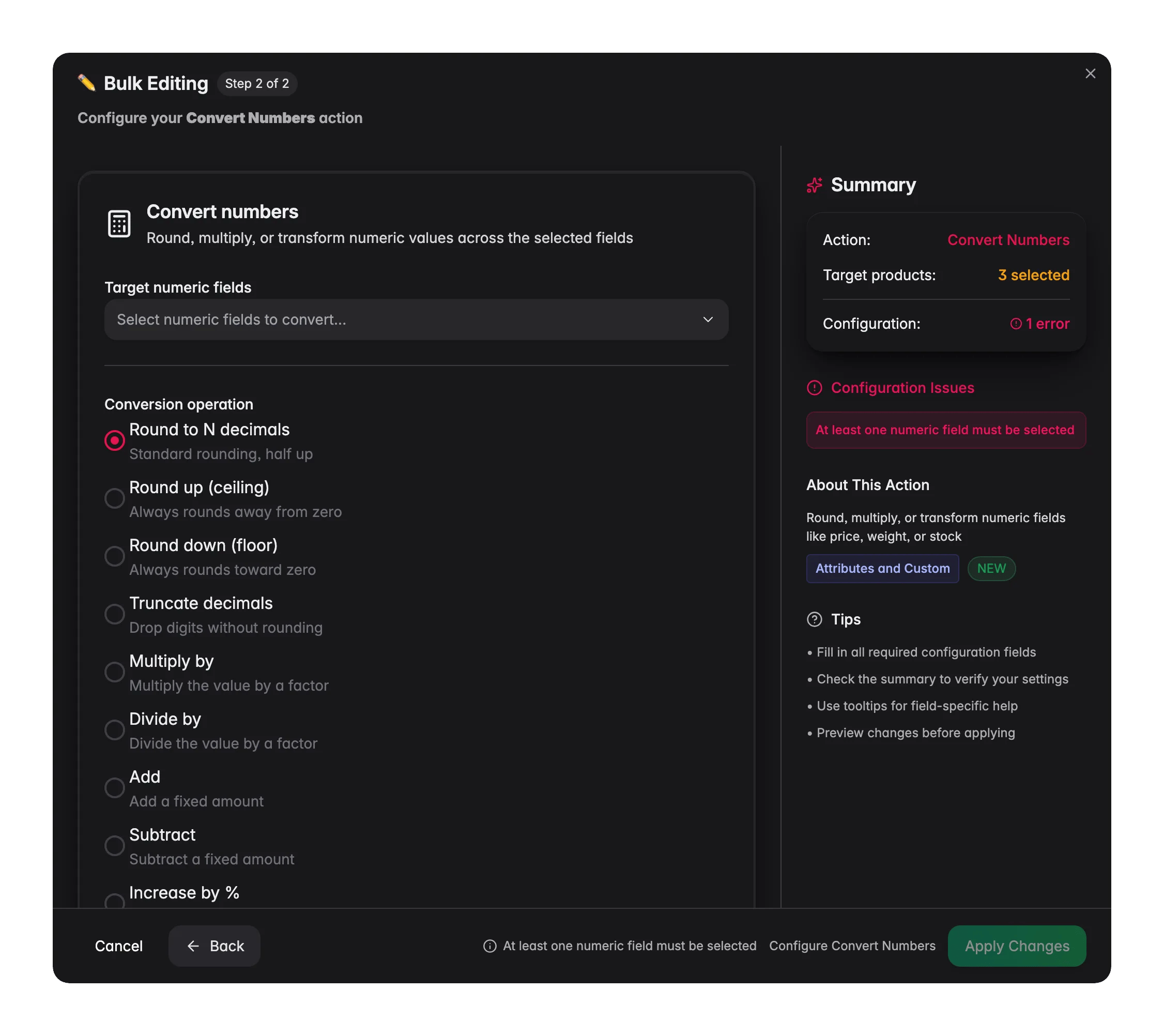
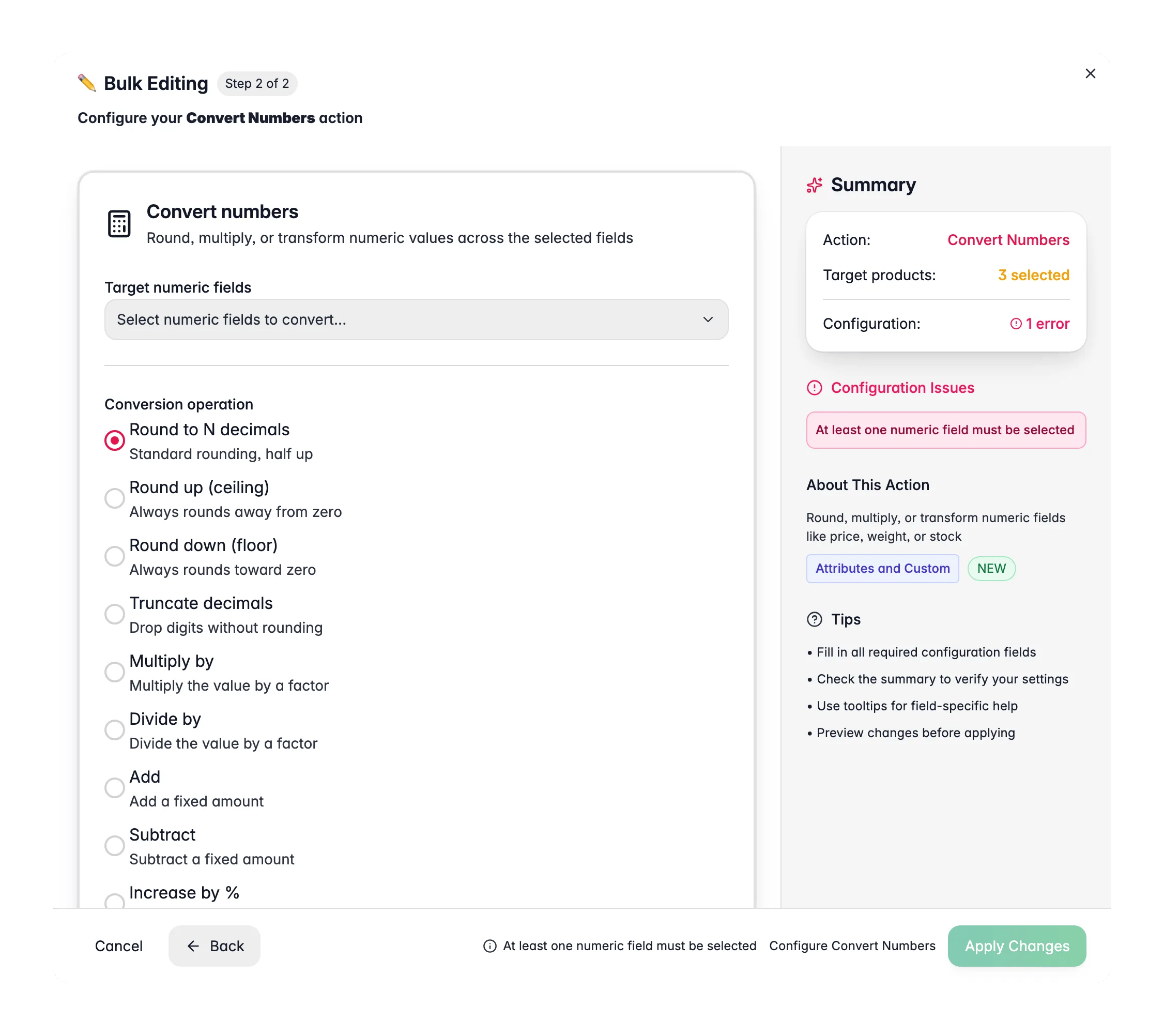
Transform the numbers on your products in one action. Convert Numbers rounds, truncates, or runs arithmetic on built-in numeric fields like price, weight, and stock. Use it to clean up long decimals from an import, rescale values, or convert units the simple way (for example, divide every weight by 1000 to go from grams to kilograms). A live preview shows exactly what your chosen operation does to a sample value, so you can check the result before you apply.
Convert Numbers works on built-in numeric fields (price, cost, weight, dimensions, stock) and your custom numeric attributes. To run math on a custom numeric attribute on its own, Numeric Operations is the more focused tool.

Convert numbers
Bulk editing, Convert Numbers across many products at once in WISEPIM
1

Select products

Check the products you want to update, or use filters and select all matching results.
2

Open Bulk Edit and choose Convert Numbers

Click Bulk Edit, then search for “Convert Numbers” or find it under Attributes & Custom Fields.
3

Pick the numeric fields

Choose one or more fields to convert: price, special price, cost, weight, length, width, height, stock quantity, low stock threshold, or a custom numeric attribute.
4

Choose an operation

Pick how to transform the values, then enter any decimals or amount the operation needs.
5

Check the preview and apply

The live preview shows the result on a sample value. When it looks right, click Apply.

Operations

OperationWhat it does
Round to N decimalsStandard rounding (half up) to the number of decimals you set
Round up (ceiling)Always rounds away from zero
Round down (floor)Always rounds toward zero
Truncate decimalsDrops digits without rounding
Multiply byMultiplies each value by your factor
Divide byDivides each value by your factor
AddAdds a fixed amount
SubtractSubtracts a fixed amount
Increase by %Adds a percentage (10 means +10%)
Decrease by %Removes a percentage (10 means -10%)
Absolute valueTurns negative numbers positive

Options

OptionWhat it doesDefault
Target numeric fieldsThe built-in or custom numeric fields to convertNone
DecimalsHow many decimals to keep, for the rounding operations (0 to 6)0
Skip products with zero or empty valuesLeaves empty values alone and avoids dividing by zeroOn
Stock quantity and low stock threshold are whole-number fields. If a conversion produces a decimal, the result is rounded to a whole number automatically.

When to use it

  • Clean up imported decimals. A feed that brings in prices like 19.9900 can be rounded to two decimals in one pass.
  • Rescale a field. Multiply or divide to convert grams to kilograms, or to adjust values that came in at the wrong scale.
  • Tidy stock numbers. Round odd stock values to whole units across the catalog.
Watch the live preview as you set up the operation. It shows the result on a sample number, so you catch mistakes before they touch your products.

Numeric Operations

Run math on a single custom numeric attribute.

Change Price

Adjust prices by percentage or fixed amount with price guards.

Change Unit of Measure

Switch units with the conversion factor worked out for you.

All bulk actions

Browse every bulk editing action by category.