

Replace all categories
1
Select products
Check the products you want to recategorize, or use filters and select all matching results.
2
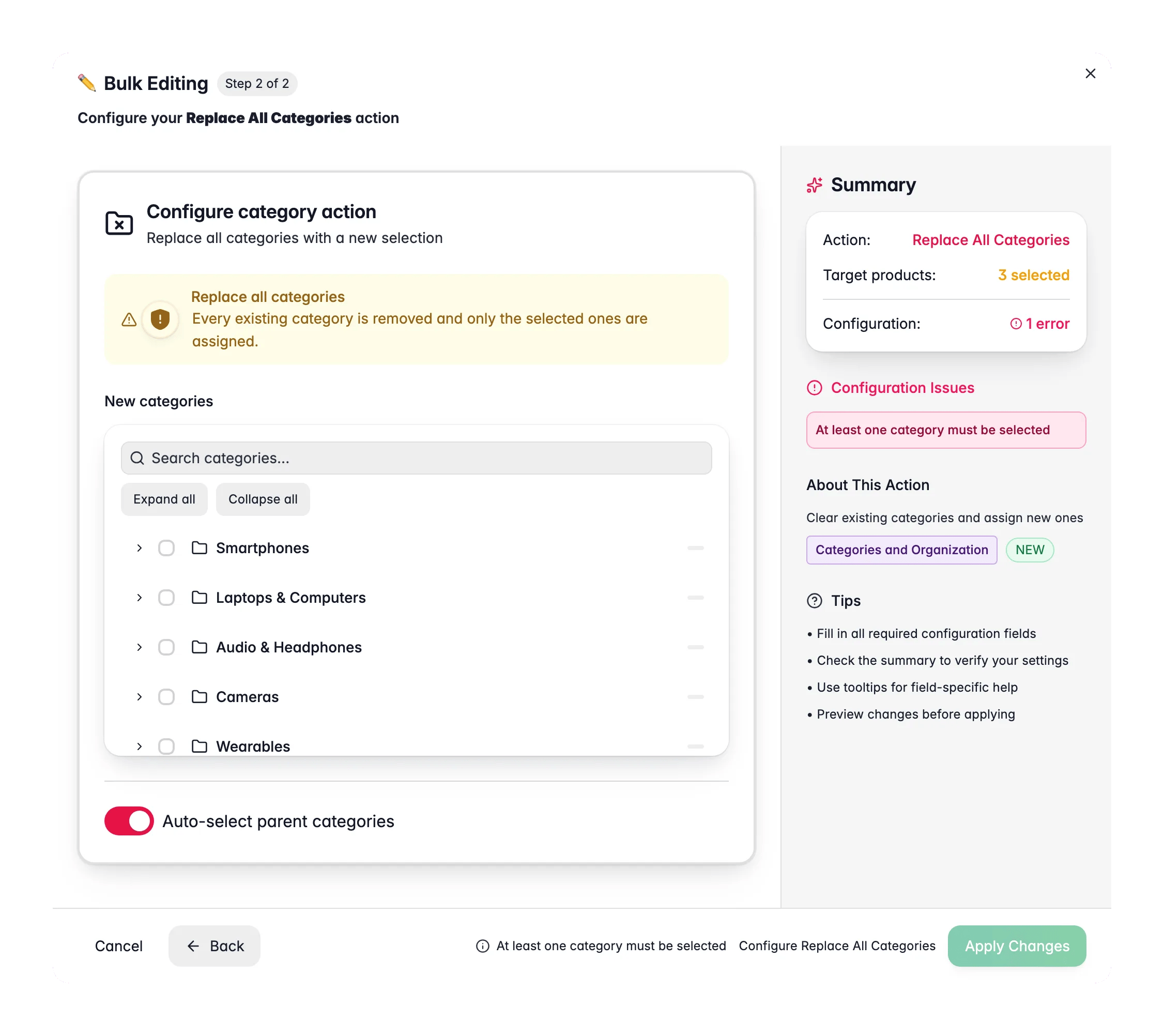
Open Bulk Edit and choose Replace All Categories
Click Bulk Editing, then search for “Replace All Categories” or find it under Categories & Organization.
3
Select new categories
Use the category tree to choose the new categories. Parent categories are auto-selected by default.
4
Confirm and apply
Review the warning about existing categories being removed, then click Apply.
Configuration options
Tips
- This is the fastest way to move products from one category structure to another. There’s no need to remove old categories first.
- Use this when migrating to a new category tree or restructuring your catalog.
- Test on a small batch first to confirm the new assignments look correct before applying to your full selection.
Related
Assign to categories
Add categories without removing existing ones.
Remove categories
Clear specific categories instead of all of them.