

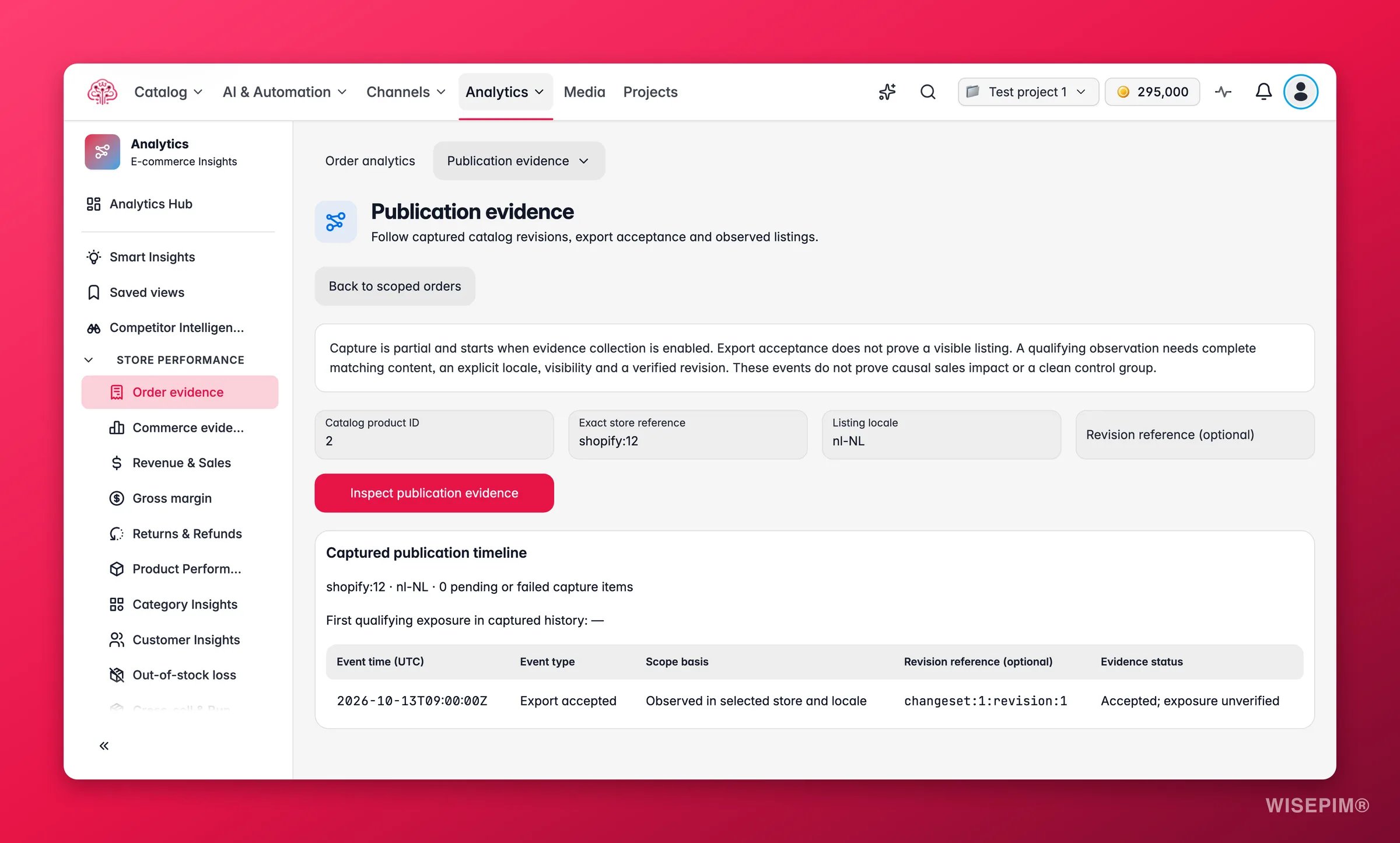
WISEPIM records changes from the moment tracking was turned on. A listing counts as live once WISEPIM saw the same content, in that language, visible in the store. Earlier history is not reconstructed.
Pick a product
The page starts with a Recently published list, so the products you just exported are one click away. For anything else, use the picker: pick a product, one store and a language, optionally narrow to a Version (optional), and click Show listing history.Read the timeline
The timeline has four columns:
The line First seen live: gives the earliest moment this version was observed. A button reading Review N waiting or incomplete items collects the events that are still waiting for an observation or could not be matched.
The timeline shows the latest 200 events. Earlier ones may exist. Narrow to a version to see further back for that version.
Why the distinction matters
An export receipt proves that the channel accepted the data. It does not prove that the listing is visible, or that a shopper saw the new text. Only Seen live with this version does. That is why Content impact starts its after-window from the seen-live event, and why a change stays Maturing until 28 complete days have passed since then.Act on what you find
The last event is Accepted, not seen live yet, and it has been days
The last event is Accepted, not seen live yet, and it has been days
The channel took the data but is not showing it, or WISEPIM has not been able to observe the page. Check the product on the storefront yourself. If the old content is still there, look at the channel’s own publishing queue or cache. If the new content is there, check that the store’s product URL is reachable from your sitemap, because that is how WISEPIM finds the page to observe.
Status says Content seen, version not confirmed
Status says Content seen, version not confirmed
The store shows this product, but the content does not match any version WISEPIM exported, in that language. Usually something edited the listing in the store after export, or a translation was changed on the channel. Re-export from WISEPIM to bring the two back in line.
No listing history for a product you know you exported
No listing history for a product you know you exported
Tracking starts when it was turned on, and events are kept per store and language. Make sure you picked the store and language the export went to. If the export predates tracking, there is nothing to show; the next export will be recorded.
You applied fixes from the Fix queue and want to confirm they reached the store
You applied fixes from the Fix queue and want to confirm they reached the store
Export as usual, then open the product here. Applying a proposal only produces a Product changed event; the Export accepted and Seen live events follow the export.
Related
Content impact
Compare sales before and after a change that was seen live.
Fix queue
Fix the products that sell first, then follow them here.
Exporting Products
How exports reach your channels.
Integration Health
Sync status per channel, under the Connections tab of Data health.