

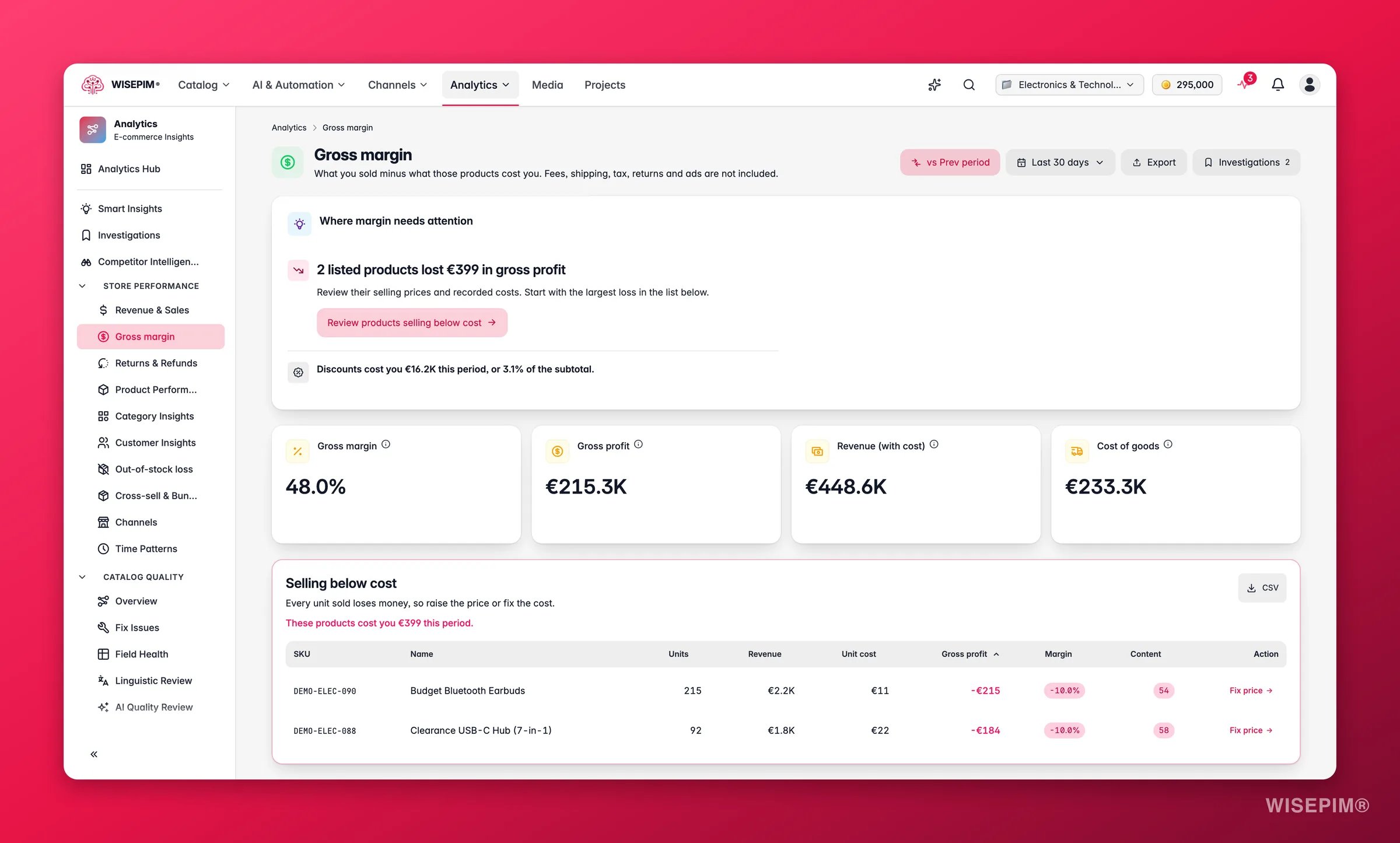
This report needs order history and a cost price on your products. Set costs in the product editor or in bulk with Cost & Margins. Products without a cost are excluded from margin math and shown as uncosted.
Key metrics
What good looks like
Gross margin benchmarks vary significantly by industry and business model, but these ranges give a directional sense:
The report uses the same thresholds internally: the margin chip turns warning below 15 % and danger below 0 %.
Charts and tables
- Revenue by margin band: groups sales into margin buckets so you see how much revenue is high-margin versus thin. A healthy catalog has the bulk of revenue in the 30 %+ bands.
- Gross margin % by category: your most and least profitable categories at a glance. Use it to spot one category dragging down the blended average.
- Profit by product: a sortable table with revenue, units, unit cost, gross profit, and margin %. Products selling below cost are flagged in red so you can act immediately.
Reading the results
- A spike of revenue in the low-margin band usually means a promotional period, a supplier cost increase, or a pricing error on a bestseller. Cross-reference with the date selector.
- One category pulling the blended margin down shows where to focus cost renegotiation or price adjustments first.
- Products flagged in red are selling below cost. Even a handful of these erases profit across the catalog if they are high-volume.
- Low cost coverage (many products missing cost data) means the margin figure is optimistic. The banner appears automatically when coverage drops below 80 %.
Act on what you find
Products are selling below cost
Products are selling below cost
Open the flagged product in the editor and correct the cost or the price. If several SKUs from one supplier are affected, use Cost & Margins to update costs in bulk. A single mispriced bestseller can quietly erase profit across the catalog, act on these immediately. Outcome: stop the margin bleed on those SKUs within the same trading period.
A high-revenue category has thin margins
A high-revenue category has thin margins
Check whether the issue is cost price (negotiate with the supplier), selling price (test a price increase), or discount pressure (reduce promotions on these lines). Shift marketing spend toward your higher-margin categories. Use Bulk Editing to update margins across the category at once. Outcome: improve blended gross margin without needing to grow top-line revenue.
Coverage is low, lots of uncosted revenue
Coverage is low, lots of uncosted revenue
Import cost prices in bulk with Cost & Margins so the report reflects your whole catalog. Without costs, the margin figure is incomplete and you may be misreading where profit actually comes from. Outcome: a reliable margin view that covers the full catalog.
Promotions are eroding margin
Promotions are eroding margin
When the discount banner is active, it shows total promotion spend and the discount rate for the period. Review which products or categories are being discounted most heavily and evaluate whether the volume lift justifies the margin cost. You can automate conditional discounting rules with Automations. Outcome: smarter promotions that protect margin while still driving conversions.
Related
Revenue & Sales
The top-line revenue behind the margin.
Cost & Margins
Set cost prices across many products at once.
Returns & Refunds
Returns eat into margin. See where they come from.
Stock-Out Loss
The profit you miss when bestsellers go out of stock.