

A review runs for one target locale at a time, so add your locales first under Additional Languages in General settings (the “Run review” button stays disabled until at least one target locale exists). Reviews run in the background and are ready in a few minutes.
Run a review
1
Open Linguistic Review
Find it in the Analytics sidebar, or run it straight from a product selection after translating products.
2
Pick the target locale
Choose which language to review. The review compares each translation against its source and the expectations for that locale.
3
Set the thresholds
Set the flagging threshold (products scoring below it are flagged) and the meta-description character limit for SEO compliance.
4
Choose what to review
Your current selection or everything matching your filters.
5
Run and review
The review processes in the background. When it finishes, the dashboard fills with your scores, charts, term variants, and per-product results.
The six criteria
What the scores mean
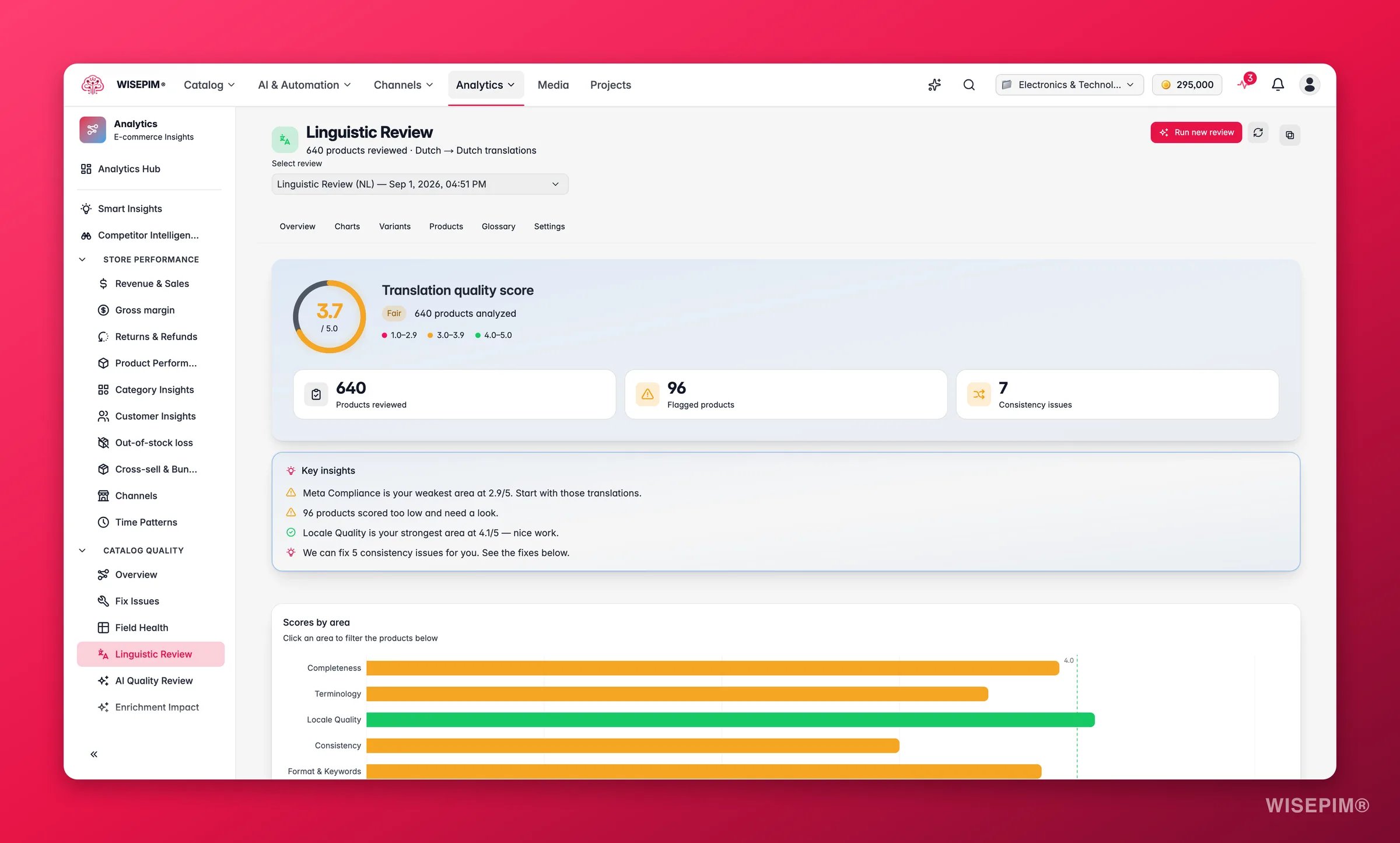
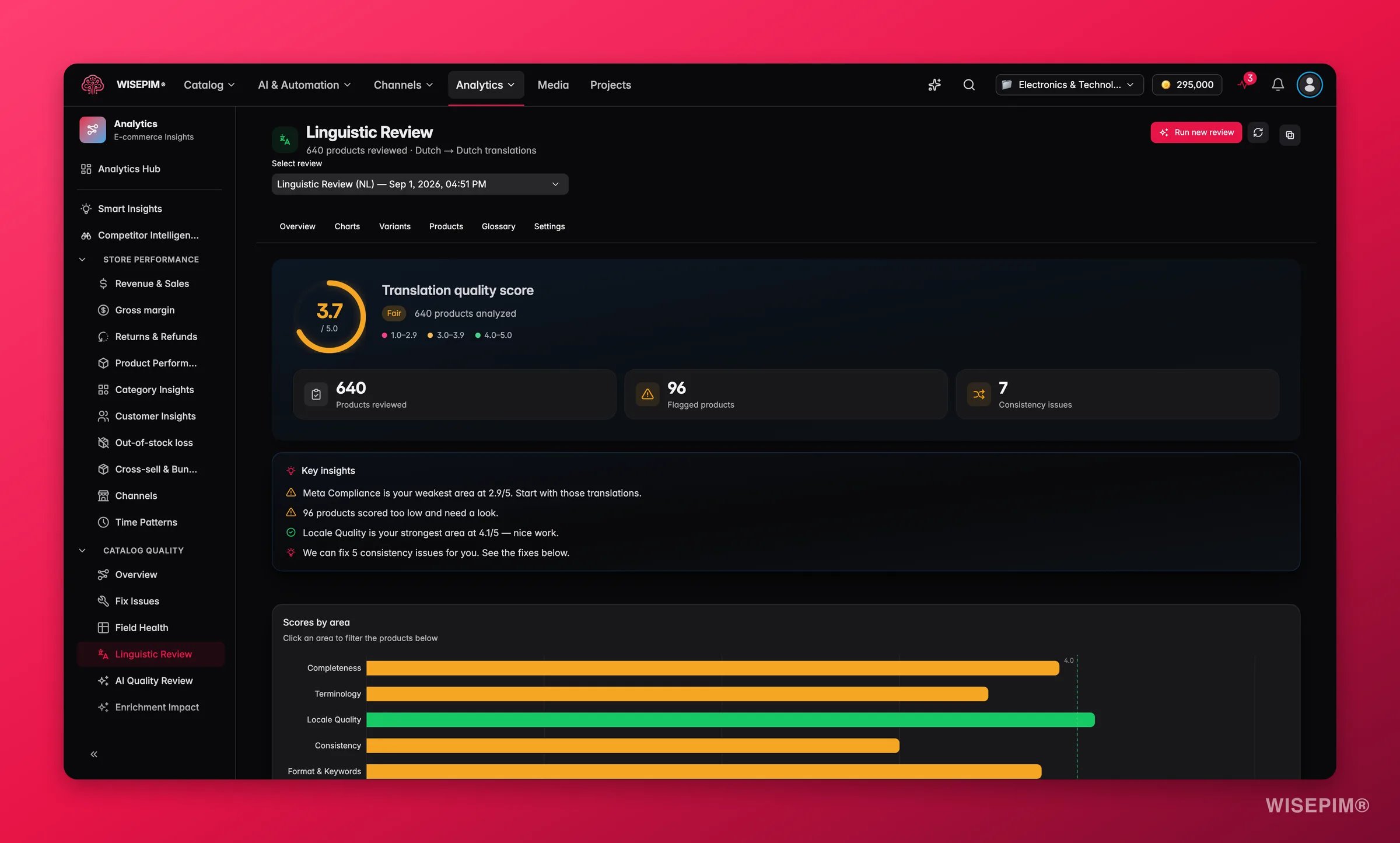
The overall score is the average across all six criteria. Each product also gets a priority (Critical to Pass), and the summary counts your flagged products and consistency issues so you know the size of the job at a glance.
Findings, observations, tips and terminology notes are written in the project owner’s interface language, independent of the catalog language or the locale under review. Quoted evidence from your products stays verbatim.
Reading the results
- Overview gives you the headline score, plus how many products are flagged and how many consistency issues were found, with auto-generated plain-language insights (your strongest and weakest criteria).
- Charts show the criteria radar, the score distribution, a priority breakdown, and (once you have two or more reviews) a trend line so you can see whether quality is improving over time.
- Term Variants is where the consistency fixes live: each inconsistent term lists how it was translated and how many products use each variant, with the recommended one highlighted.
- Products is a searchable, sortable table; open any row to see per-criterion scores, the reviewer’s notes, and the key terms extracted from that product.
- Term Glossary is a quick reference of the most-used source-to-translation pairs across the reviewed products.
- Recommended Settings lists AI suggestions for tightening your project’s translation settings.
One-click fixes
- Apply a term variant to standardize an inconsistent translation across every affected product, and optionally add it to the dictionary so future AI translations always use the approved term.
- Fix All applies every auto-fixable consistency issue at once.
- Apply a recommended setting to update your project’s translation rules.
- Copy summary puts the score breakdown on your clipboard for a Slack or email update, and Excel report downloads the full review.
Act on what you find
Consistency is your weakest criterion
Consistency is your weakest criterion
Open Term Variants. Each issue shows the competing translations and how many products use each. Pick the recommended variant, toggle Add to dictionary, and apply. Outcome: terminology is unified now, and the dictionary keeps every future translation consistent, so the problem does not come back.
Meta Compliance is low
Meta Compliance is low
Translated meta descriptions often blow past the character limit or get truncated. Apply the recommended setting to align the locale’s meta limit, then fix the flagged products. Outcome: your translated pages keep their full meta text in search results, protecting click-through in the local market.
Locale Quality is low
Locale Quality is low
Grammar, tone, or spelling reads off for native speakers. Open the flagged products, read the reviewer’s per-criterion notes, and either edit the translation directly or re-run AI translation with a clearer instruction. Outcome: the copy reads like it was written for the market, not machine-translated into it.
You are about to launch a new language
You are about to launch a new language
Run a review on the full catalog for that locale, fix the flagged products and the consistency issues, and confirm the overall score is comfortably above 4 before you publish. Outcome: the new market launches on polished, consistent copy instead of raw machine output.
You just ran a large AI translation batch
You just ran a large AI translation batch
Use the review as a quality gate: run it right after the batch to see how the machine output scored, then fix the lowest-priority products before anything syncs to a channel. Outcome: translation errors are caught in-house instead of by a customer or a channel rejection.
How it relates to the other quality tools
Linguistic Review is the language-quality counterpart to the AI Quality Review. Where AI Quality Review judges your product data (completeness, images, pricing, conversion signals), Linguistic Review judges the translated copy itself. A product can have perfect data and still read awkwardly in Dutch or French, so the two work best together: review the data, then review the language.Related
AI Quality Review
The product-data counterpart: 12 dimensions, one-click fixes and guard rules.
Translating Products
Translate your catalog with AI before (and after) you review it.
Translation Settings
Tune translation behavior and the terminology dictionary the review writes to. Target locales themselves are added in General settings.
Data Quality
Track overall product-data health alongside translation quality.