

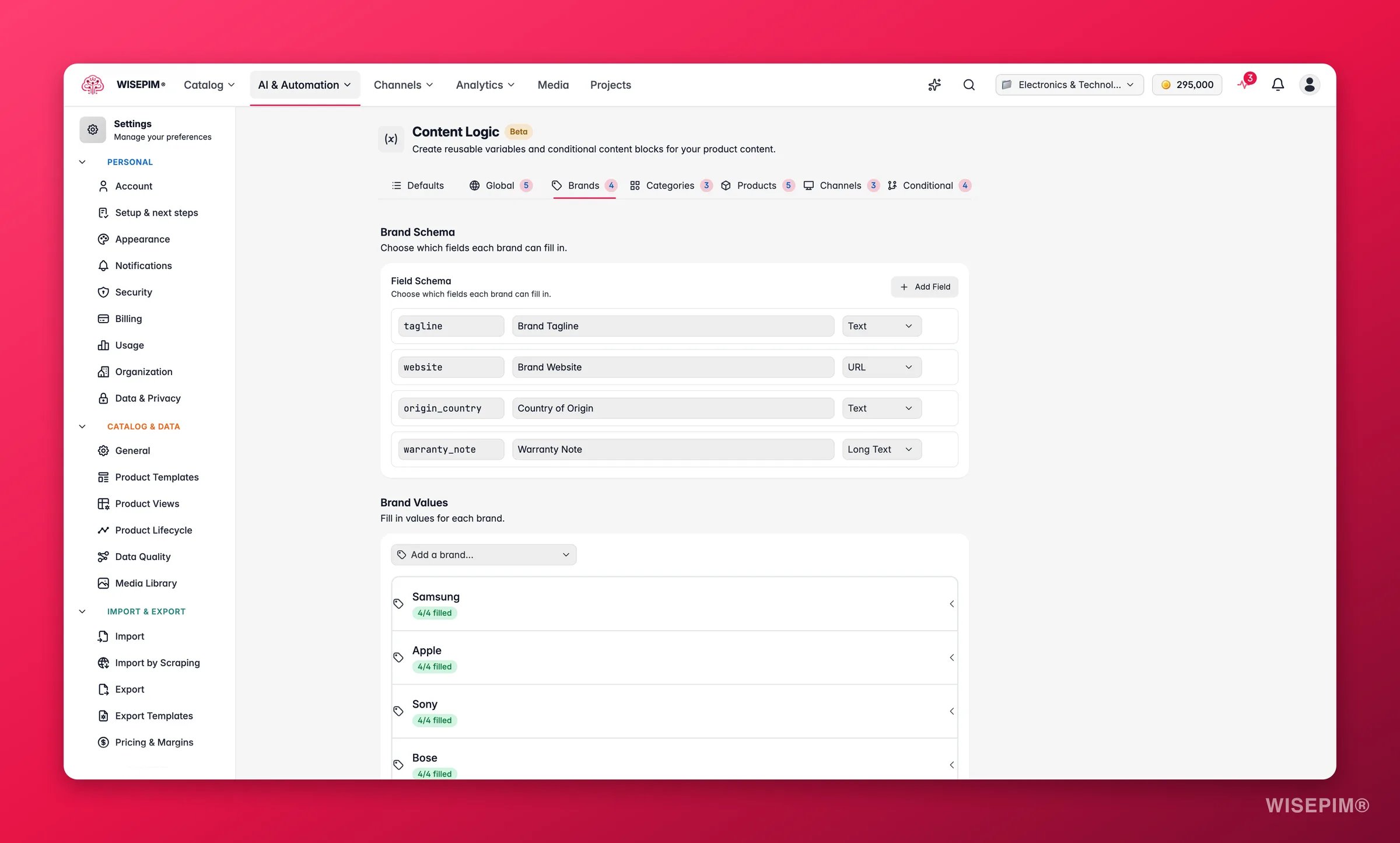
Brands map to each product’s brand field. The list of available brands comes from the distinct brand values found across your project’s products, and
{{brand.*}} resolves by matching the brand name (case-insensitive) against each product’s brand.Set up brand variables
1
Define a schema
Create the fields you need, such as
tagline or compliance_text. Give each one a key, a label, and a type: text, long text, or URL.2
Fill in values per brand
Select each brand and enter its specific values. The progress indicator (“3/5 filled”) shows which brands still need values.
3
Reference in content
Use
{{brand.your_key}} in any formula-enabled field. Each product resolves to its own brand’s value.“Stainless Steel Anchor Bolt by Fischer. Engineered for precision.”
What you can do with them
Here are common ways to use brand variables. Each one is a field you define once and fill per brand.Brand taglines
Brand taglines
Add unique brand messaging to every product without editing them one by one.
Compliance and certification text
Compliance and certification text
Each manufacturer has its own certifications. Store them per brand and pull them into every product.
Add it to descriptions with Append/Prepend:
Origin stories for AI enrichment
Origin stories for AI enrichment
Give AI prompts brand context so generated content reflects the manufacturer’s identity.
Reference it in an AI prompt:
“Write a product description for{{product.name}}. Brand background:{{brand.origin_story}}”
Minimum order quantities
Minimum order quantities
Suppliers set different MOQs. Store them per brand and show them on B2B product pages.
“Minimum order: 25 units. Ships within 3-5 business days.”
Warranty terms
Warranty terms
Warranties differ by brand. Centralize them instead of writing them per product.
Brand website links
Brand website links
Store manufacturer URLs for product pages, legal text, or export templates. Use the URL field type.
Hazardous material handling
Hazardous material handling
Manufacturers have different MSDS references and handling steps. Store them per brand.
Combine it with a conditional block: if the product is a dangerous good, show
{{brand.hazmat_handling}}.Return policies
Return policies
Not all suppliers allow the same return terms.
Tips
- Use the long text field type for multi-line content like compliance text or origin stories.
- Brand values can include other variables. A return policy can reference
{{global.support_email}}, for example.
Related
Category Variables
Store content that differs per category instead of per brand.
Global Variables
Define values that stay the same across every product.
Conditional Blocks
Show different content based on product data.
Default Variables
Built-in variables that pull straight from product data.