

Create a product variable
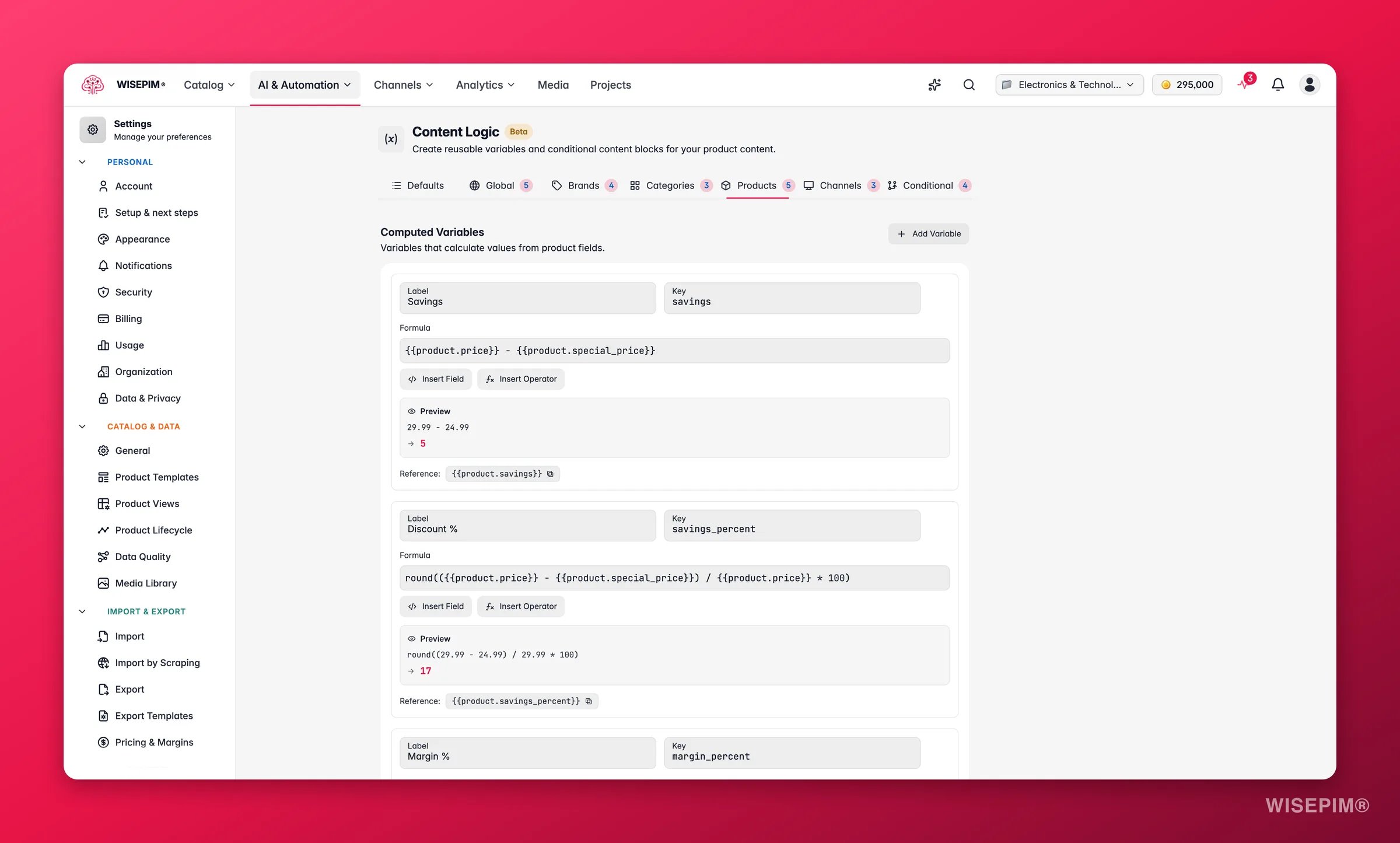
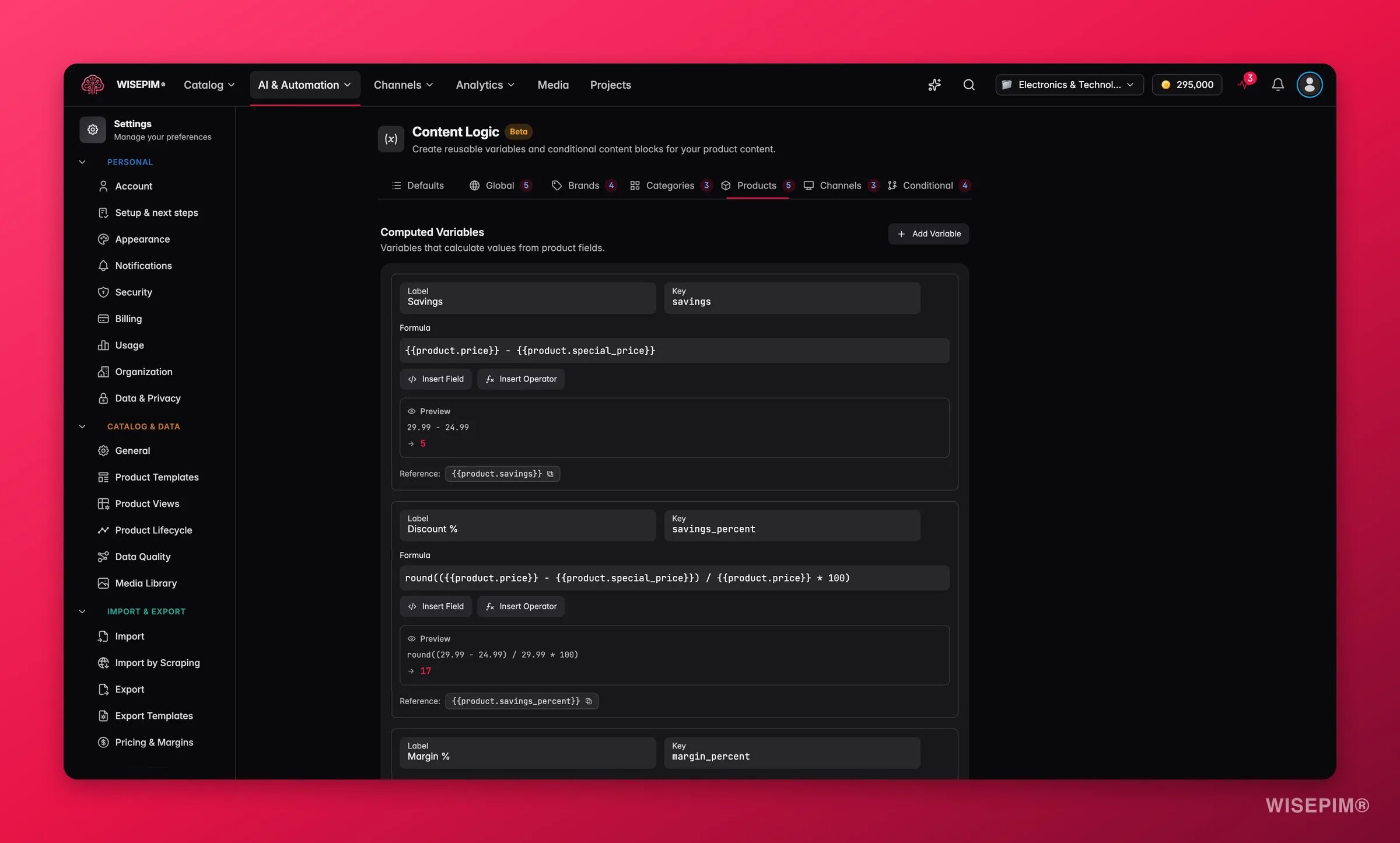
1
Add a variable
Give it a label, a key, and a formula.
2
Build the formula
Reference fields with
{{product.field}} and combine them with operators and functions. Use the Insert Field and Insert Operator buttons, or type {{ for autocomplete.3
Check the preview
The live preview resolves your formula with sample data, so you can confirm the result before saving.
4
Reference it in content
Use
{{product.your_key}} anywhere variables are supported.Operators and functions
Common formulas
Each example shows the formula and the result it produces with sample data.Price including VAT
Calculate the VAT-inclusive price from the base price. Formula:€157.29
Use 1.21 for 21% VAT, 1.09 for 9%, and so on. The round(...*100)/100 pattern keeps two decimal places.
Profit margin percentage
Show the margin as a clean percentage. Formula:42%
Reference it as {{product.margin_pct_display}} in internal reports or data quality checks.
Price per unit weight
Useful for B2B catalogs where buyers compare price-per-kg or price-per-unit. Formula:€28.82/kg
Display name with SKU and brand
Build a standardized display name for exports and catalogs. Formula:Fischer | Stainless Steel Hex Bolt M10x50 (SS-HB-M1050)
Savings amount and percentage
Calculate the real discount for products on sale. Formula (savings):€30.00
Formula (savings percentage):
23%
Volume and dimensional weight
Calculate volumetric weight to estimate shipping costs. Formula (volume in cm³):14450 cm³
Formula (dimensional weight in kg, using a 5000 divisor):
2.89 kg
Minimum selling price from target margin
Calculate the floor price that holds a minimum margin. Formula:€107.14
Change 0.30 to your desired minimum margin.
Stock value (cost × quantity)
Calculate inventory value per product for reporting. Formula:€1225.00
Formatted specifications string
Build a standardized specs line from several fields. Formula:0.085 kg | 50×17×17 mm
Markup-based selling price
Calculate the selling price by applying a fixed markup to cost. Formula:€120.00
Tips
- Check the preview before saving. It uses sample values to show how your formula resolves.
- Fill the fields you reference. If a referenced field is empty, the formula resolves to an empty string and the math will not compute.
- Format prices cleanly. Wrap pricing formulas in
round(...*100)/100for tidy two-decimal results. - Combine variable types. Product variables can reference other product, global, brand, and category variables in their formulas.
Related
Global Variables
Reuse company-wide content across all products.
Brand Variables
Store different values per brand.
Category Variables
Store different values per category.
Conditional Blocks
Show content only when conditions are met.