

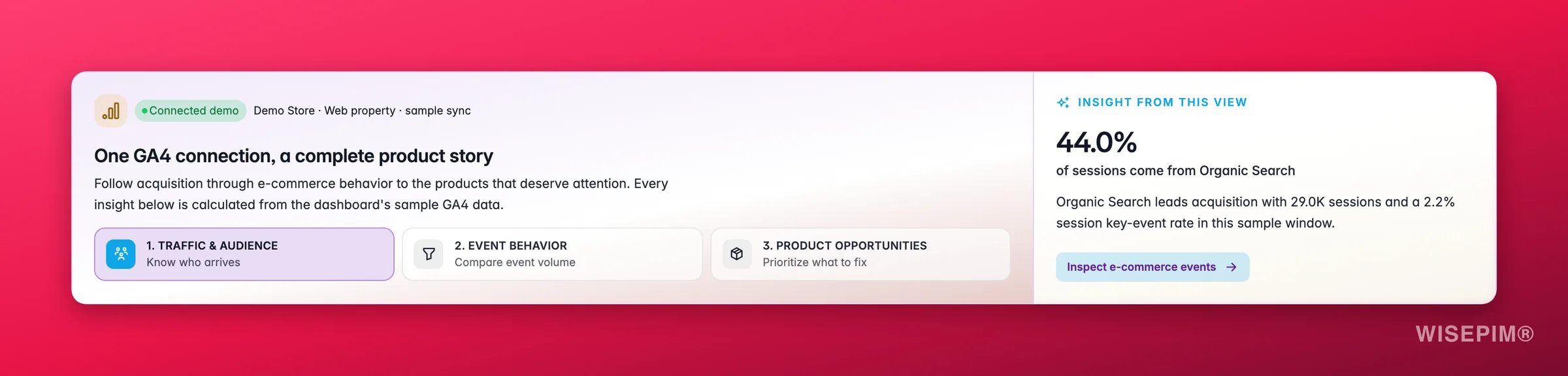
Before you start
- A Google account with access to at least one GA4 property.
- A GA4 property that is receiving data from the storefront for this WISEPIM project.
- Standard GA4 ecommerce events for the complete funnel:
view_item,add_to_cart,begin_checkout, andpurchase. - For product-level attribution, send the WISEPIM product SKU as GA4’s
item_id. Matching is exact and case-sensitive.
Connect Google Analytics 4
1
Open Integrations
Go to Channels → Integrations, filter by Analytics, and open Google Analytics 4.
2
Connect with Google
Click Connect with Google. WISEPIM redirects you to Google’s consent screen and requests read-only Analytics access.
3
Choose an account
Sign in with the Google account that can access the required GA4 property. After consent, you return to WISEPIM automatically.
4
Select a property
WISEPIM lists the GA4 properties available to that account, including their Analytics account and property ID. Select the property that belongs to this project.
5
Let the first sync finish
WISEPIM verifies the selected property and queues its first sync automatically. The dialog follows the background job: it opens with “Preparing analytics data”, then names the stream it is on (“Syncing sessions and traffic sources”, “Syncing page performance”, “Syncing conversions and products”), counts “N of M steps” on a progress bar, and shows the “Date range: to ” it is covering. Finished runs appear in the sync history with their row count.
What WISEPIM imports
GA4 only sends analytics data into WISEPIM. It does not import, edit, or export product titles, prices, images, stock, or other catalog fields.
How products are matched
WISEPIM links a GA4 item to a product only when GA4’sitem_id is exactly equal to that product’s SKU inside the same project. Product names are deliberately not used as a fallback because names are not stable identifiers.
Understand the conversion rates
WISEPIM keeps rate names and denominators explicit:- Session key-event rate is GA4’s
sessionKeyEventRate: the share of sessions in which at least one event marked as a key event occurred. It is notkeyEvents ÷ sessions, because a session can contain several key events. - Unit cart rate is synced item additions divided by synced item views.
- Unit purchase rate is synced purchased items divided by synced item views.
What it powers
Manage and refresh the connection
Open the GA4 integration again to:- Change property. WISEPIM verifies it and automatically starts a new property-scoped sync. Data from the old and new properties is never mixed.
- Test connection to confirm the stored authorization and selected property still work.
- Sync now to refresh the latest seven days and fill gaps in the retained 180-day window.
- Force re-sync to rebuild the complete retained 180-day snapshot.
- View recent sync history, including running, successful, partial, and failed jobs, duration, range, and row count.
- Disconnect GA4 from the current project.
GA4 is not a real-time feed in WISEPIM. Syncs run in the background and end at yesterday. Google may revise recent analytics data, so WISEPIM refreshes the latest seven days during every smart sync.
Troubleshooting
No properties are listed
No properties are listed
The selected Google account cannot access a GA4 property, or the required Google Analytics APIs are unavailable. Switch to an account with property access and retry. If WISEPIM reports an API configuration problem, contact support.
The connection works but the reports are empty
The connection works but the reports are empty
Confirm that the selected property belongs to this storefront, receives data, and has completed at least one successful sync. GA4 processing delay and an empty selected date range can also explain missing recent data.
Traffic appears but products are not matched
Traffic appears but products are not matched
Inspect the storefront’s ecommerce payload. Its
item_id must equal the WISEPIM SKU exactly, including capitalization. Do not send a product name, database ID, or variant label unless that value is also the SKU in WISEPIM.A sync is partial or failed
A sync is partial or failed
Open the sync history for the provider error and affected range. Retry a normal sync first. Use Force re-sync when the retained history must be rebuilt after fixing the property or tracking setup.
Related
Conversions
Find the largest drop-off in the GA4 ecommerce funnel.
Product Performance
Tie item views and purchases to products and content quality.
Google Search Console
Add organic-search clicks, impressions, CTR, and positions.
All integrations
See everything you can connect to WISEPIM.