

You need admin access to your Magento 2 store and a WISEPIM account with an active project.
Create the integration in Magento
1
Open your Magento 2 admin panel
Log in to Magento with your admin account.
2
Go to Integrations
Navigate to System > Integrations.
3
Add a new integration
Click Add New Integration and fill in:
- Name: a clear name, for example WISEPIM
- Your Password: your admin password
- API: the resources this integration can access
Activate the integration
Activate the integration to generate your four API keys.1
Activate
After saving, click Activate in the integrations grid.
2
Allow access
Review the permissions and click Allow.
3
Copy your keys
Magento shows four keys. Copy all of them:
- Consumer Key
- Consumer Secret
- Access Token
- Access Token Secret
Add your keys to WISEPIM
Enter the four keys from Magento to finish the connection.1
Open Integrations
Log in to WISEPIM and go to Settings > Integrations.
2
Select Magento
Click the Magento integration tile.
3
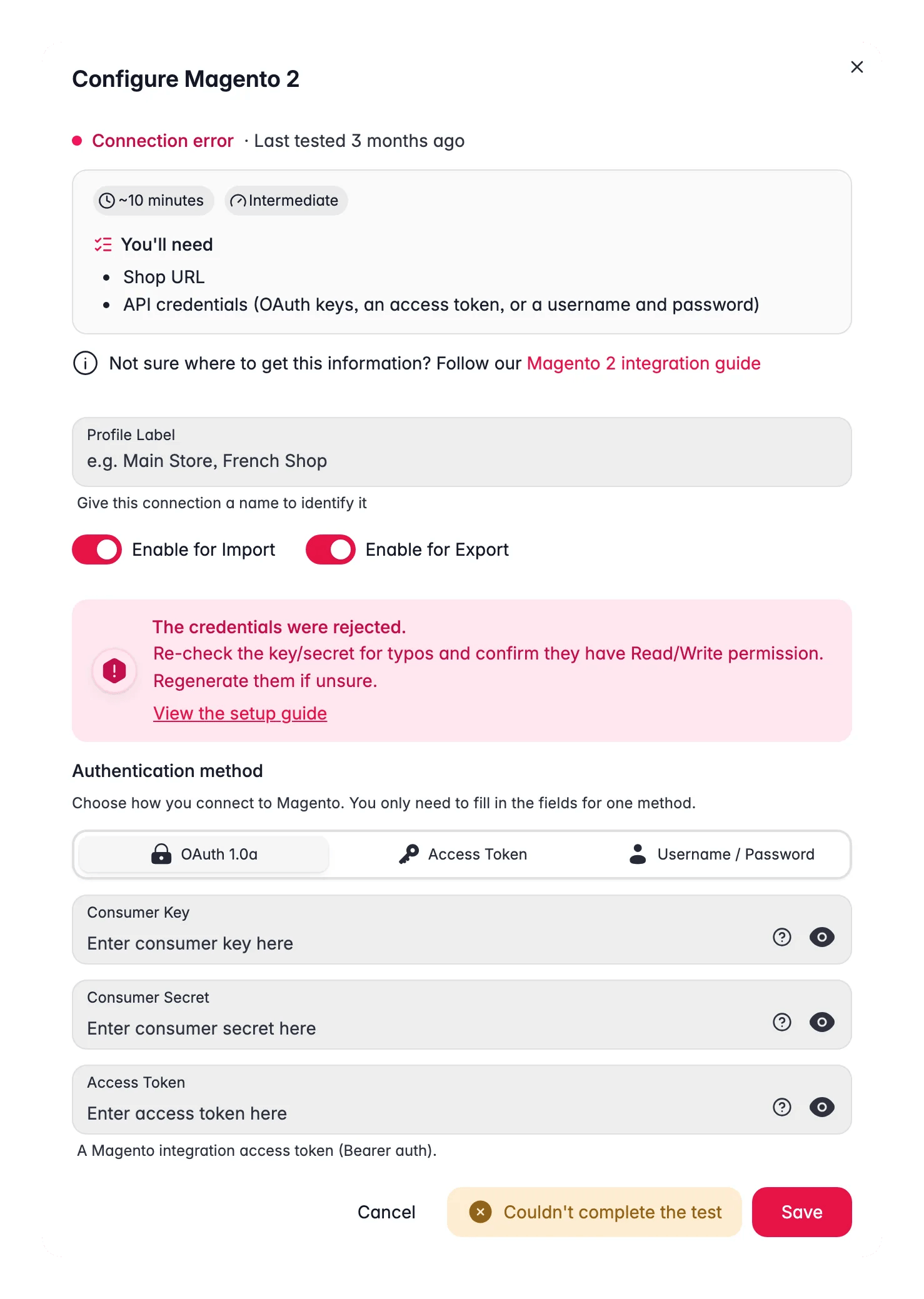
Enter your keys
Fill in each field:
- Consumer Key
- Consumer Secret
- Access Token
- Access Token Secret
4
Save
Click Save. WISEPIM encrypts and stores your keys securely.
Your Magento store is now connected. You can start importing products.
Related
Import products
Pull your catalog from Magento into WISEPIM.
Enrich products
Improve titles, descriptions, and attributes with AI.
Export products
Push the improved content back to Magento.
All integrations
Browse every platform you can connect to WISEPIM.