

Add your API keys
1
Open the integration settings
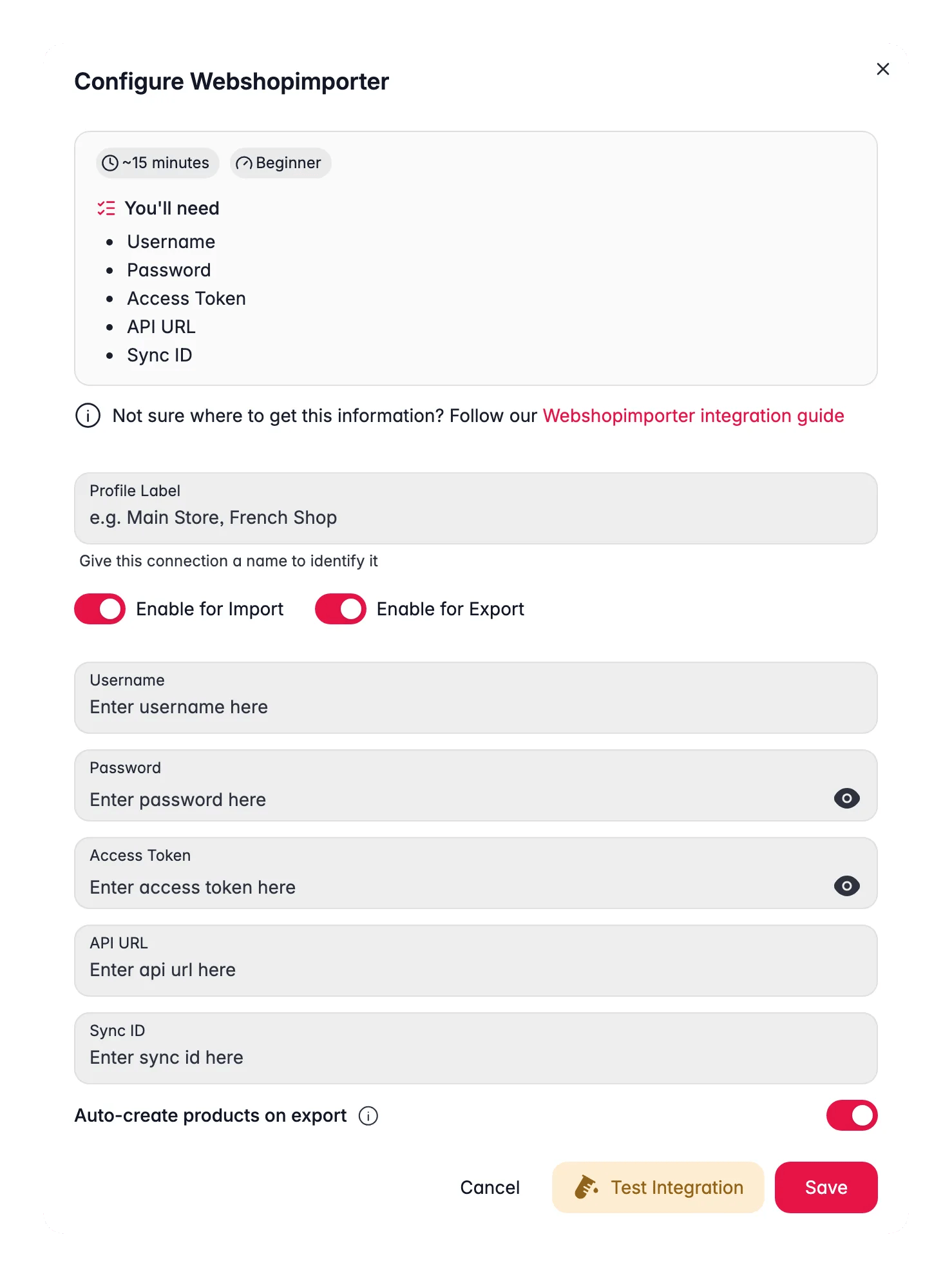
Log in to WISEPIM, then go to Settings > Integrations > WebshopImporter.
2
Add a new API key
Click Add API Key to start a new connection.
3
Fill in your credentials
Complete the required fields:
- API Key Name: a name you’ll recognize later
- API Key: your webshop’s API key
- API Secret: your webshop’s API secret
- Webshop URL: the base URL of your webshop
4
Save the connection
Click Save to store your credentials. WISEPIM can now exchange product data with your webshop.
Related
Supported platforms
See every platform WISEPIM connects to and open its setup guide.
Importing products
Bring your catalog into WISEPIM once the integration is connected.
Enriching products
Improve your imported product data with AI.