

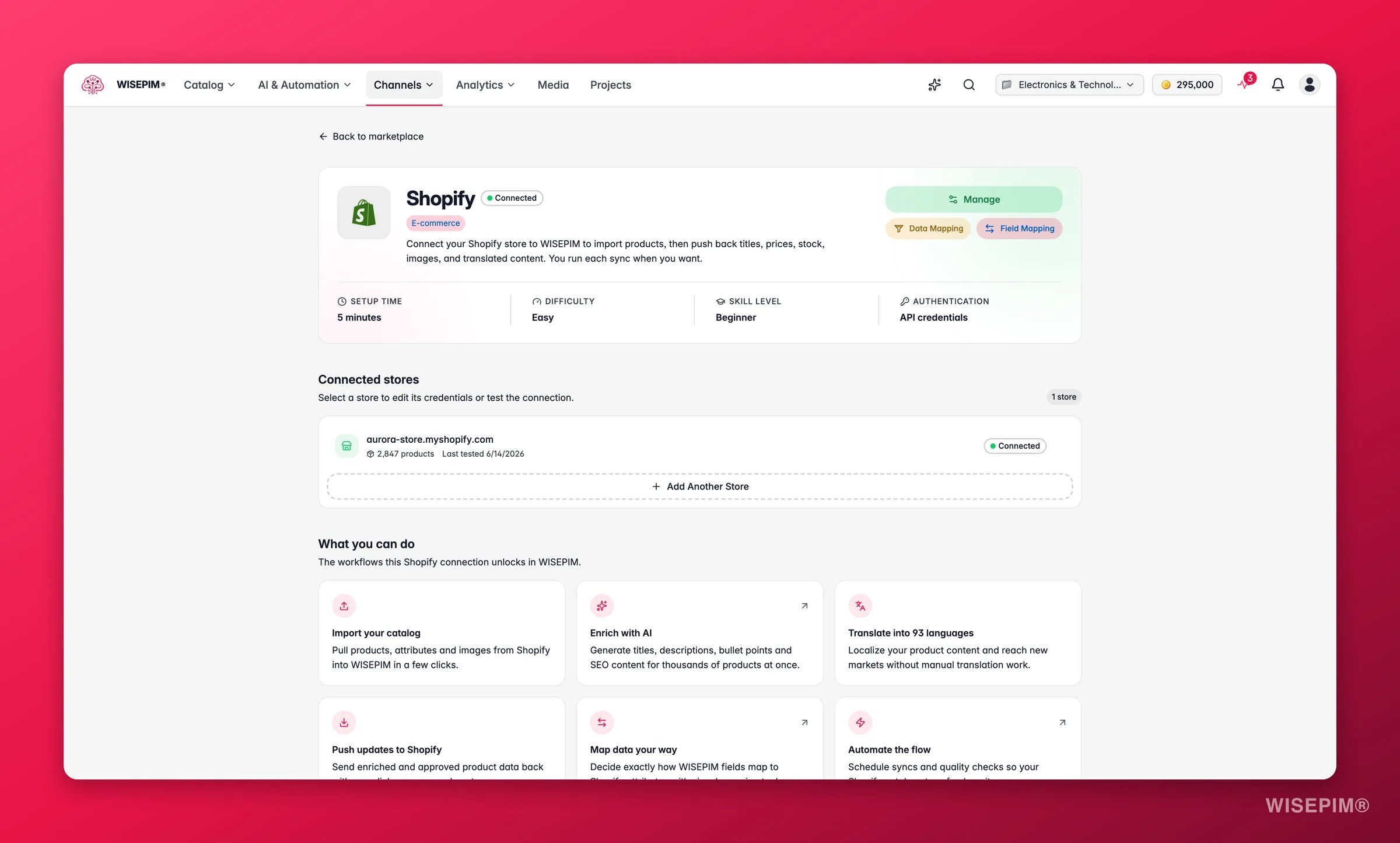
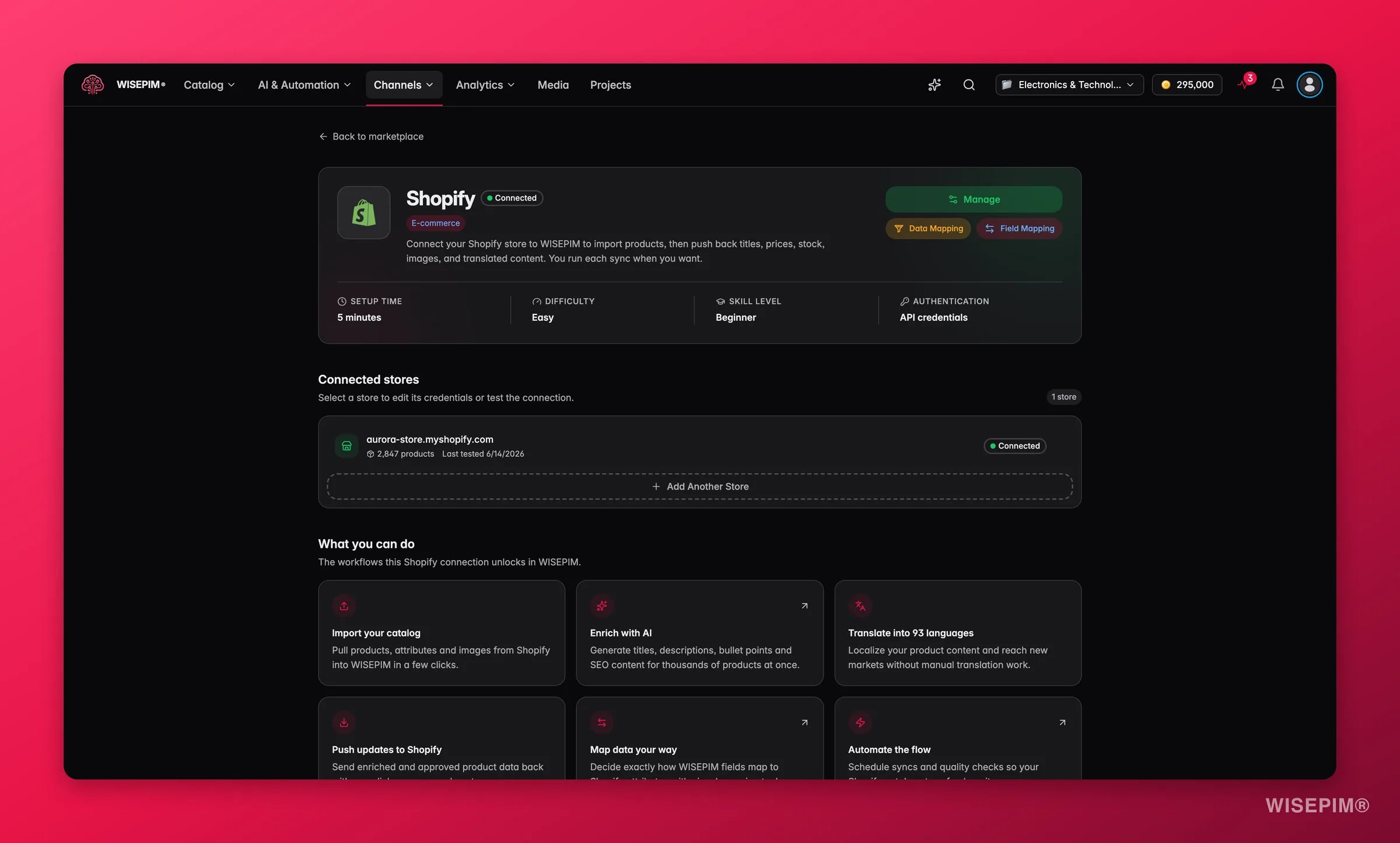
- Installeer vanuit de Shopify App Store. De snelste route. Shopify vertelt WISEPIM wie je bent, dus je hoeft niets te kopiëren en plakken.
- Maak een custom app in je Shopify-admin. Gebruik dit als je al een WISEPIM-account hebt en handmatig nog een winkel wilt koppelen.
Installeren vanuit de Shopify App Store
Installeer WISEPIM rechtstreeks vanuit de Shopify App Store en je bent in één stap klaar.1
Zoek WISEPIM in de Shopify App Store
Open de Shopify App Store vanuit je Shopify-admin en zoek op WISEPIM.
2
Installeer de app
Klik op installeren en keur de toegang goed waar Shopify om vraagt. Je typt nooit je winkeldomein, je API-sleutel of je secret in.
3
Kom binnen in WISEPIM, al ingelogd
Ben je nieuw, dan maakt WISEPIM je account voor je aan: je gegevens komen uit Shopify, en je krijgt een project dat klaar is voor gebruik. Je komt ingelogd binnen, met je winkel al gekoppeld.
4
Kies een abonnement (optioneel)
Je kunt je abonnement in de app kiezen en Shopify de facturatie laten afhandelen. De kosten verschijnen dan op je gewone Shopify-factuur in plaats van op een aparte.
Installeren vanuit de App Store vervangt de custom-app-stappen hieronder. Je hebt de custom-app-route alleen nodig als je zelf een winkel koppelt aan een bestaand WISEPIM-account.
Maak een custom app in Shopify
1
Open Instellingen in je Shopify-admin
Log in op je Shopify-admin en open Instellingen.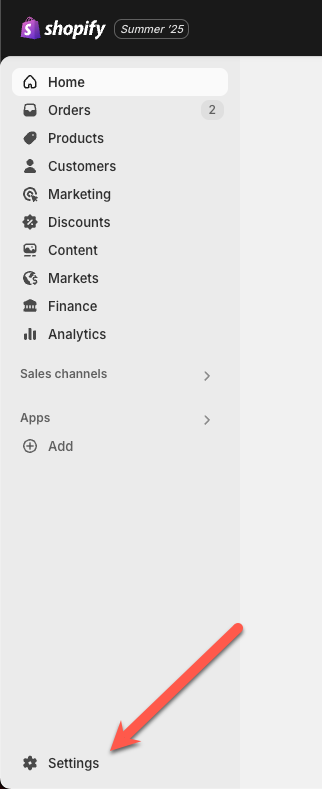
2
Ga naar Apps ontwikkelen
Open Apps en verkoopkanalen en klik op Apps ontwikkelen. Hier maak je een custom app aan voor WISEPIM.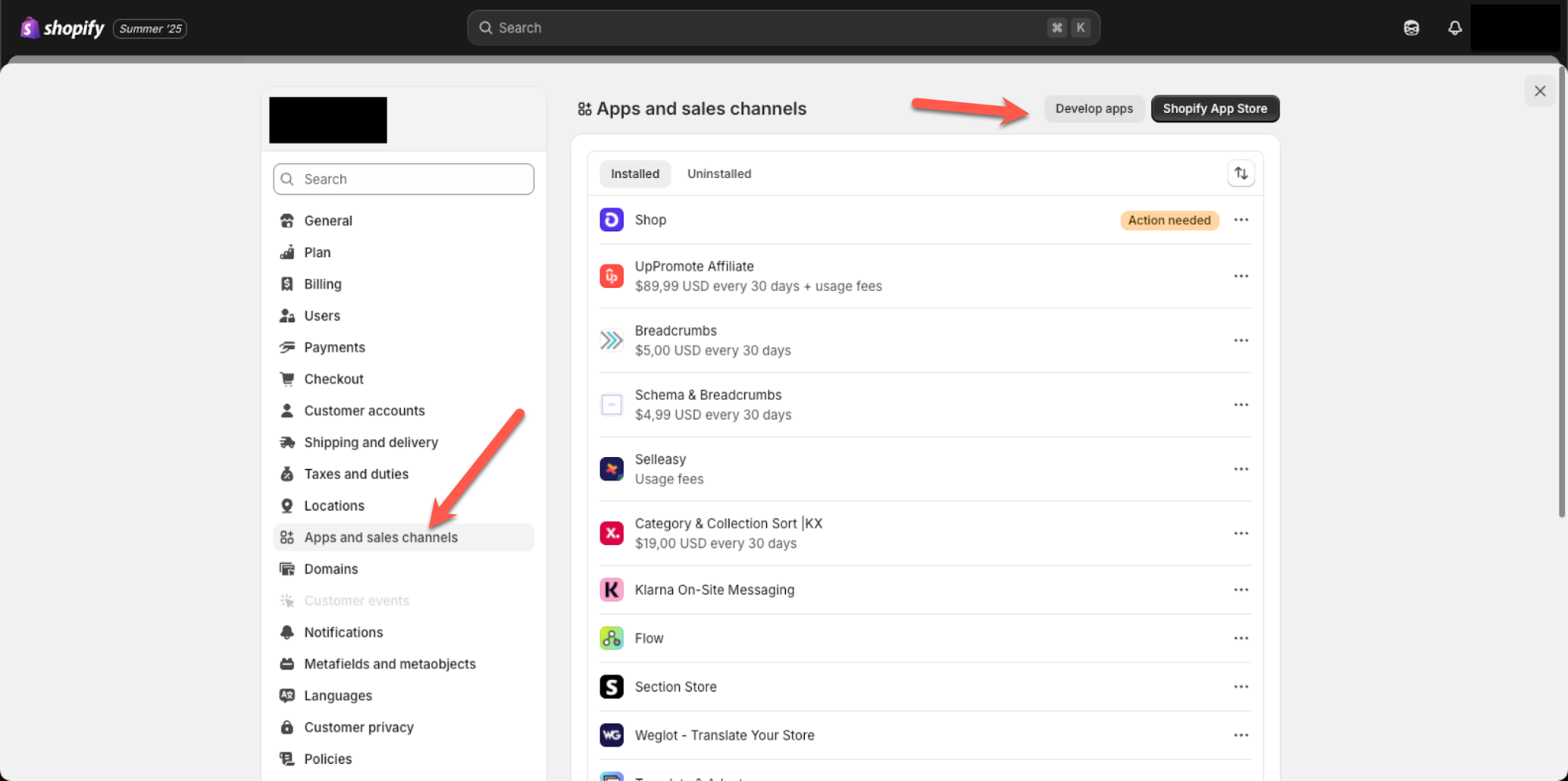
3
Open de app-configuratie
Open het tabblad Configuratie van je app. Hier stel je de toegangsrechten in waarmee WISEPIM je productdata kan lezen.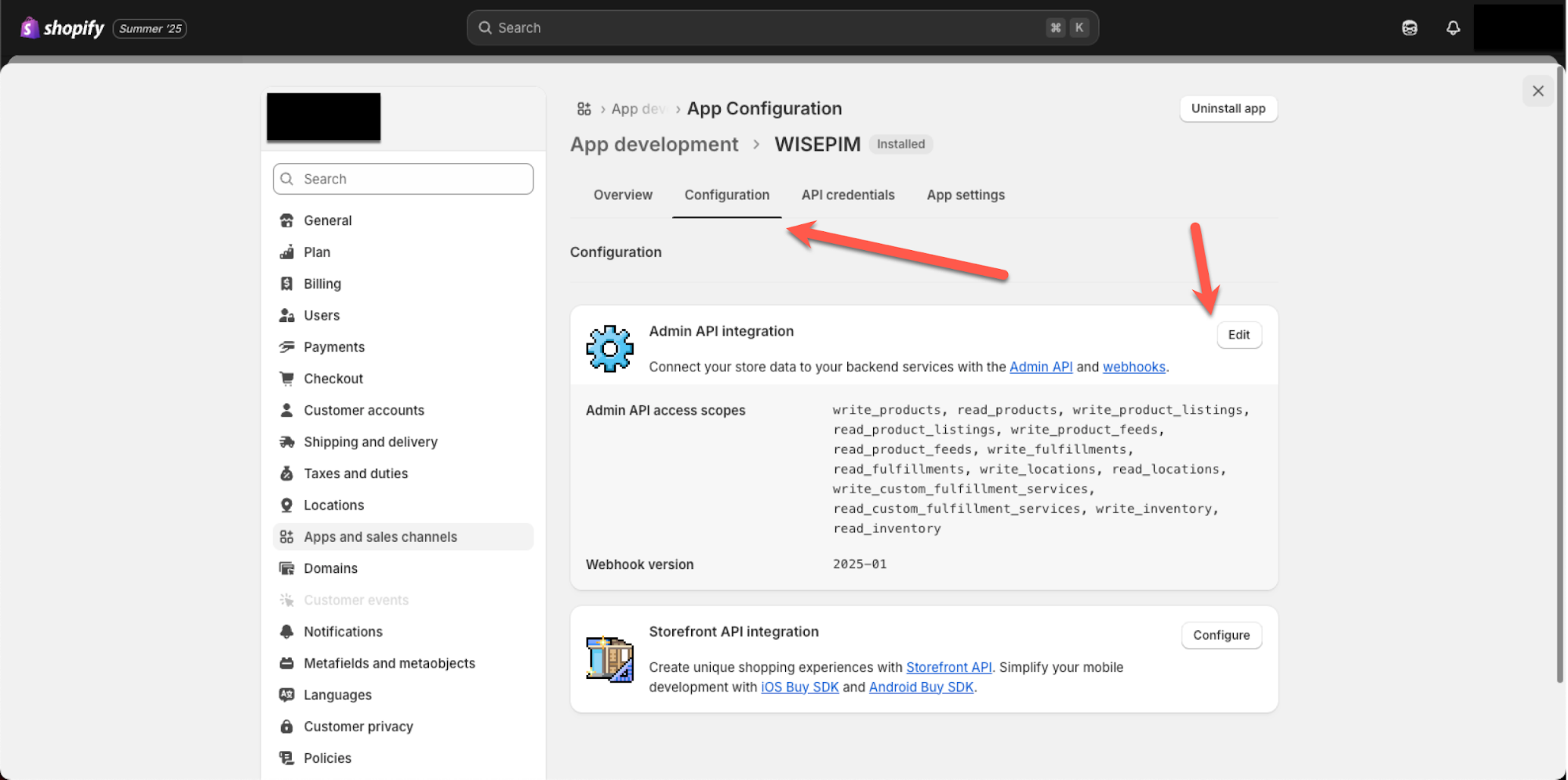
4
Voeg de vereiste toegangsrechten toe
Voeg de toegangsrechten hieronder toe zodat WISEPIM je productdata kan ophalen en sla je wijzigingen op.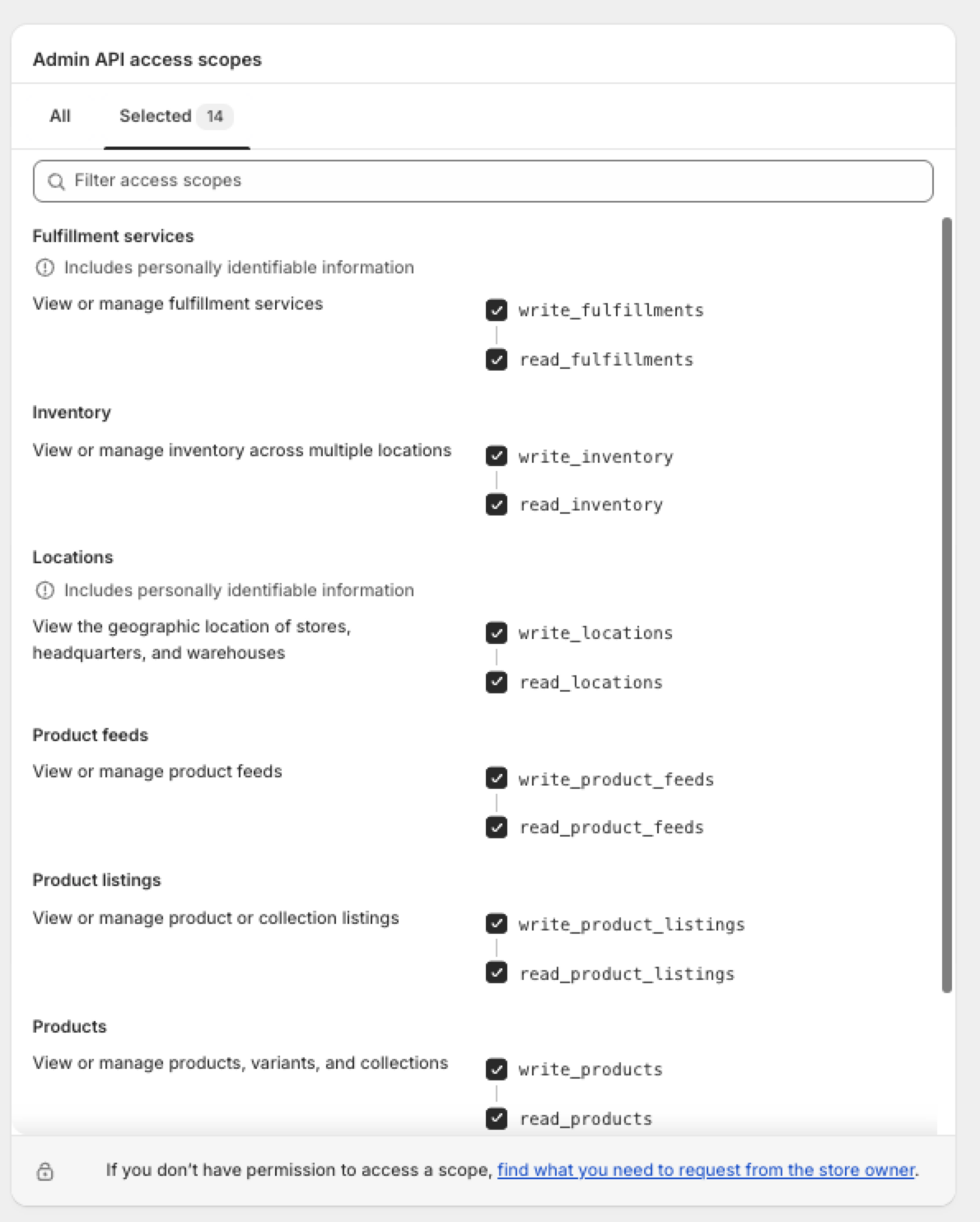

Koppel Shopify aan WISEPIM
Kopieer daarna je referenties uit Shopify naar WISEPIM.1
Kopieer je API-sleutel en secret
Zoek in je Shopify-app de API-sleutel en de API-secret-sleutel op. Houd dit tabblad open zodat je beide waarden kunt kopiëren.
2
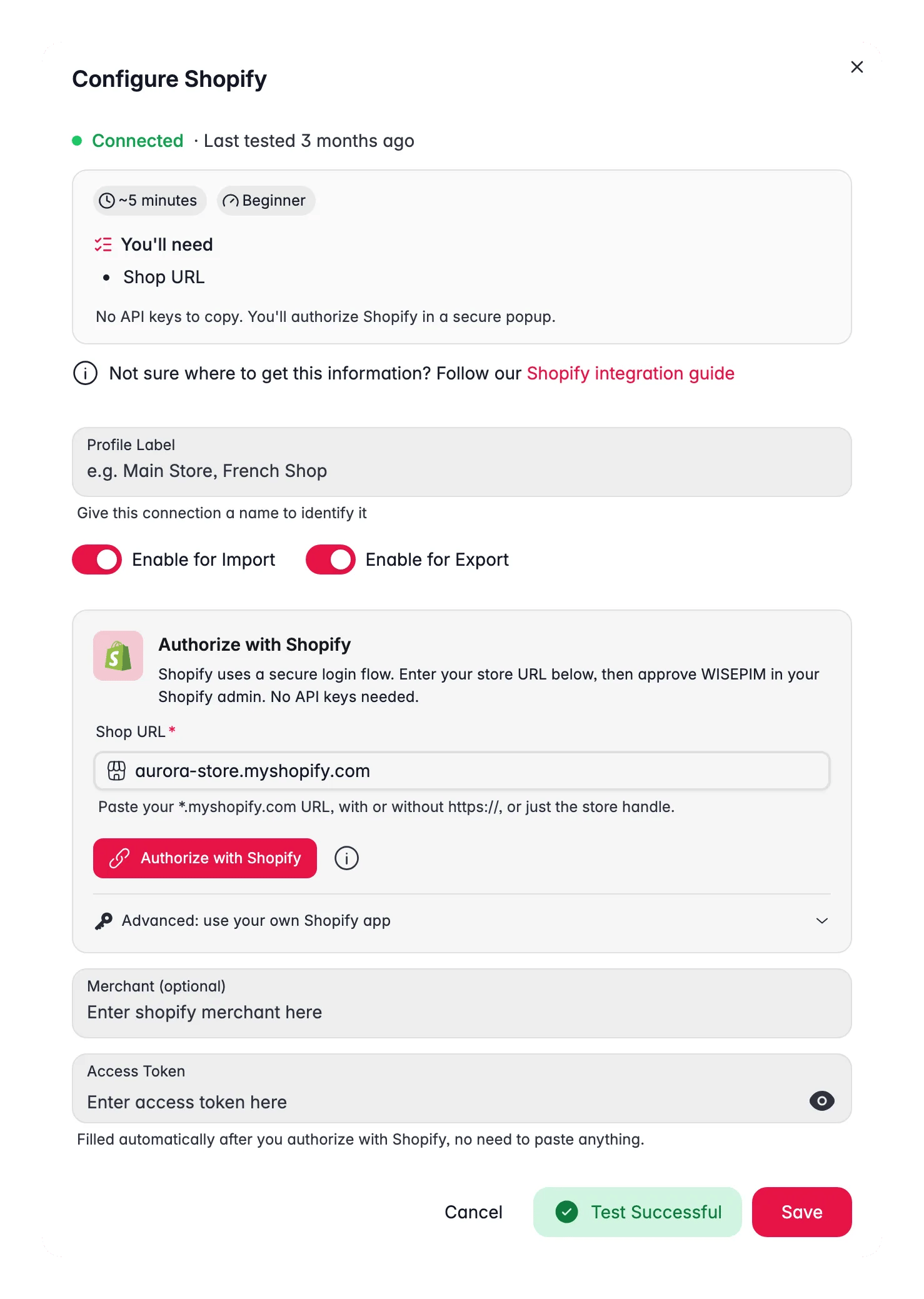
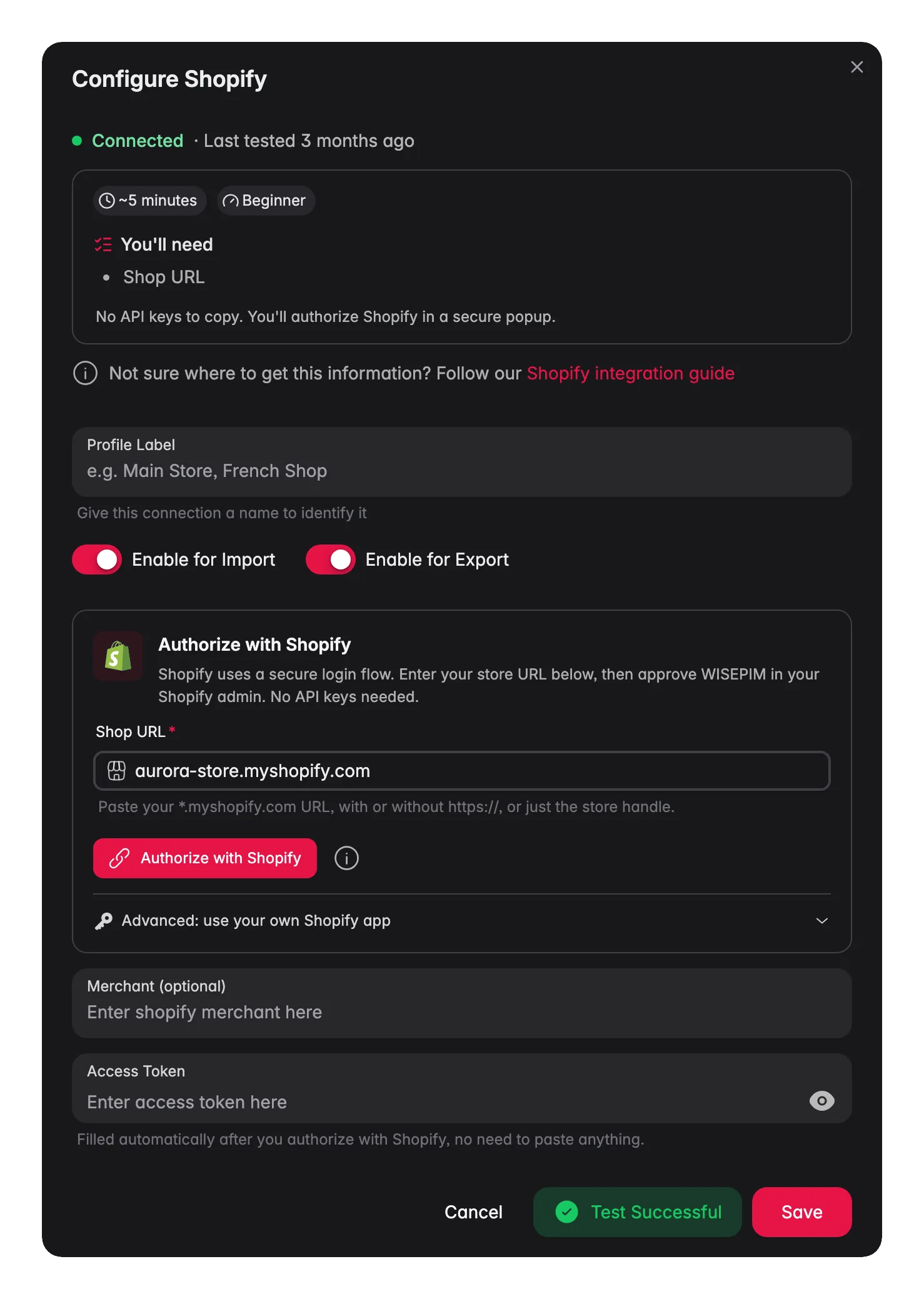
Plak ze in WISEPIM
Open in WISEPIM je Shopify-integratie en plak de API-sleutel en het secret erin. Sla op om je winkel te koppelen.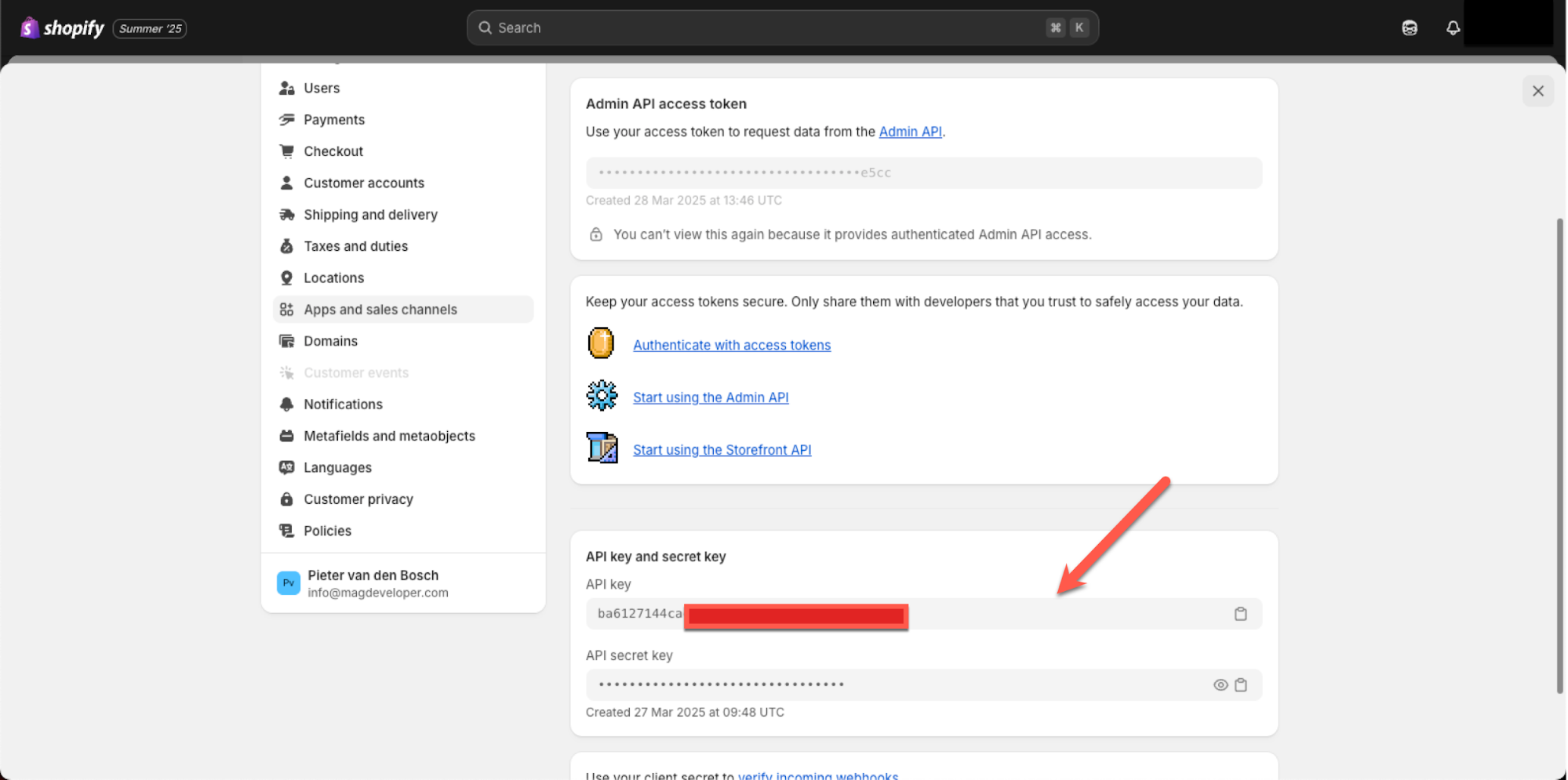
Importeer en verrijk je producten
Je winkel is nu gekoppeld. Je kunt je Shopify-producten naar WISEPIM ophalen en ze daarna verrijken en naar je doeltaal vertalen.Grote catalogi
Grote winkels importeren betrouwbaar. WISEPIM gebruikt het bulksysteem van Shopify, dat je hele catalogus in één job doorstuurt in plaats van pagina voor pagina te doorlopen. Er is geen limiet om omheen te werken, dus tienduizenden producten komen in één run over.Vertalingen
Vertaalde content synchroniseert nu correct terug naar Shopify. Vertaal je producten in WISEPIM, exporteer naar Shopify, en elke taal landt in de bijbehorende Shopify-locale.Varianten
Shopify-synchronisatie is op dit moment single-variant: de import leest de prijs, SKU, barcode en voorraad van de eerste variant in op het product, en de export schrijft diezelfde kernvelden terug naar diezelfde variant. De volledige optie-/variantmatrix wordt in geen van beide richtingen gesynchroniseerd - beheer opties met meerdere varianten dus in Shopify zelf.Gerelateerd
Producten importeren
Haal je Shopify-catalogus op naar WISEPIM.
Producten verrijken
Verbeter titels, beschrijvingen en SEO met AI.
Producten exporteren
Stuur verrijkte content terug naar je winkel.
Alle platforms
Bekijk elk platform waarmee WISEPIM koppelt.