> ## Documentation Index
> Fetch the complete documentation index at: https://docs.wisepim.com/llms.txt
> Use this file to discover all available pages before exploring further.
# Shopify-integratie
> Koppel je Shopify-winkel in enkele minuten aan WISEPIM. Maak een custom app, stel de toegangsrechten in en importeer je producten om ze te verrijken en te vertalen.
Koppel je Shopify-winkel aan WISEPIM om je producten te importeren, ze met AI te verrijken en ze naar je doeltaal te vertalen. Het instellen kost een paar minuten.
Om Shopify te koppelen, maak je een custom app aan in je Shopify-admin en plak je de API-sleutel en het secret in WISEPIM. Dit doe je maar één keer.
## Maak een custom app in Shopify
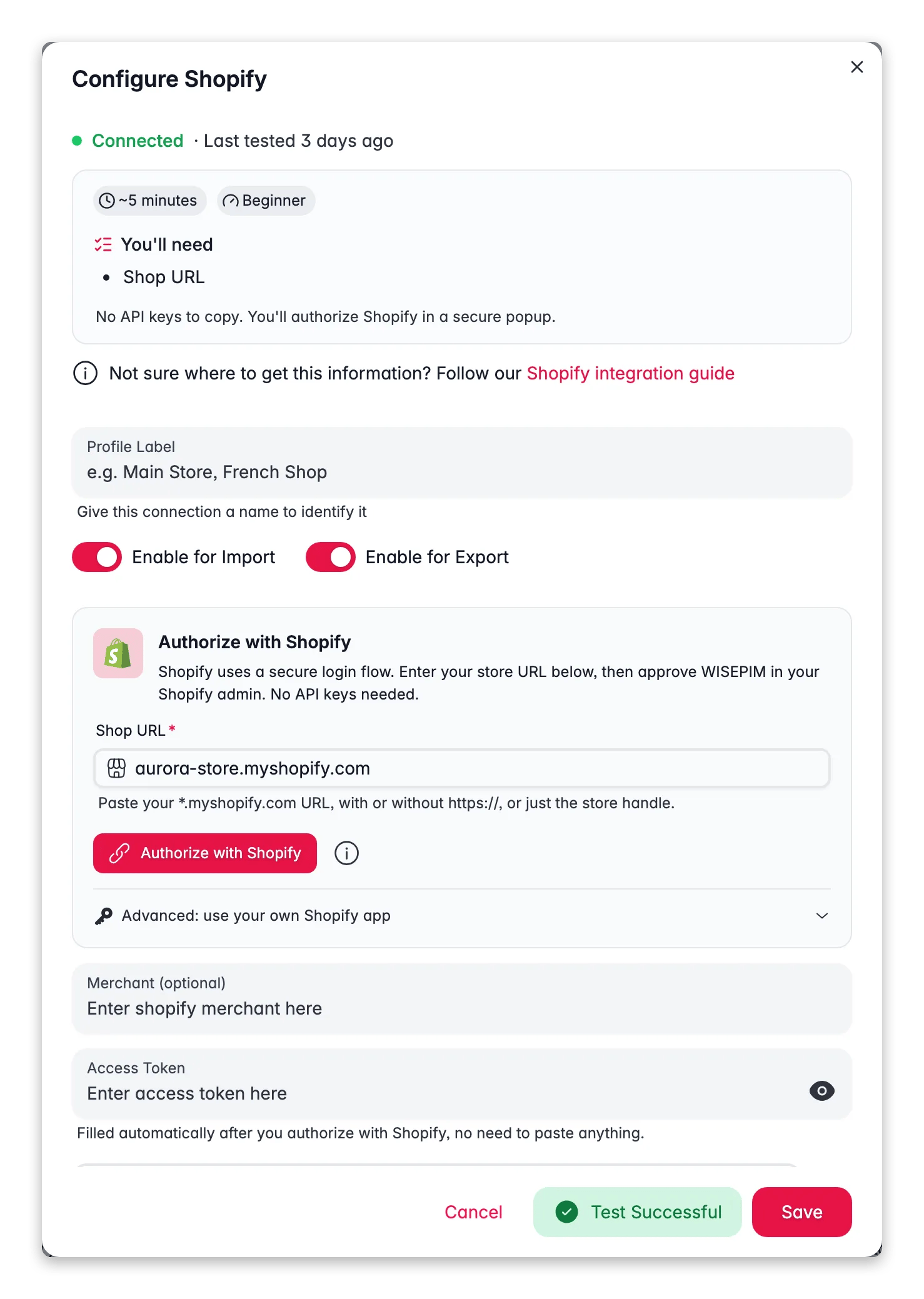
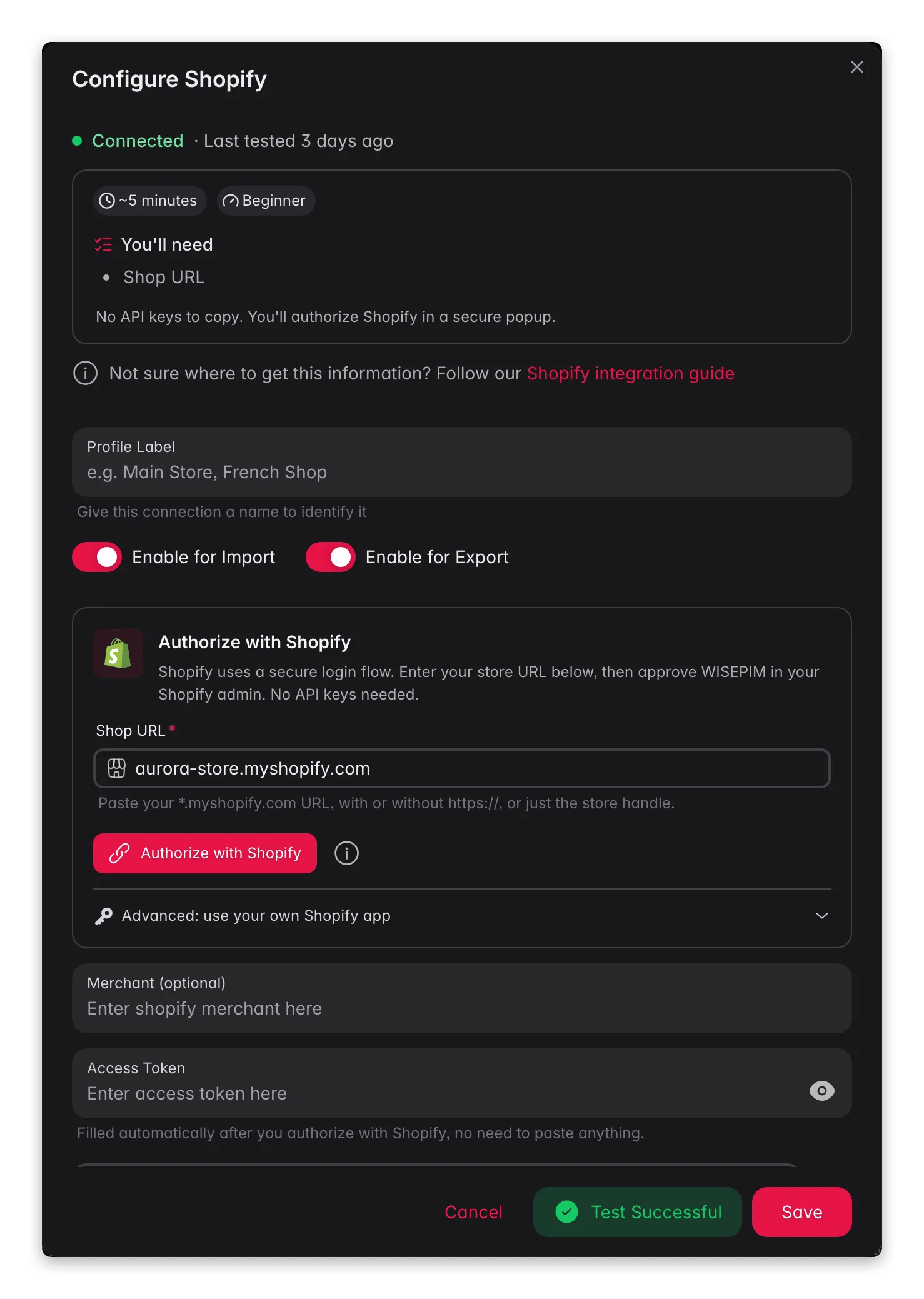 Maak eerst API-referenties aan in je Shopify-admin.
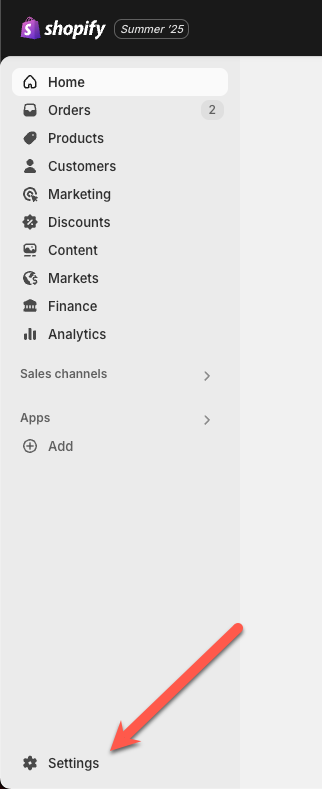
Log in op je Shopify-admin en open **Instellingen**.
Maak eerst API-referenties aan in je Shopify-admin.
Log in op je Shopify-admin en open **Instellingen**.
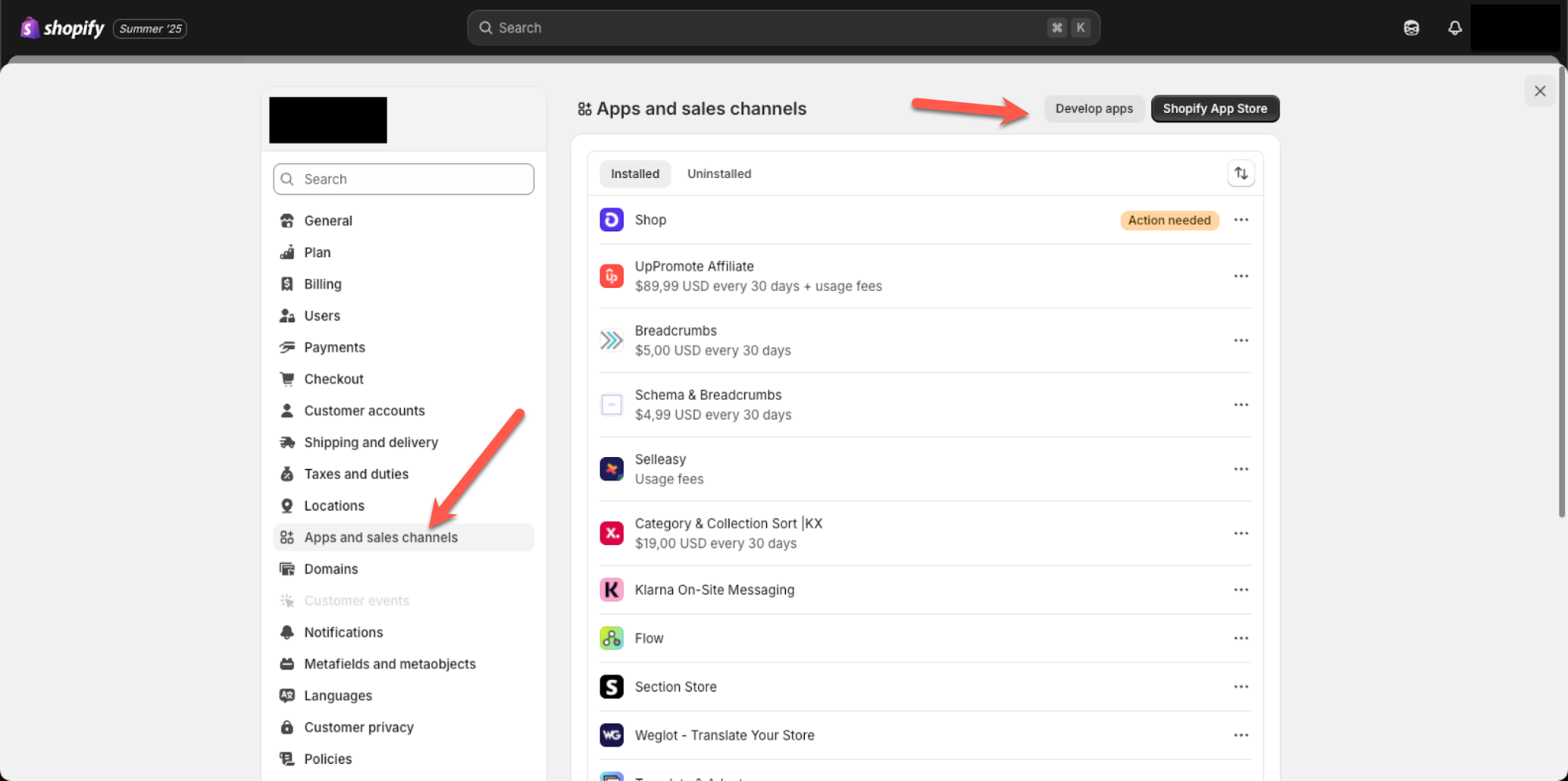
 Open **Apps en verkoopkanalen** en klik op **Apps ontwikkelen**. Hier maak je een custom app aan voor WISEPIM.
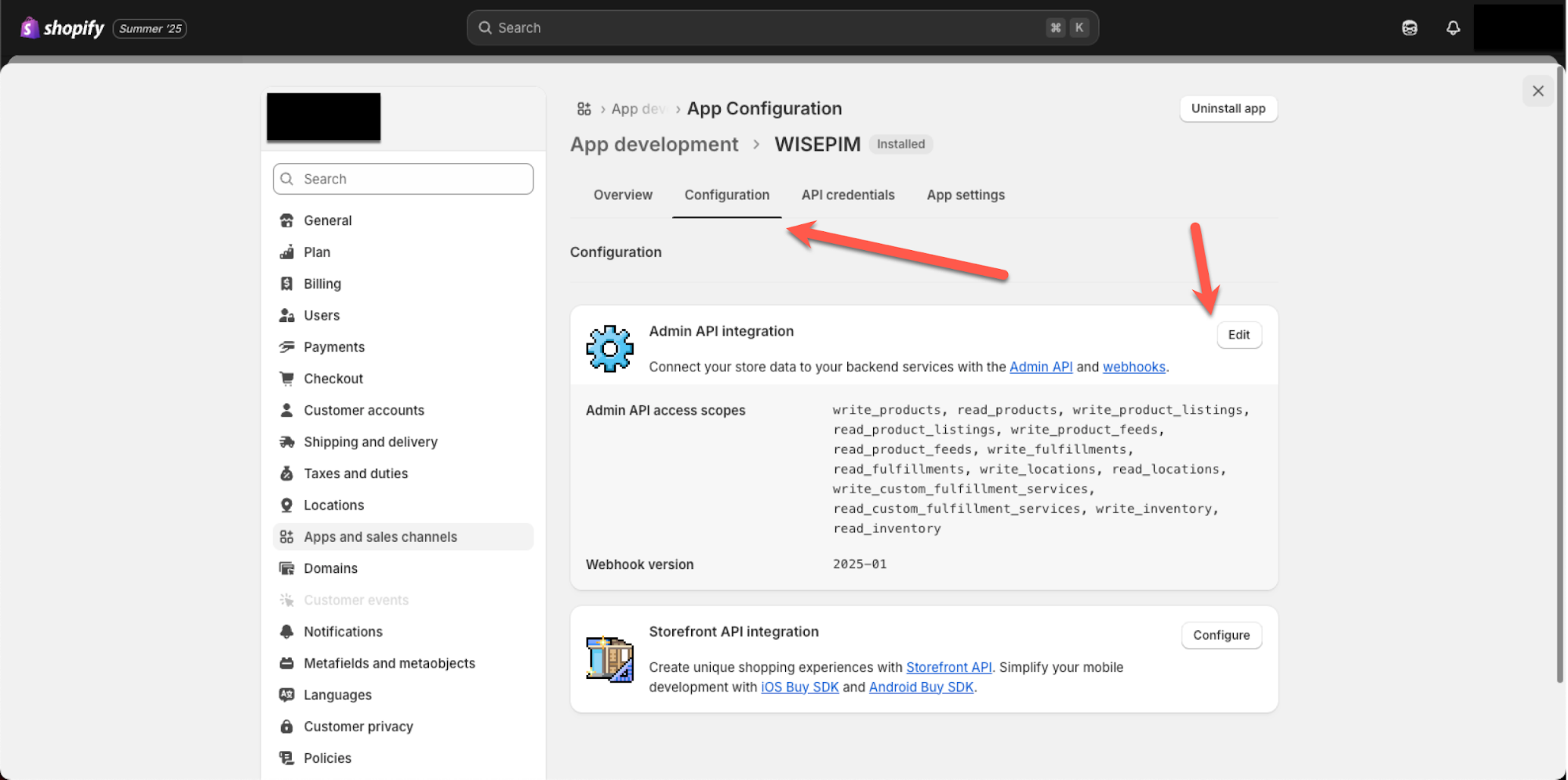
 Open het tabblad **Configuratie** van je app. Hier stel je de toegangsrechten in waarmee WISEPIM je productdata kan lezen.
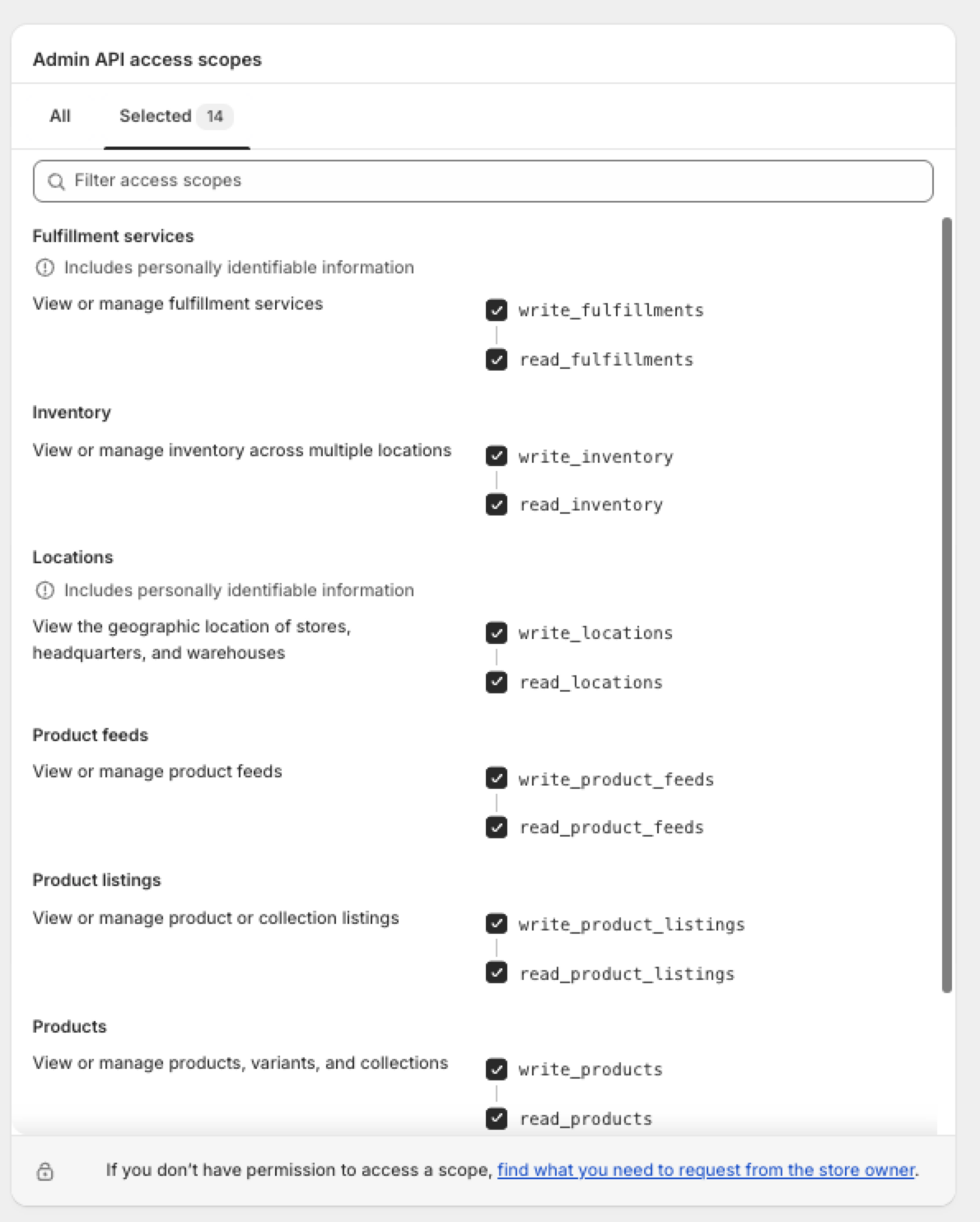
 Voeg de toegangsrechten hieronder toe zodat WISEPIM je productdata kan ophalen en sla je wijzigingen op.
 ## Koppel Shopify aan WISEPIM
Kopieer daarna je referenties uit Shopify naar WISEPIM.
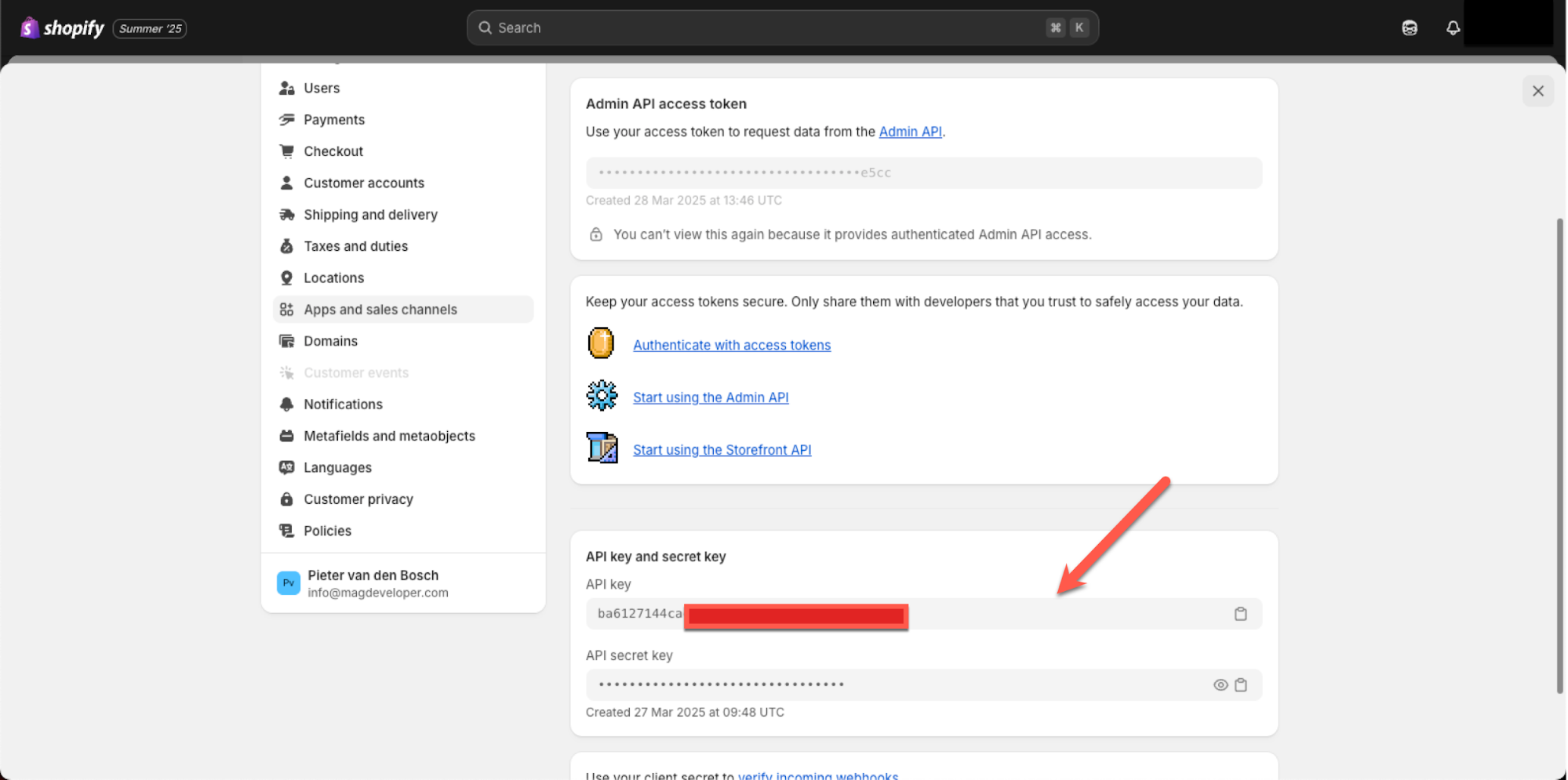
Zoek in je Shopify-app de **API-sleutel** en de **API-secret-sleutel** op. Houd dit tabblad open zodat je beide waarden kunt kopiëren.
Open in WISEPIM je Shopify-integratie en plak de API-sleutel en het secret erin. Sla op om je winkel te koppelen.
## Koppel Shopify aan WISEPIM
Kopieer daarna je referenties uit Shopify naar WISEPIM.
Zoek in je Shopify-app de **API-sleutel** en de **API-secret-sleutel** op. Houd dit tabblad open zodat je beide waarden kunt kopiëren.
Open in WISEPIM je Shopify-integratie en plak de API-sleutel en het secret erin. Sla op om je winkel te koppelen.
 Je API-secret geeft volledige toegang tot je winkeldata. Deel het nooit openbaar en zet het niet in version control. Is een secret uitgelekt? Trek de app dan in bij Shopify en maak een nieuwe aan.
## Importeer en verrijk je producten
Je winkel is nu gekoppeld. Je kunt je Shopify-producten naar WISEPIM ophalen en ze daarna verrijken en naar je doeltaal vertalen.
## Gerelateerd
Haal je Shopify-catalogus op naar WISEPIM.
Verbeter titels, beschrijvingen en SEO met AI.
Stuur verrijkte content terug naar je winkel.
Bekijk elk platform waarmee WISEPIM koppelt.
Je API-secret geeft volledige toegang tot je winkeldata. Deel het nooit openbaar en zet het niet in version control. Is een secret uitgelekt? Trek de app dan in bij Shopify en maak een nieuwe aan.
## Importeer en verrijk je producten
Je winkel is nu gekoppeld. Je kunt je Shopify-producten naar WISEPIM ophalen en ze daarna verrijken en naar je doeltaal vertalen.
## Gerelateerd
Haal je Shopify-catalogus op naar WISEPIM.
Verbeter titels, beschrijvingen en SEO met AI.
Stuur verrijkte content terug naar je winkel.
Bekijk elk platform waarmee WISEPIM koppelt.