> ## Documentation Index
> Fetch the complete documentation index at: https://docs.wisepim.com/llms.txt
> Use this file to discover all available pages before exploring further.
# Product Variables (Computed)
> Compute new values per product with formulas: margins, formatted prices, display names, and other values derived from existing product data.
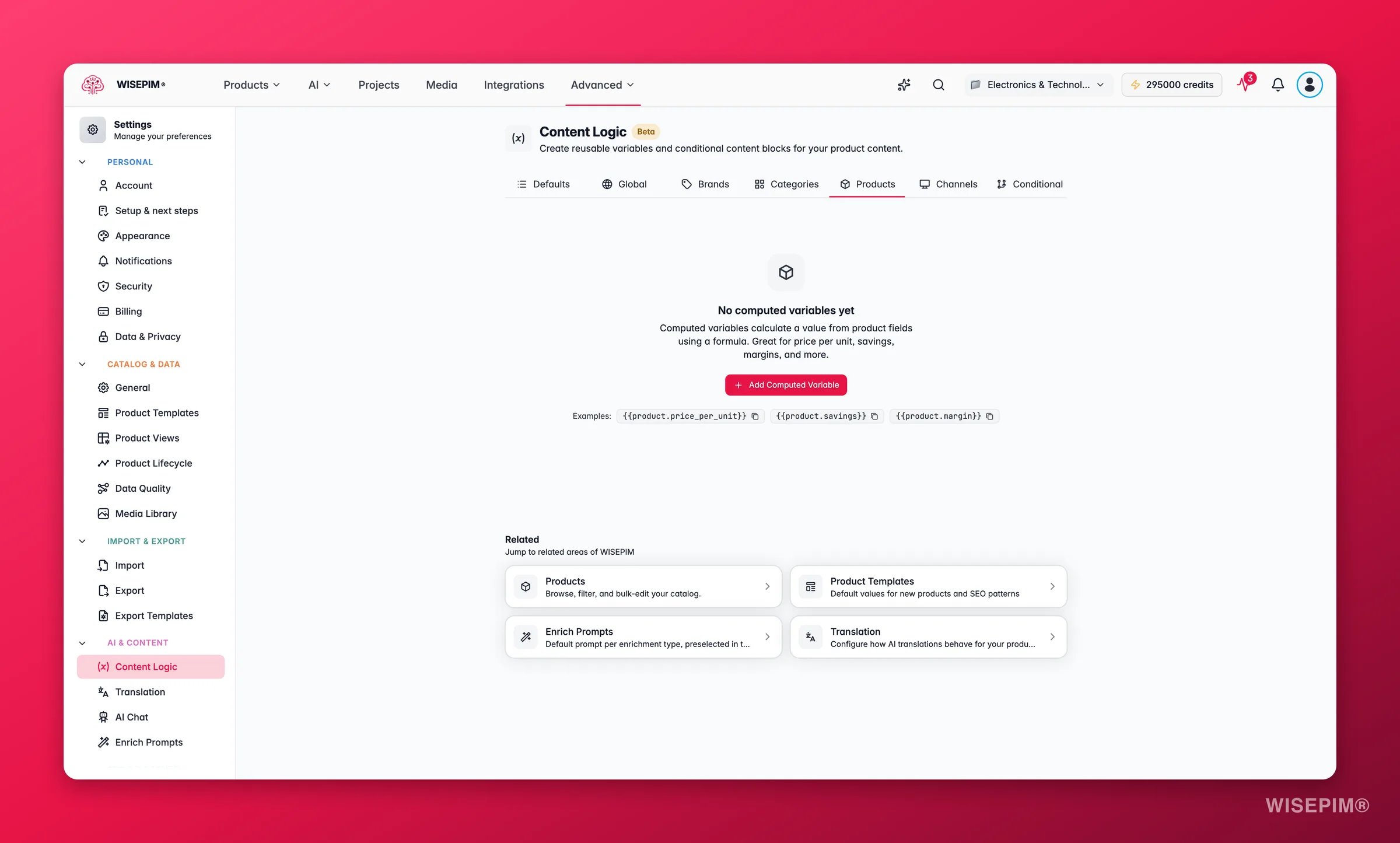
Product variables turn existing product data into new values using formulas. Unlike other variables, they are not static. Each one recalculates per product based on that product's own fields. Use them to compute margins, format prices, build display names, and more.
Set them up on the **Products** tab in **Settings > [Content Logic](/en/workflows/content-logic)**.
## Create a product variable
 Give it a label, a key, and a formula.
Reference fields with `{{product.field}}` and combine them with operators and functions. Use the **Insert Field** and **Insert Operator** buttons, or type `{{` for autocomplete.
The live preview resolves your formula with sample data, so you can confirm the result before saving.
Use `{{product.your_key}}` anywhere variables are supported.
## Operators and functions
| Type | Available |
| ---------- | --------------------------------------------------------------------------------------- |
| Arithmetic | `+` (add), `-` (subtract), `*` (multiply), `/` (divide), `%` (modulo), `( )` (grouping) |
| Math | `round()`, `floor()`, `ceil()`, `min(,)`, `max(,)`, `abs()` |
| Text | `concat(,)`, `uppercase()`, `lowercase()` |
To use an operator as literal text, escape it with a backslash. `S\/M\/L` renders as "S/M/L".
## Common formulas
Each example shows the formula and the result it produces with sample data.
### Price including VAT
Calculate the VAT-inclusive price from the base price.
**Formula:**
```
round({{product.price}} * 1.21 * 100) / 100
```
**Result:** €129.99 → `€157.29`
Use `1.21` for 21% VAT, `1.09` for 9%, and so on. The `round(...*100)/100` pattern keeps two decimal places.
### Profit margin percentage
Show the margin as a clean percentage.
**Formula:**
```
round(({{product.price}} - {{product.cost}}) / {{product.price}} * 100)
```
**Result:** Price €129.99, Cost €75.00 → `42%`
Reference it as `{{product.margin_pct_display}}` in internal reports or data quality checks.
### Price per unit weight
Useful for B2B catalogs where buyers compare price-per-kg or price-per-unit.
**Formula:**
```
round({{product.price}} / {{product.weight}} * 100) / 100
```
**Result:** €2.45 / 0.085 kg → `€28.82/kg`
### Display name with SKU and brand
Build a standardized display name for exports and catalogs.
**Formula:**
```
{{product.brand}} | {{product.name}} ({{product.sku}})
```
**Result:** `Fischer | Stainless Steel Hex Bolt M10x50 (SS-HB-M1050)`
### Savings amount and percentage
Calculate the real discount for products on sale.
**Formula (savings):**
```
round(({{product.price}} - {{product.special_price}}) * 100) / 100
```
**Result:** `€30.00`
**Formula (savings percentage):**
```
round(({{product.price}} - {{product.special_price}}) / {{product.price}} * 100)
```
**Result:** `23%`
### Volume and dimensional weight
Calculate volumetric weight to estimate shipping costs.
**Formula (volume in cm³):**
```
{{product.length}} * {{product.width}} * {{product.height}}
```
**Result:** 50 × 17 × 17 → `14450 cm³`
**Formula (dimensional weight in kg, using a 5000 divisor):**
```
round({{product.length}} * {{product.width}} * {{product.height}} / 5000 * 100) / 100
```
**Result:** `2.89 kg`
### Minimum selling price from target margin
Calculate the floor price that holds a minimum margin.
**Formula:**
```
round({{product.cost}} / (1 - 0.30) * 100) / 100
```
**Result:** Cost €75.00, Target margin 30% → `€107.14`
Change `0.30` to your desired minimum margin.
### Stock value (cost × quantity)
Calculate inventory value per product for reporting.
**Formula:**
```
round({{product.cost}} * {{product.stock_quantity}} * 100) / 100
```
**Result:** Cost €2.45, Stock 500 → `€1225.00`
### Formatted specifications string
Build a standardized specs line from several fields.
**Formula:**
```
concat({{product.weight}}, " ", {{product.weight_unit}}, " | ", {{product.length}}, "×", {{product.width}}, "×", {{product.height}}, " ", {{product.dimension_unit}})
```
**Result:** `0.085 kg | 50×17×17 mm`
### Markup-based selling price
Calculate the selling price by applying a fixed markup to cost.
**Formula:**
```
round({{product.cost}} * 1.60 * 100) / 100
```
**Result:** Cost €75.00, 60% markup → `€120.00`
## Tips
* **Check the preview before saving.** It uses sample values to show how your formula resolves.
* **Fill the fields you reference.** If a referenced field is empty, the formula resolves to an empty string and the math will not compute.
* **Format prices cleanly.** Wrap pricing formulas in `round(...*100)/100` for tidy two-decimal results.
* **Combine variable types.** Product variables can reference other product, global, brand, and category variables in their formulas.
## Related
Reuse company-wide content across all products.
Store different values per brand.
Store different values per category.
Show content only when conditions are met.
Give it a label, a key, and a formula.
Reference fields with `{{product.field}}` and combine them with operators and functions. Use the **Insert Field** and **Insert Operator** buttons, or type `{{` for autocomplete.
The live preview resolves your formula with sample data, so you can confirm the result before saving.
Use `{{product.your_key}}` anywhere variables are supported.
## Operators and functions
| Type | Available |
| ---------- | --------------------------------------------------------------------------------------- |
| Arithmetic | `+` (add), `-` (subtract), `*` (multiply), `/` (divide), `%` (modulo), `( )` (grouping) |
| Math | `round()`, `floor()`, `ceil()`, `min(,)`, `max(,)`, `abs()` |
| Text | `concat(,)`, `uppercase()`, `lowercase()` |
To use an operator as literal text, escape it with a backslash. `S\/M\/L` renders as "S/M/L".
## Common formulas
Each example shows the formula and the result it produces with sample data.
### Price including VAT
Calculate the VAT-inclusive price from the base price.
**Formula:**
```
round({{product.price}} * 1.21 * 100) / 100
```
**Result:** €129.99 → `€157.29`
Use `1.21` for 21% VAT, `1.09` for 9%, and so on. The `round(...*100)/100` pattern keeps two decimal places.
### Profit margin percentage
Show the margin as a clean percentage.
**Formula:**
```
round(({{product.price}} - {{product.cost}}) / {{product.price}} * 100)
```
**Result:** Price €129.99, Cost €75.00 → `42%`
Reference it as `{{product.margin_pct_display}}` in internal reports or data quality checks.
### Price per unit weight
Useful for B2B catalogs where buyers compare price-per-kg or price-per-unit.
**Formula:**
```
round({{product.price}} / {{product.weight}} * 100) / 100
```
**Result:** €2.45 / 0.085 kg → `€28.82/kg`
### Display name with SKU and brand
Build a standardized display name for exports and catalogs.
**Formula:**
```
{{product.brand}} | {{product.name}} ({{product.sku}})
```
**Result:** `Fischer | Stainless Steel Hex Bolt M10x50 (SS-HB-M1050)`
### Savings amount and percentage
Calculate the real discount for products on sale.
**Formula (savings):**
```
round(({{product.price}} - {{product.special_price}}) * 100) / 100
```
**Result:** `€30.00`
**Formula (savings percentage):**
```
round(({{product.price}} - {{product.special_price}}) / {{product.price}} * 100)
```
**Result:** `23%`
### Volume and dimensional weight
Calculate volumetric weight to estimate shipping costs.
**Formula (volume in cm³):**
```
{{product.length}} * {{product.width}} * {{product.height}}
```
**Result:** 50 × 17 × 17 → `14450 cm³`
**Formula (dimensional weight in kg, using a 5000 divisor):**
```
round({{product.length}} * {{product.width}} * {{product.height}} / 5000 * 100) / 100
```
**Result:** `2.89 kg`
### Minimum selling price from target margin
Calculate the floor price that holds a minimum margin.
**Formula:**
```
round({{product.cost}} / (1 - 0.30) * 100) / 100
```
**Result:** Cost €75.00, Target margin 30% → `€107.14`
Change `0.30` to your desired minimum margin.
### Stock value (cost × quantity)
Calculate inventory value per product for reporting.
**Formula:**
```
round({{product.cost}} * {{product.stock_quantity}} * 100) / 100
```
**Result:** Cost €2.45, Stock 500 → `€1225.00`
### Formatted specifications string
Build a standardized specs line from several fields.
**Formula:**
```
concat({{product.weight}}, " ", {{product.weight_unit}}, " | ", {{product.length}}, "×", {{product.width}}, "×", {{product.height}}, " ", {{product.dimension_unit}})
```
**Result:** `0.085 kg | 50×17×17 mm`
### Markup-based selling price
Calculate the selling price by applying a fixed markup to cost.
**Formula:**
```
round({{product.cost}} * 1.60 * 100) / 100
```
**Result:** Cost €75.00, 60% markup → `€120.00`
## Tips
* **Check the preview before saving.** It uses sample values to show how your formula resolves.
* **Fill the fields you reference.** If a referenced field is empty, the formula resolves to an empty string and the math will not compute.
* **Format prices cleanly.** Wrap pricing formulas in `round(...*100)/100` for tidy two-decimal results.
* **Combine variable types.** Product variables can reference other product, global, brand, and category variables in their formulas.
## Related
Reuse company-wide content across all products.
Store different values per brand.
Store different values per category.
Show content only when conditions are met.