> ## Documentation Index
> Fetch the complete documentation index at: https://docs.wisepim.com/llms.txt
> Use this file to discover all available pages before exploring further.
# Channel Variables
> Reshape your product content for each sales channel: truncate for marketplaces, strip HTML for feeds, convert to Amazon bullets, and wrap titles in templates.
Every sales channel wants content in its own shape. Amazon prefers bullet points, marketplaces ban HTML, and Google Shopping caps titles at 150 characters. Channel variables transform your existing content to fit each one, automatically. You set the rules once, and every product is reshaped on the fly.
A channel variable takes a source field, like Description, and runs it through one or more transformation rules in order: strip HTML, truncate, convert to bullets, or wrap in a template.
Set them up on the **Channels** tab in **Settings > [Content Logic](/en/workflows/content-logic)**.
## Set up a channel variable
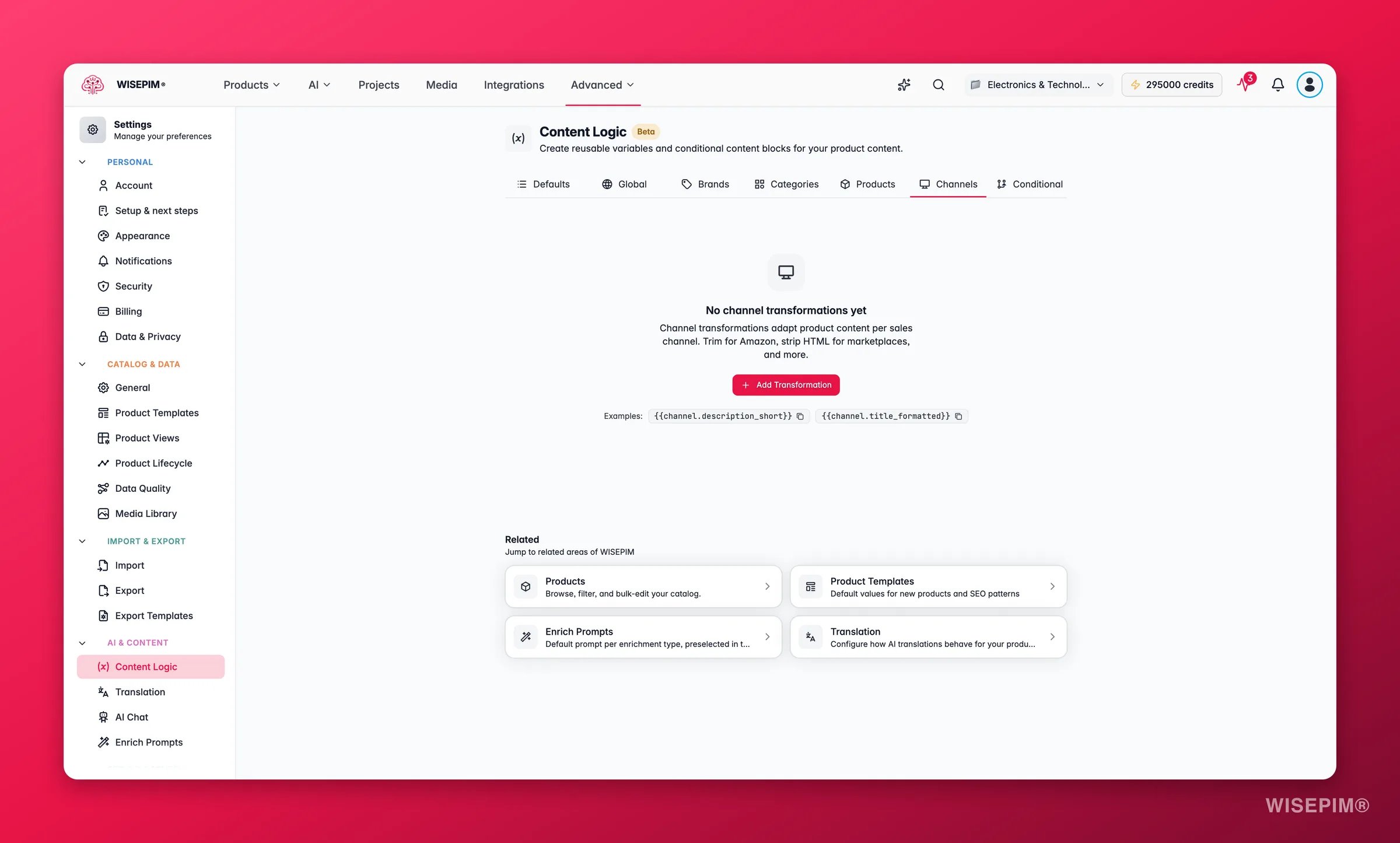
 Give it a label and key, then pick the source field to transform.
Stack the rules you need. Each rule transforms the output of the one before it, so order matters.
Use `{{channel.your_key}}` in export templates or any other formula-enabled field.
### Source fields
Description, Short Description, Product Name, Meta Title, Meta Description, and Features.
### Transformation rules
| Rule | Parameters | What it does |
| ----------------- | ------------------------- | -------------------------------------------------- |
| **Strip HTML** | None | Removes all HTML tags, leaving plain text |
| **Truncate** | Max length (default: 150) | Cuts text to a maximum character count |
| **Bullet Points** | Max bullets (default: 5) | Converts text into a bullet-point list |
| **Template** | Template string | Wraps or reformats content using a custom template |
Order matters. Always strip HTML before you truncate. Otherwise you might cut in the middle of an HTML tag.
## Channel recipes
Here are ready-to-use rule stacks for common channels. Each one starts from a source field and applies its rules in order.
Amazon listings work best as bullet lists, not long paragraphs.
* **Source:** Description
* **Rules:** Strip HTML, then Bullet Points (max: 5), then Truncate (500)
Your full HTML description becomes a clean 5-bullet summary capped at 500 characters.
Google Shopping caps titles at 150 characters and rewards structured naming.
* **Source:** Product Name
* **Rules:** Template `{{value}} - {{product.brand}} | {{global.company_name}}`, then Truncate (150)
> "Stainless Steel Hex Bolt M10x50 - Fischer | Industrial Supplies BV"
Many marketplaces do not support HTML in descriptions.
* **Source:** Description
* **Rules:** Strip HTML, then Truncate (2000)
Your richly formatted description becomes clean plain text, capped at the marketplace limit.
Short, punchy text for social posts or feed ads.
* **Source:** Short Description
* **Rules:** Strip HTML, then Truncate (100), then Template `{{value}}... Shop now!`
> "High-grade stainless steel hex bolt for structural applications... Shop now!"
Bol.com has specific character limits and prefers structured content.
* **Source:** Description
* **Rules:** Strip HTML, then Truncate (1500)
Price comparison sites need clean, attribute-rich titles.
* **Source:** Product Name
* **Rules:** Template `{{value}} - {{product.brand}} - {{product.sku}}`, then Truncate (200)
> "Stainless Steel Hex Bolt M10x50 - Fischer - SS-HB-M1050"
Short, compelling text for email campaigns.
* **Source:** Short Description
* **Rules:** Strip HTML, then Truncate (200), then Template `{{value}}\n\nOrder now at {{global.website_url}}`
A clean, standardized version for internal use or PDF catalogs.
* **Source:** Description
* **Rules:** Strip HTML, then Template `{{product.sku}}: {{product.name}}\n\n{{value}}\n\nWeight: {{product.weight}} {{product.weight_unit}} | HS Code: {{product.hs_code}}`
```
SS-HB-M1050: Stainless Steel Hex Bolt M10x50
High-grade stainless steel hex bolt for structural and industrial applications...
Weight: 0.085 kg | HS Code: 7318.15
```
Generate meta descriptions under the 155-character Google display limit.
* **Source:** Description
* **Rules:** Strip HTML, then Truncate (155)
## Tips
* Templates can reference any variable, such as `{{product.brand}}` or `{{global.company_name}}`. Use `{{value}}` to insert the output of the previous rule.
* Create a separate channel variable for each platform, so each one gets its own limits and formatting.
## Related
The built-in `{{product.*}}` variables you reference inside templates.
Define company-wide values like company name and website.
Show different content based on product data.
Store content that differs per brand.
Give it a label and key, then pick the source field to transform.
Stack the rules you need. Each rule transforms the output of the one before it, so order matters.
Use `{{channel.your_key}}` in export templates or any other formula-enabled field.
### Source fields
Description, Short Description, Product Name, Meta Title, Meta Description, and Features.
### Transformation rules
| Rule | Parameters | What it does |
| ----------------- | ------------------------- | -------------------------------------------------- |
| **Strip HTML** | None | Removes all HTML tags, leaving plain text |
| **Truncate** | Max length (default: 150) | Cuts text to a maximum character count |
| **Bullet Points** | Max bullets (default: 5) | Converts text into a bullet-point list |
| **Template** | Template string | Wraps or reformats content using a custom template |
Order matters. Always strip HTML before you truncate. Otherwise you might cut in the middle of an HTML tag.
## Channel recipes
Here are ready-to-use rule stacks for common channels. Each one starts from a source field and applies its rules in order.
Amazon listings work best as bullet lists, not long paragraphs.
* **Source:** Description
* **Rules:** Strip HTML, then Bullet Points (max: 5), then Truncate (500)
Your full HTML description becomes a clean 5-bullet summary capped at 500 characters.
Google Shopping caps titles at 150 characters and rewards structured naming.
* **Source:** Product Name
* **Rules:** Template `{{value}} - {{product.brand}} | {{global.company_name}}`, then Truncate (150)
> "Stainless Steel Hex Bolt M10x50 - Fischer | Industrial Supplies BV"
Many marketplaces do not support HTML in descriptions.
* **Source:** Description
* **Rules:** Strip HTML, then Truncate (2000)
Your richly formatted description becomes clean plain text, capped at the marketplace limit.
Short, punchy text for social posts or feed ads.
* **Source:** Short Description
* **Rules:** Strip HTML, then Truncate (100), then Template `{{value}}... Shop now!`
> "High-grade stainless steel hex bolt for structural applications... Shop now!"
Bol.com has specific character limits and prefers structured content.
* **Source:** Description
* **Rules:** Strip HTML, then Truncate (1500)
Price comparison sites need clean, attribute-rich titles.
* **Source:** Product Name
* **Rules:** Template `{{value}} - {{product.brand}} - {{product.sku}}`, then Truncate (200)
> "Stainless Steel Hex Bolt M10x50 - Fischer - SS-HB-M1050"
Short, compelling text for email campaigns.
* **Source:** Short Description
* **Rules:** Strip HTML, then Truncate (200), then Template `{{value}}\n\nOrder now at {{global.website_url}}`
A clean, standardized version for internal use or PDF catalogs.
* **Source:** Description
* **Rules:** Strip HTML, then Template `{{product.sku}}: {{product.name}}\n\n{{value}}\n\nWeight: {{product.weight}} {{product.weight_unit}} | HS Code: {{product.hs_code}}`
```
SS-HB-M1050: Stainless Steel Hex Bolt M10x50
High-grade stainless steel hex bolt for structural and industrial applications...
Weight: 0.085 kg | HS Code: 7318.15
```
Generate meta descriptions under the 155-character Google display limit.
* **Source:** Description
* **Rules:** Strip HTML, then Truncate (155)
## Tips
* Templates can reference any variable, such as `{{product.brand}}` or `{{global.company_name}}`. Use `{{value}}` to insert the output of the previous rule.
* Create a separate channel variable for each platform, so each one gets its own limits and formatting.
## Related
The built-in `{{product.*}}` variables you reference inside templates.
Define company-wide values like company name and website.
Show different content based on product data.
Store content that differs per brand.