> ## Documentation Index
> Fetch the complete documentation index at: https://docs.wisepim.com/llms.txt
> Use this file to discover all available pages before exploring further.
# Brand Portals
> Share a live, read-only catalog with retailers, resellers and buyers through one link. No account, no export file, always up to date.
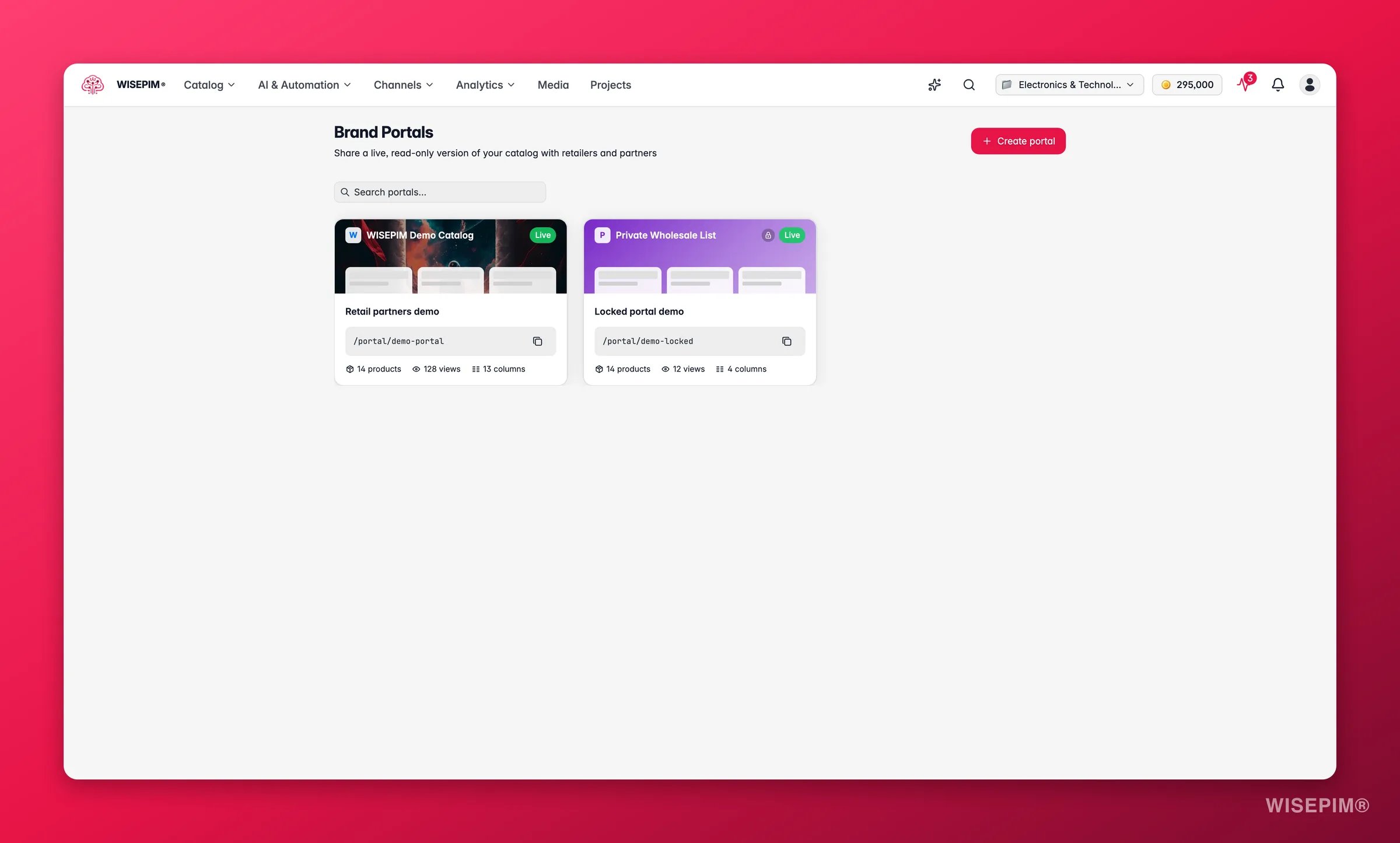
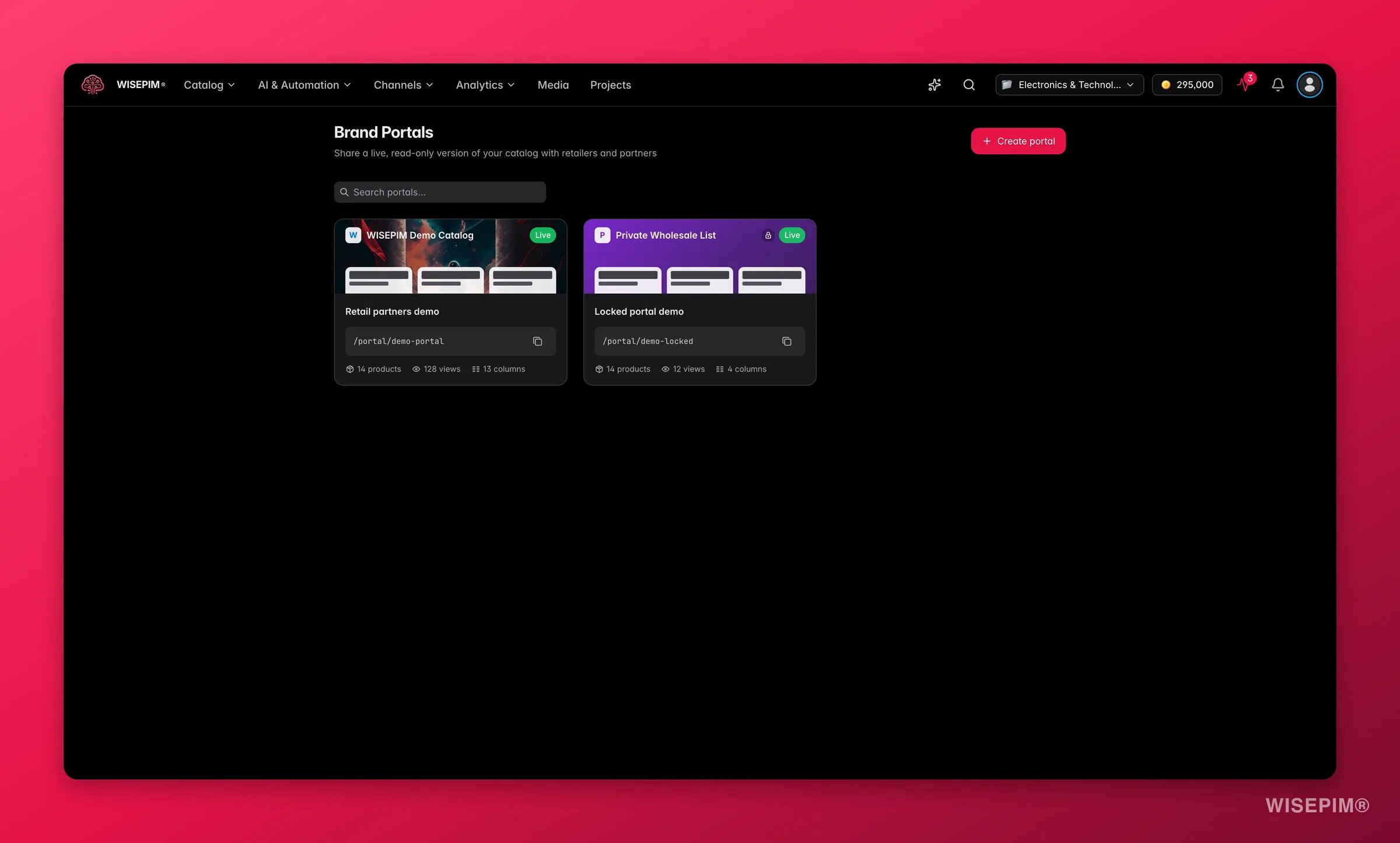 A Brand Portal is your catalog as a web page you can send to anyone. You pick which products go in it, which columns are visible, and how it looks. WISEPIM gives you one link. Whoever opens it sees a branded, searchable catalog with no login and no account.
It replaces the spreadsheet you email to a retailer every month. The portal reads your live catalog, so when you fix a price or add a photo, the person looking at the link sees it. Nothing is ever editable from the outside.
Brand Portals are available on every plan and use **no AI credits**. Portal pages are unlisted and carry a random link, and search engines are told not to index them. They are not private on their own, so use a password for anything sensitive.
**What acting on it enables:** give partners a catalog that is never out of date, stop maintaining per-retailer spreadsheets, and let a buyer pull your whole assortment into their own WISEPIM project in one click.
## Create a portal
Find **Brand Portals** in the top navigation under **Advanced**.
Give it a **Portal name**, something you will recognize in the list later, like "Retailer catalog 2026". This is your internal name, and you can set a different public name in a moment.
You land straight in the editor. New portals are **Live** from the start, but nobody can reach it until you share the link.
The portal list shows every portal with its status and its view count, so you can see which links partners actually use.
## Configure a portal
A Brand Portal is your catalog as a web page you can send to anyone. You pick which products go in it, which columns are visible, and how it looks. WISEPIM gives you one link. Whoever opens it sees a branded, searchable catalog with no login and no account.
It replaces the spreadsheet you email to a retailer every month. The portal reads your live catalog, so when you fix a price or add a photo, the person looking at the link sees it. Nothing is ever editable from the outside.
Brand Portals are available on every plan and use **no AI credits**. Portal pages are unlisted and carry a random link, and search engines are told not to index them. They are not private on their own, so use a password for anything sensitive.
**What acting on it enables:** give partners a catalog that is never out of date, stop maintaining per-retailer spreadsheets, and let a buyer pull your whole assortment into their own WISEPIM project in one click.
## Create a portal
Find **Brand Portals** in the top navigation under **Advanced**.
Give it a **Portal name**, something you will recognize in the list later, like "Retailer catalog 2026". This is your internal name, and you can set a different public name in a moment.
You land straight in the editor. New portals are **Live** from the start, but nobody can reach it until you share the link.
The portal list shows every portal with its status and its view count, so you can see which links partners actually use.
## Configure a portal
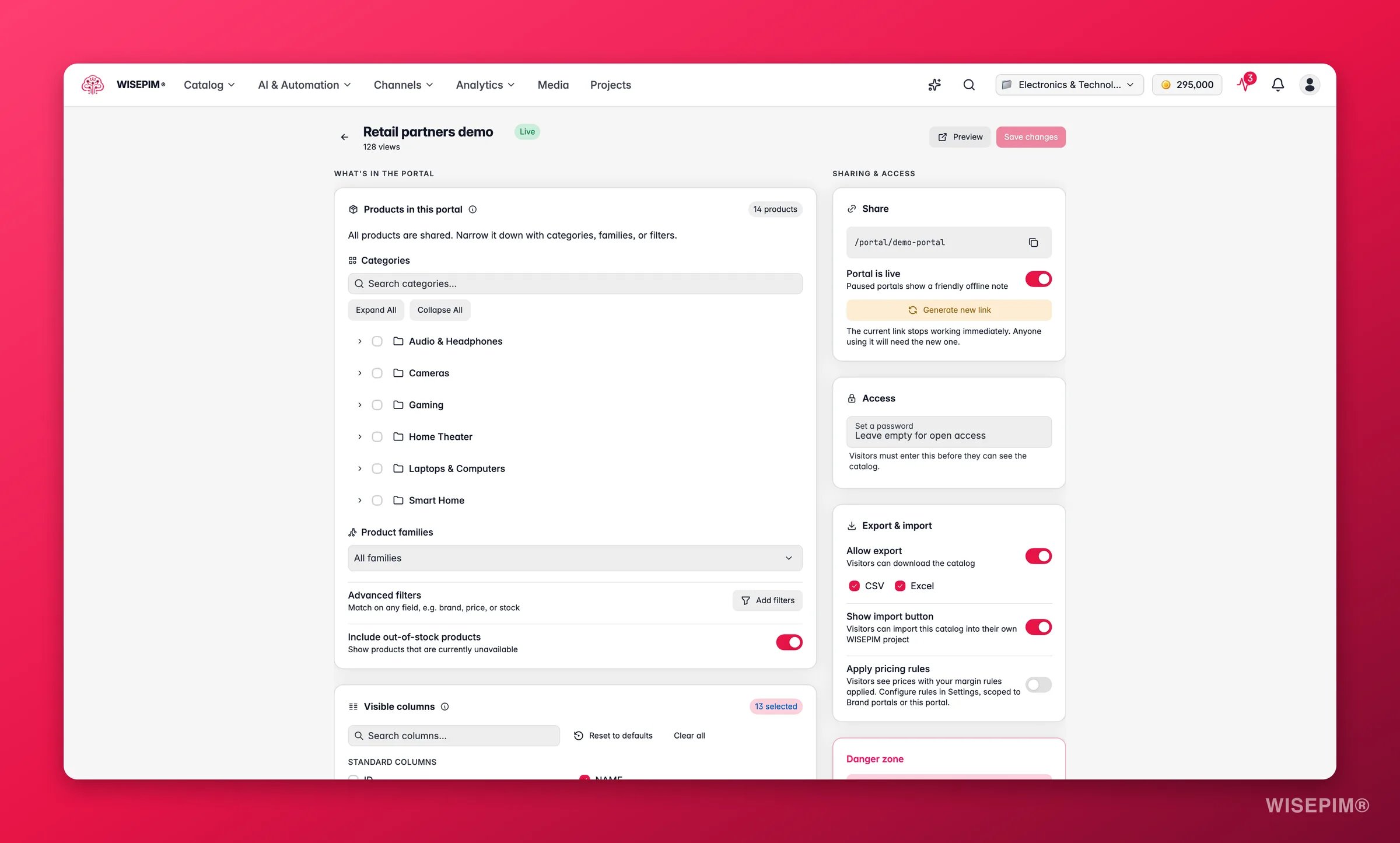
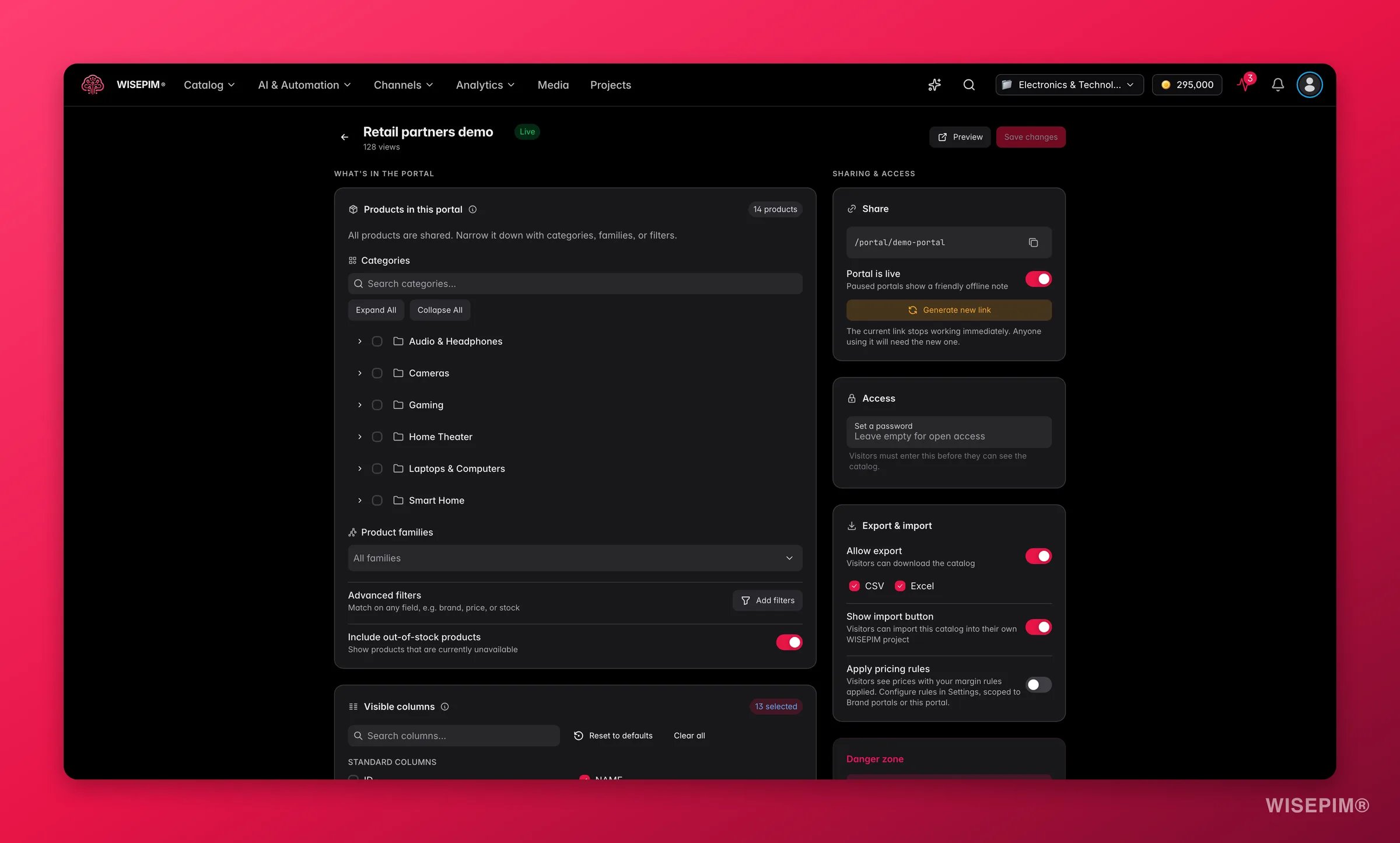 The editor has three sections. The header carries the portal name (click it to rename), a **Live** or **Paused** chip, the view count, **Preview**, and **Save changes**.
### What's in the portal
**Products in this portal** decides the scope:
* **Categories**: pick branches of your category tree.
* **Product families**: limit to specific families, or leave it on **All families**.
* **Advanced filters**: add any condition you can build in the normal product filters, for example only products in stock above a certain quantity.
* **Include out-of-stock products**: on by default. Switch it off for a portal where everything shown must be orderable today.
A live "≈ N products" chip updates as you narrow the scope. Leave everything empty to share your whole catalog.
**Visible columns** decides what a visitor can see about each product. Search the list, use **Reset to defaults** or **Clear all**, and pick from your standard columns and your custom attributes. The default set covers the basics: main image, name, SKU, brand, description, price, EAN, special price, stock status and quantity, short description, categories, and dimensions.
Some columns are marked as sensitive: **cost price**, **supplier**, **supplier SKU**, **internal notes**, **margin**, and **purchase price**. Turning one on shows your buying terms to everyone who has the link. Check this list before you share a portal with a customer.
The column list is enforced on the server, not just hidden in the page. A column you did not enable is not sent to the visitor's browser at all.
### How it looks
**Look & feel** controls the branding:
* **Public name** and **Headline**: what visitors see at the top. These can differ from your internal portal name.
* **Logo** and **Hero banner**: upload a file, pick from your media library, or use **Generate with AI** for the banner.
* **Intro text**: a short welcome, terms note, or contact line.
* **Appearance**: **Light**, **Dark**, or **Match visitor** to follow their device setting.
* **Accent color**: 12 presets or your own hex code.
**Storefront** controls the catalog itself:
* **Opens in**: **Product grid** or **Data table**. Grid suits browsing, table suits buyers scanning specs.
* **Content languages**: appears when your project has more than one locale. Pick which languages to publish, and visitors get a language switcher.
* **Currency symbol**: € by default, with the common alternatives available.
* **Contact email** and **Website link**: where an interested visitor goes next.
### Sharing & access
**Share** holds the link itself:
* Your public address, plus **Copy public link**.
* **Portal is live**: switch off to pause. The link stays valid but visitors see a friendly "taking a break" message instead of your catalog.
* **Generate new link**: creates a fresh address. The old one stops working immediately.
**Access** holds the password. Use **Set a password** to protect the portal, **Change password** to rotate it, and the **Remove password protection** checkbox to open it up again.
**Export & import** decides what visitors may take with them:
* **Allow export**: off by default. Turn it on and choose CSV, Excel, or both.
* **Show import button**: on by default. This is what lets another WISEPIM user pull your catalog into their own project.
* **Apply pricing rules**: off by default. Turn it on to run prices through your [Pricing & Margins](/en/settings/pricing) rules before they are shown, so a partner sees their price rather than your stored price. WISEPIM warns you if a cost column is also visible, since showing both defeats the point.
**Danger zone** holds **Delete portal**. Deleting is permanent and kills the link.
Make one portal per audience, not one portal for everyone. A reseller portal with export on and cost columns off, and an internal portal with more columns and a password, are two portals that take two minutes each.
## What visitors see
The editor has three sections. The header carries the portal name (click it to rename), a **Live** or **Paused** chip, the view count, **Preview**, and **Save changes**.
### What's in the portal
**Products in this portal** decides the scope:
* **Categories**: pick branches of your category tree.
* **Product families**: limit to specific families, or leave it on **All families**.
* **Advanced filters**: add any condition you can build in the normal product filters, for example only products in stock above a certain quantity.
* **Include out-of-stock products**: on by default. Switch it off for a portal where everything shown must be orderable today.
A live "≈ N products" chip updates as you narrow the scope. Leave everything empty to share your whole catalog.
**Visible columns** decides what a visitor can see about each product. Search the list, use **Reset to defaults** or **Clear all**, and pick from your standard columns and your custom attributes. The default set covers the basics: main image, name, SKU, brand, description, price, EAN, special price, stock status and quantity, short description, categories, and dimensions.
Some columns are marked as sensitive: **cost price**, **supplier**, **supplier SKU**, **internal notes**, **margin**, and **purchase price**. Turning one on shows your buying terms to everyone who has the link. Check this list before you share a portal with a customer.
The column list is enforced on the server, not just hidden in the page. A column you did not enable is not sent to the visitor's browser at all.
### How it looks
**Look & feel** controls the branding:
* **Public name** and **Headline**: what visitors see at the top. These can differ from your internal portal name.
* **Logo** and **Hero banner**: upload a file, pick from your media library, or use **Generate with AI** for the banner.
* **Intro text**: a short welcome, terms note, or contact line.
* **Appearance**: **Light**, **Dark**, or **Match visitor** to follow their device setting.
* **Accent color**: 12 presets or your own hex code.
**Storefront** controls the catalog itself:
* **Opens in**: **Product grid** or **Data table**. Grid suits browsing, table suits buyers scanning specs.
* **Content languages**: appears when your project has more than one locale. Pick which languages to publish, and visitors get a language switcher.
* **Currency symbol**: € by default, with the common alternatives available.
* **Contact email** and **Website link**: where an interested visitor goes next.
### Sharing & access
**Share** holds the link itself:
* Your public address, plus **Copy public link**.
* **Portal is live**: switch off to pause. The link stays valid but visitors see a friendly "taking a break" message instead of your catalog.
* **Generate new link**: creates a fresh address. The old one stops working immediately.
**Access** holds the password. Use **Set a password** to protect the portal, **Change password** to rotate it, and the **Remove password protection** checkbox to open it up again.
**Export & import** decides what visitors may take with them:
* **Allow export**: off by default. Turn it on and choose CSV, Excel, or both.
* **Show import button**: on by default. This is what lets another WISEPIM user pull your catalog into their own project.
* **Apply pricing rules**: off by default. Turn it on to run prices through your [Pricing & Margins](/en/settings/pricing) rules before they are shown, so a partner sees their price rather than your stored price. WISEPIM warns you if a cost column is also visible, since showing both defeats the point.
**Danger zone** holds **Delete portal**. Deleting is permanent and kills the link.
Make one portal per audience, not one portal for everyone. A reseller portal with export on and cost columns off, and an internal portal with more columns and a password, are two portals that take two minutes each.
## What visitors see
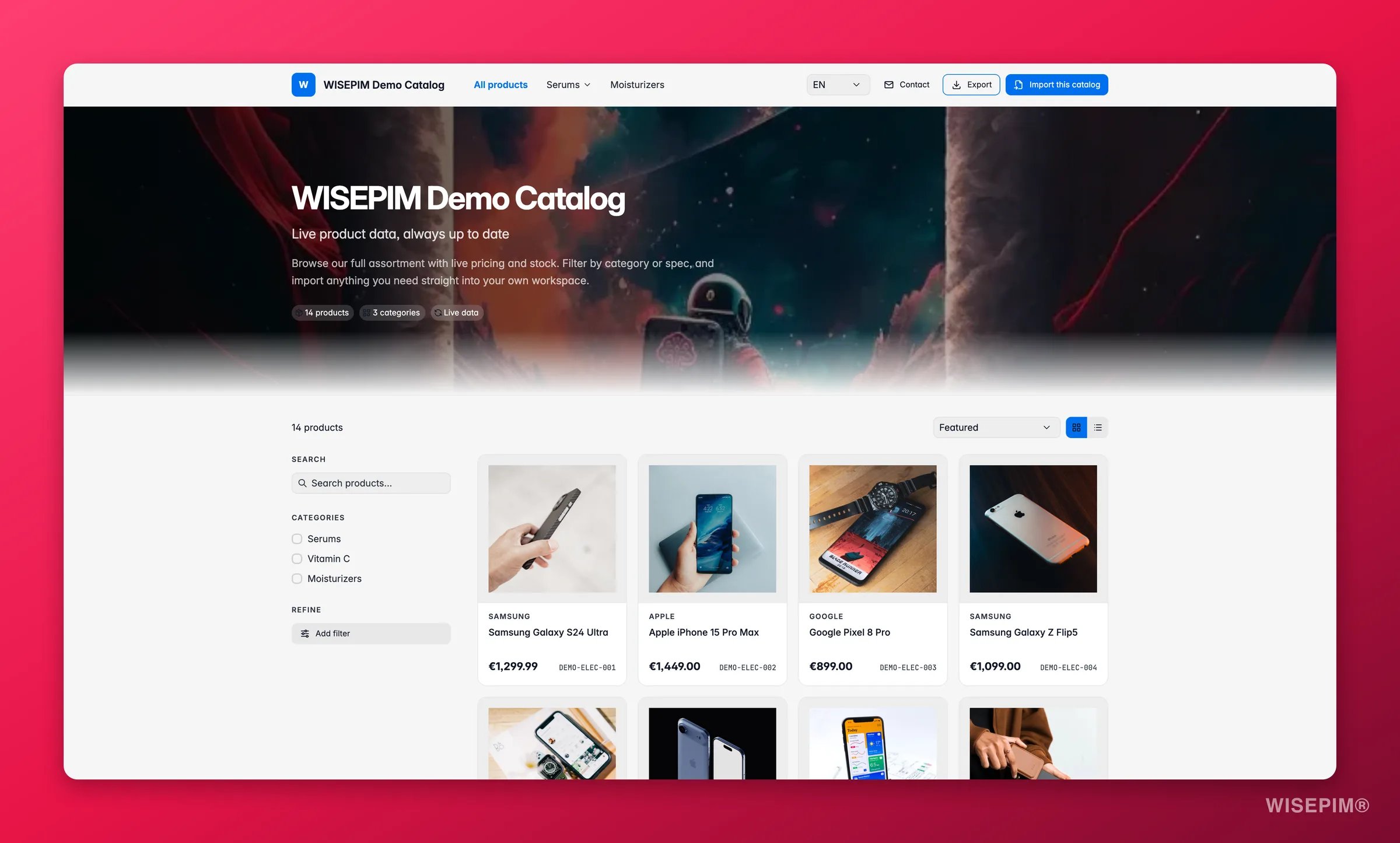
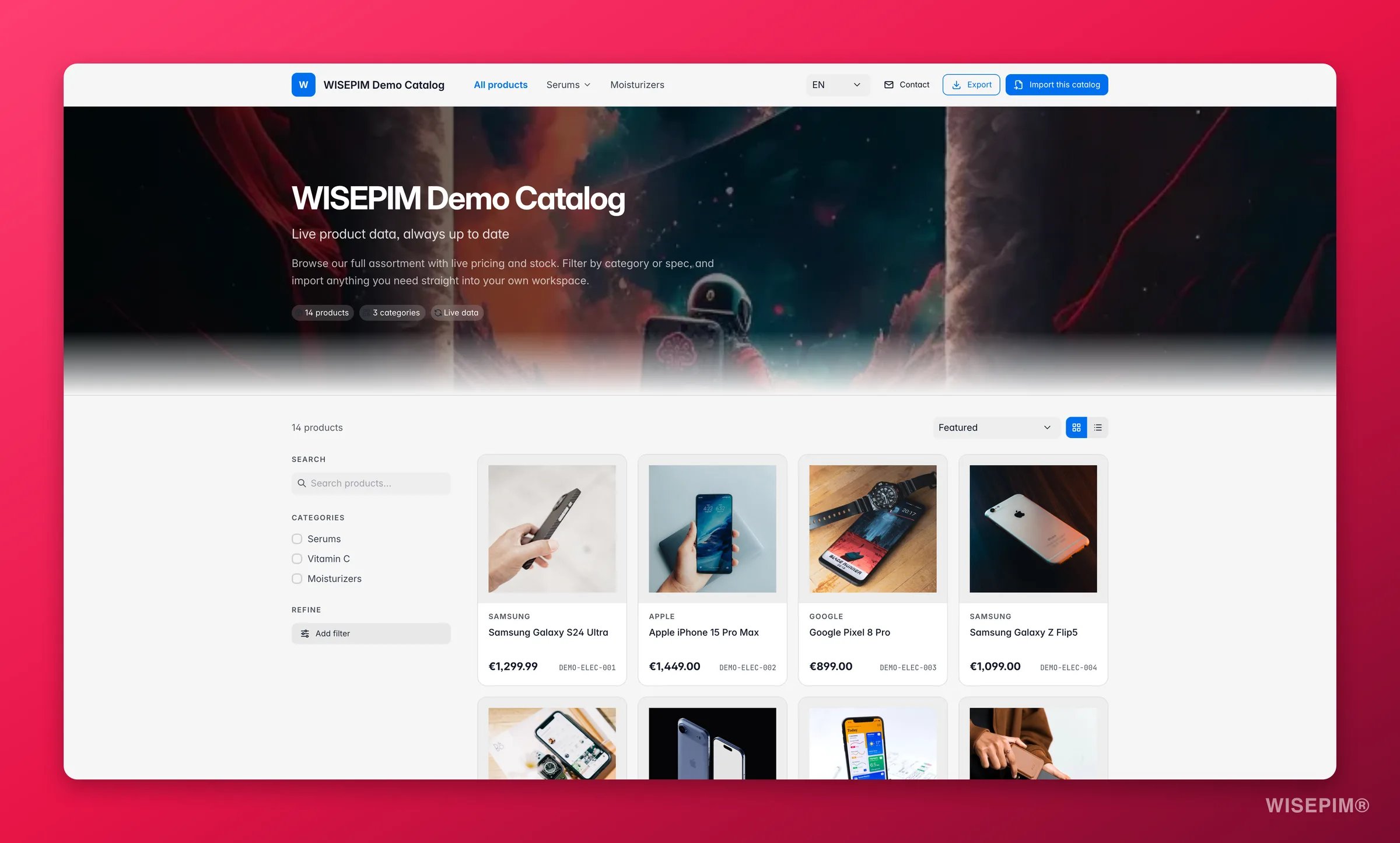 Visitors land on your branding, not on WISEPIM's. The top bar carries your logo and public name, a category menu, the language switcher if you enabled more than one language, and buttons for **Contact**, **Export**, and **Import this catalog**. The hero shows your banner and headline with chips for the product count, category count, and a **Live data** marker.
From there they can:
* **Search** across products.
* **Filter** by category and conditions, matching all, any, or at least a number of them.
* **Sort** by featured, name, price, brand, or stock.
* Switch between the **grid** and the **table** view, and choose columns in the table view.
* Open any product for a full detail page: image gallery with a lightbox, identifiers, price, stock, and cards for description, specifications, logistics and shipping, and product details.
* Click **Download PDF** on a product to get a clean datasheet, generated in their browser.
### Export the catalog
If you turned **Allow export** on, visitors get an **Export** button. They choose CSV or Excel, optionally limit it to the products matching their current filters, and download the file.
A single export is capped at **5,000 rows**. Exports are also rate-limited per visitor to keep a portal from being scraped in bulk.
### Import this catalog
The **Import this catalog** button is what makes a portal more than a brochure.
* A visitor who is already signed in to WISEPIM picks a target project under **Import into** and clicks **Import catalog**. The import runs in the background and the products land in their project.
* A visitor without an account chooses **I'm new, get started free** to sign up, or **I have a WISEPIM account** to sign in first.
For a brand sending its assortment to twenty retailers, this turns catalog onboarding into one click on the retailer's side.
## Password protection
Visitors land on your branding, not on WISEPIM's. The top bar carries your logo and public name, a category menu, the language switcher if you enabled more than one language, and buttons for **Contact**, **Export**, and **Import this catalog**. The hero shows your banner and headline with chips for the product count, category count, and a **Live data** marker.
From there they can:
* **Search** across products.
* **Filter** by category and conditions, matching all, any, or at least a number of them.
* **Sort** by featured, name, price, brand, or stock.
* Switch between the **grid** and the **table** view, and choose columns in the table view.
* Open any product for a full detail page: image gallery with a lightbox, identifiers, price, stock, and cards for description, specifications, logistics and shipping, and product details.
* Click **Download PDF** on a product to get a clean datasheet, generated in their browser.
### Export the catalog
If you turned **Allow export** on, visitors get an **Export** button. They choose CSV or Excel, optionally limit it to the products matching their current filters, and download the file.
A single export is capped at **5,000 rows**. Exports are also rate-limited per visitor to keep a portal from being scraped in bulk.
### Import this catalog
The **Import this catalog** button is what makes a portal more than a brochure.
* A visitor who is already signed in to WISEPIM picks a target project under **Import into** and clicks **Import catalog**. The import runs in the background and the products land in their project.
* A visitor without an account chooses **I'm new, get started free** to sign up, or **I have a WISEPIM account** to sign in first.
For a brand sending its assortment to twenty retailers, this turns catalog onboarding into one click on the retailer's side.
## Password protection
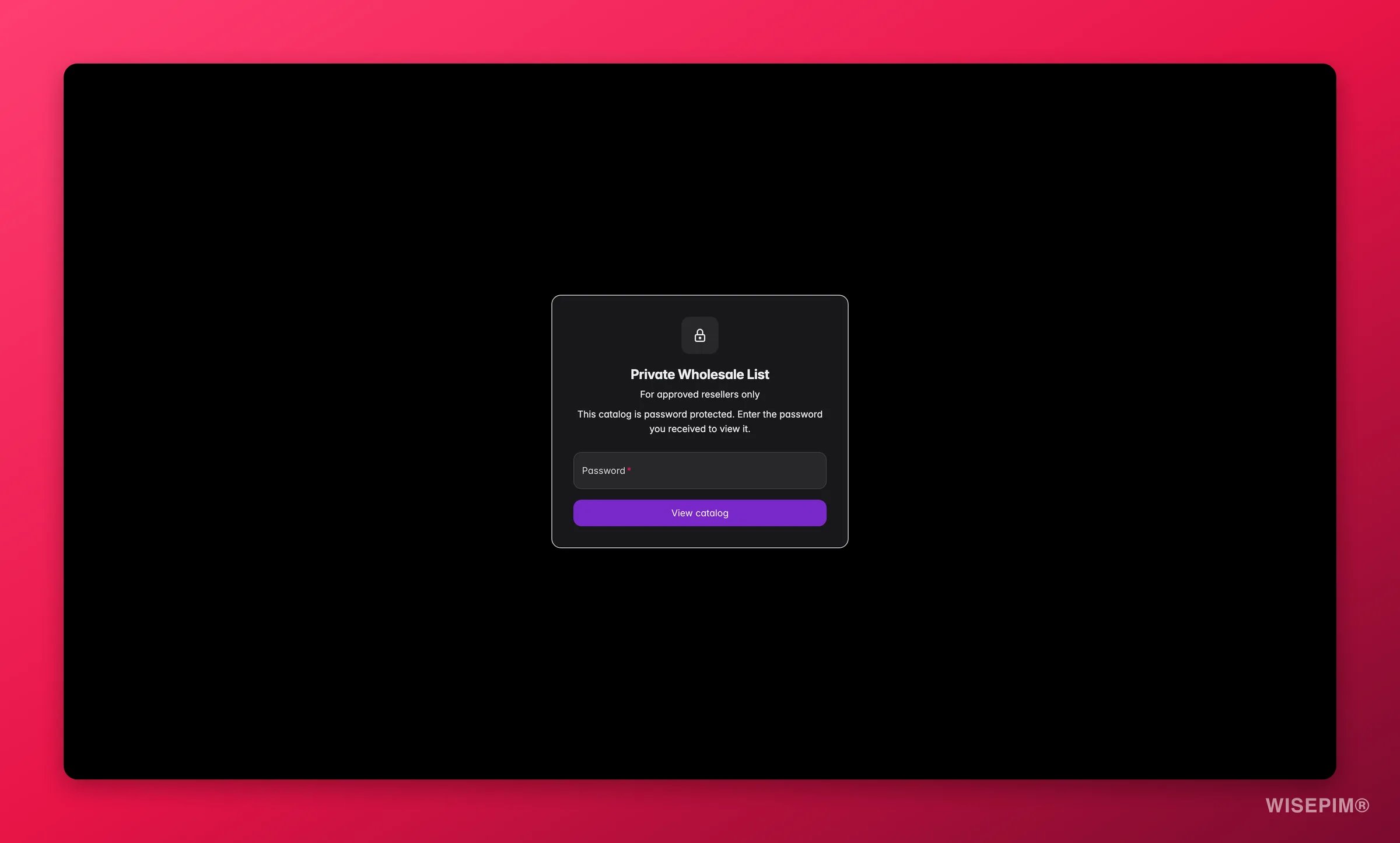
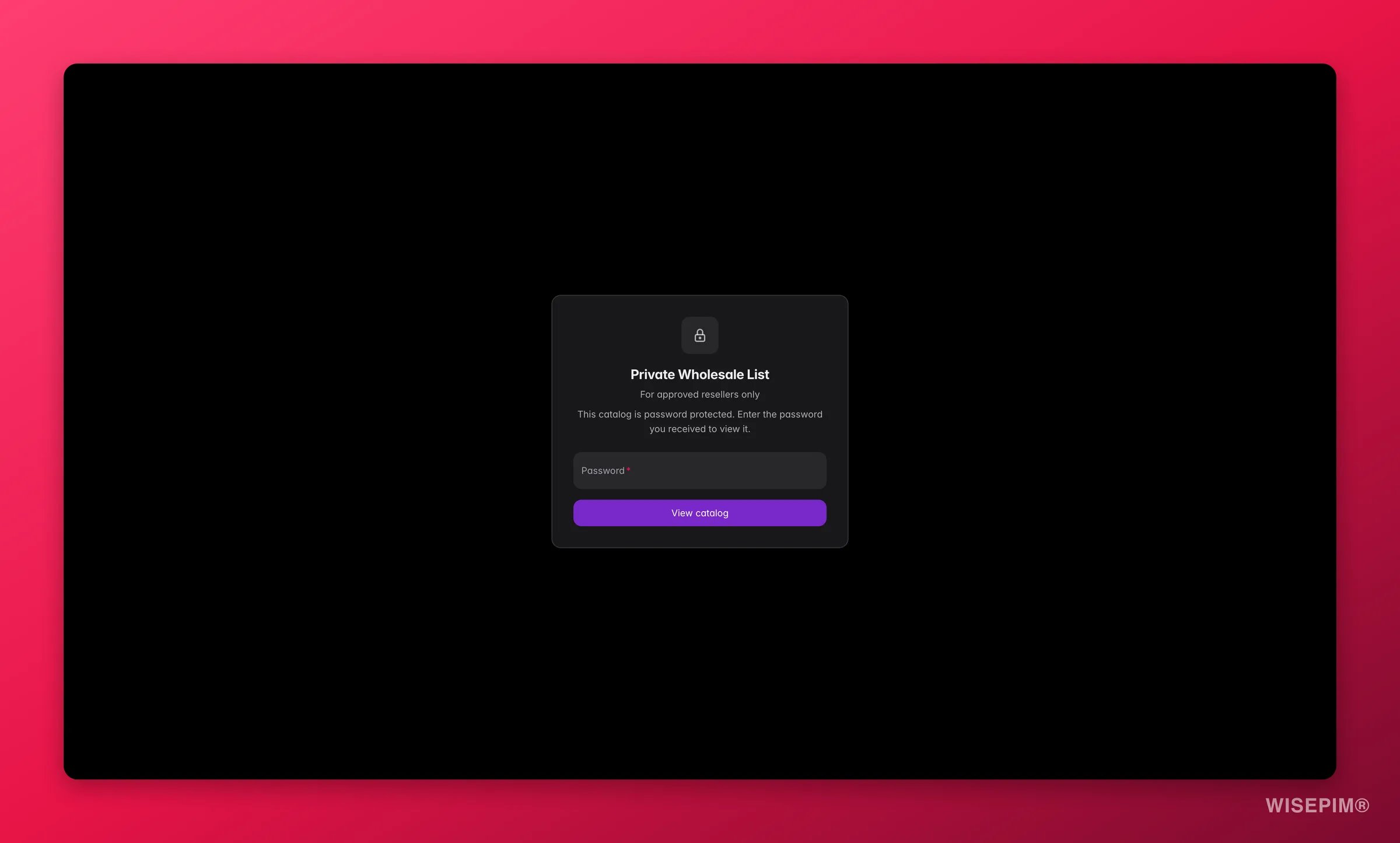 Set a password and visitors meet a lock screen carrying your branding before they see anything. They enter the password you sent them and click **View catalog**.
An unlock lasts **12 hours** on that visitor's browser, so a buyer working through your catalog is not asked again every few minutes.
**Generate new link** logs everyone out at once. Rotating the address invalidates every active unlock, so anyone still browsing has to use the new link and password again. That is exactly what you want when a link has leaked, and something to avoid on a busy Monday morning otherwise.
Password attempts are limited to **10 per hour** per visitor, so a portal cannot be brute-forced.
## Act on what you find
Build a portal scoped to what that retailer buys, turn **Allow export** on, and send the link once. They pull a fresh file whenever they need it. **Outcome:** the monthly export job disappears, and they stop working from stale data.
Set up a rule in [Pricing & Margins](/en/settings/pricing) scoped to that portal's channel, then turn on **Apply pricing rules** in the portal. Your stored prices never change, only what the portal shows. **Outcome:** one catalog serves several partner price levels. **Check first:** make sure cost price and margin columns are switched off.
Open **Sharing & access** and click **Generate new link**. The old address dies immediately and every active password unlock is cancelled. Send the new link to the people who should have it. **Outcome:** access is revoked in seconds, without deleting the portal or rebuilding it.
Use **Preview** in the editor header to see exactly what a visitor sees, then walk the visible-columns list once more. **Outcome:** you catch a sensitive column before a customer does.
Switch **Portal is live** off instead of deleting it. Visitors see a "taking a break" message, your settings survive, and you can bring it back for the next season. **Outcome:** you keep the setup work without leaving old prices in public.
## How it compares to exports and feeds
* **[Exporting products](/en/essentials/exporting-products)** gives someone a file. It is right when they need data at a fixed moment: a one-off price list, an accountant's request, a migration.
* **[Feed Hub](/en/essentials/feed-hub)** gives a machine a file on a schedule. It is right for marketplaces and comparison sites that fetch a feed automatically.
* **A Brand Portal** gives a person a page. It is right when a human needs to browse, search, and decide, and you want them looking at today's catalog rather than last month's download.
## Related
Show partner prices in a portal without touching your stored prices.
Send a file when a page is not what someone needs.
Scheduled product feeds for marketplaces and comparison sites.
Manage the logos, banners, and product photos your portal shows.
Set a password and visitors meet a lock screen carrying your branding before they see anything. They enter the password you sent them and click **View catalog**.
An unlock lasts **12 hours** on that visitor's browser, so a buyer working through your catalog is not asked again every few minutes.
**Generate new link** logs everyone out at once. Rotating the address invalidates every active unlock, so anyone still browsing has to use the new link and password again. That is exactly what you want when a link has leaked, and something to avoid on a busy Monday morning otherwise.
Password attempts are limited to **10 per hour** per visitor, so a portal cannot be brute-forced.
## Act on what you find
Build a portal scoped to what that retailer buys, turn **Allow export** on, and send the link once. They pull a fresh file whenever they need it. **Outcome:** the monthly export job disappears, and they stop working from stale data.
Set up a rule in [Pricing & Margins](/en/settings/pricing) scoped to that portal's channel, then turn on **Apply pricing rules** in the portal. Your stored prices never change, only what the portal shows. **Outcome:** one catalog serves several partner price levels. **Check first:** make sure cost price and margin columns are switched off.
Open **Sharing & access** and click **Generate new link**. The old address dies immediately and every active password unlock is cancelled. Send the new link to the people who should have it. **Outcome:** access is revoked in seconds, without deleting the portal or rebuilding it.
Use **Preview** in the editor header to see exactly what a visitor sees, then walk the visible-columns list once more. **Outcome:** you catch a sensitive column before a customer does.
Switch **Portal is live** off instead of deleting it. Visitors see a "taking a break" message, your settings survive, and you can bring it back for the next season. **Outcome:** you keep the setup work without leaving old prices in public.
## How it compares to exports and feeds
* **[Exporting products](/en/essentials/exporting-products)** gives someone a file. It is right when they need data at a fixed moment: a one-off price list, an accountant's request, a migration.
* **[Feed Hub](/en/essentials/feed-hub)** gives a machine a file on a schedule. It is right for marketplaces and comparison sites that fetch a feed automatically.
* **A Brand Portal** gives a person a page. It is right when a human needs to browse, search, and decide, and you want them looking at today's catalog rather than last month's download.
## Related
Show partner prices in a portal without touching your stored prices.
Send a file when a page is not what someone needs.
Scheduled product feeds for marketplaces and comparison sites.
Manage the logos, banners, and product photos your portal shows.