> ## Documentation Index
> Fetch the complete documentation index at: https://docs.wisepim.com/llms.txt
> Use this file to discover all available pages before exploring further.
# Magento 2 Integration
> Connect your Magento 2 store to WISEPIM. Create an integration, grant API access, and add your four keys to sync your product catalog.
Connect your Magento 2 store to WISEPIM to manage your catalog from one place. Once connected, you can import products, enrich them with AI, and push the improved content back to Magento.
Setup takes three steps: create an integration in Magento, activate it to get your API keys, then add those keys in WISEPIM.
You need admin access to your Magento 2 store and a WISEPIM account with an active project.
## Create the integration in Magento
 Add a new integration so Magento can issue the API keys that connect to WISEPIM.
Log in to Magento with your admin account.
Navigate to **System** > **Integrations**.
Click **Add New Integration** and fill in:
* **Name**: a clear name, for example WISEPIM
* **Your Password**: your admin password
* **API**: the resources this integration can access
## Activate the integration
Activate the integration to generate your four API keys.
After saving, click **Activate** in the integrations grid.
Review the permissions and click **Allow**.
Magento shows four keys. Copy all of them:
* Consumer Key
* Consumer Secret
* Access Token
* Access Token Secret
Keep these keys private. Never commit them to your code or version control. Store them in a secure secrets manager or environment variables.
## Add your keys to WISEPIM
Enter the four keys from Magento to finish the connection.
Log in to WISEPIM and go to **Settings** > **Integrations**.
Click the **Magento** integration tile.
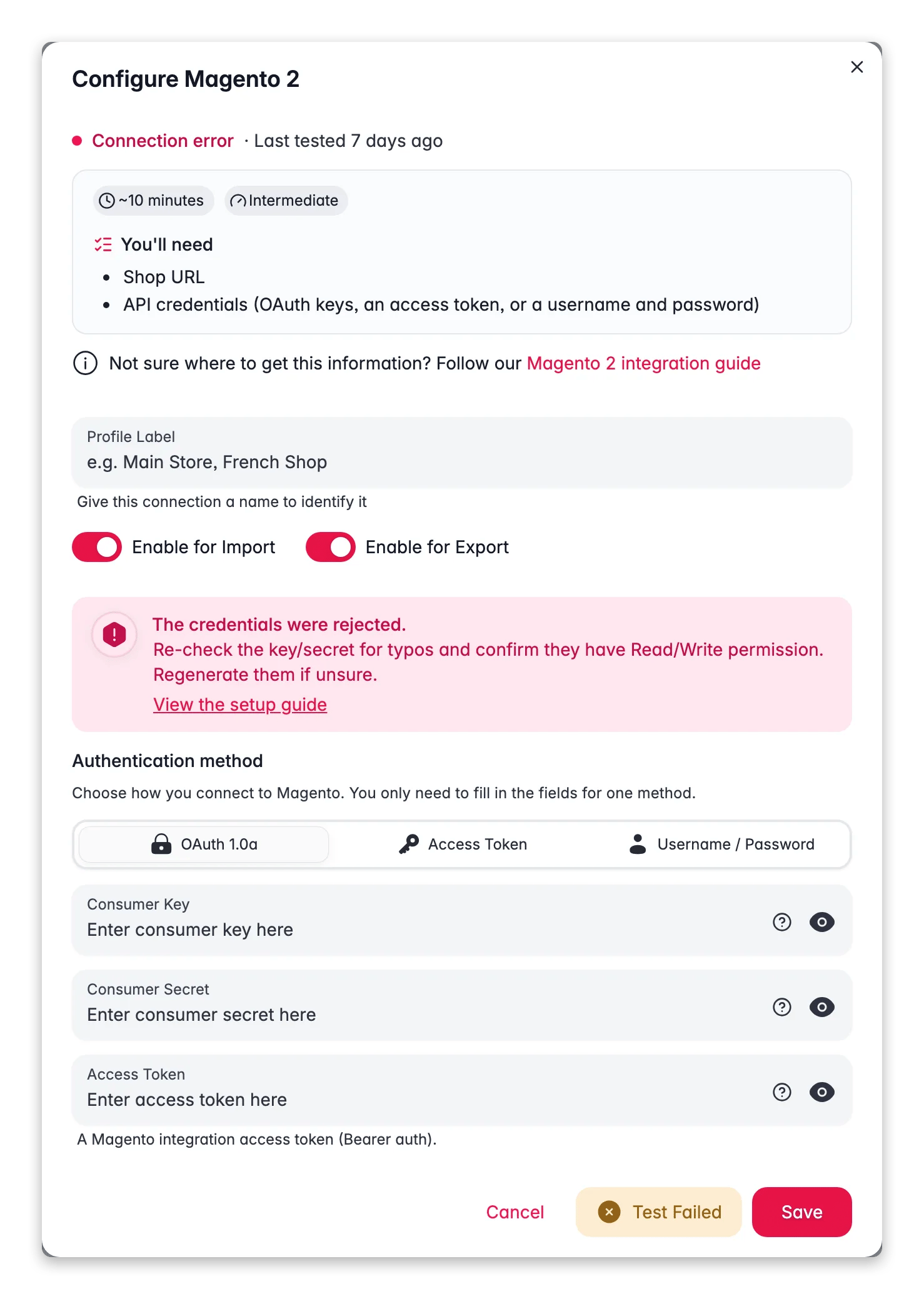
Fill in each field:
* Consumer Key
* Consumer Secret
* Access Token
* Access Token Secret
Click **Save**. WISEPIM encrypts and stores your keys securely.
Your Magento store is now connected. You can start importing products.
## Related
Pull your catalog from Magento into WISEPIM.
Improve titles, descriptions, and attributes with AI.
Push the improved content back to Magento.
Browse every platform you can connect to WISEPIM.
Add a new integration so Magento can issue the API keys that connect to WISEPIM.
Log in to Magento with your admin account.
Navigate to **System** > **Integrations**.
Click **Add New Integration** and fill in:
* **Name**: a clear name, for example WISEPIM
* **Your Password**: your admin password
* **API**: the resources this integration can access
## Activate the integration
Activate the integration to generate your four API keys.
After saving, click **Activate** in the integrations grid.
Review the permissions and click **Allow**.
Magento shows four keys. Copy all of them:
* Consumer Key
* Consumer Secret
* Access Token
* Access Token Secret
Keep these keys private. Never commit them to your code or version control. Store them in a secure secrets manager or environment variables.
## Add your keys to WISEPIM
Enter the four keys from Magento to finish the connection.
Log in to WISEPIM and go to **Settings** > **Integrations**.
Click the **Magento** integration tile.
Fill in each field:
* Consumer Key
* Consumer Secret
* Access Token
* Access Token Secret
Click **Save**. WISEPIM encrypts and stores your keys securely.
Your Magento store is now connected. You can start importing products.
## Related
Pull your catalog from Magento into WISEPIM.
Improve titles, descriptions, and attributes with AI.
Push the improved content back to Magento.
Browse every platform you can connect to WISEPIM.