> ## Documentation Index
> Fetch the complete documentation index at: https://docs.wisepim.com/llms.txt
> Use this file to discover all available pages before exploring further.
# CCV Shop Integration
> Connect your CCV Shop store to WISEPIM. Generate API keys, add them to WISEPIM, and start syncing product data.
Connect WISEPIM to your CCV Shop store to import products, enrich them, and export them back. The connection uses API keys that you generate in CCV Shop and paste into WISEPIM. Setup takes a few minutes.
You need admin access to your CCV Shop store to generate API keys.
## Generate API keys in CCV Shop
 First, create a key pair in your CCV Shop admin panel.
Log in to your CCV Shop admin panel. Go to **Settings**, then **API & Webhooks**, then open the **API Keys** tab.
Click **Generate new API key** and fill in the details:
* **Description**: a name you recognize, such as `WISEPIM Integration`
* **Permissions**: enable both **read** and **write** for products
Click **Save**. CCV Shop gives you an **API Key** and an **API Secret**. Copy both and keep them somewhere safe. You enter them in WISEPIM next.
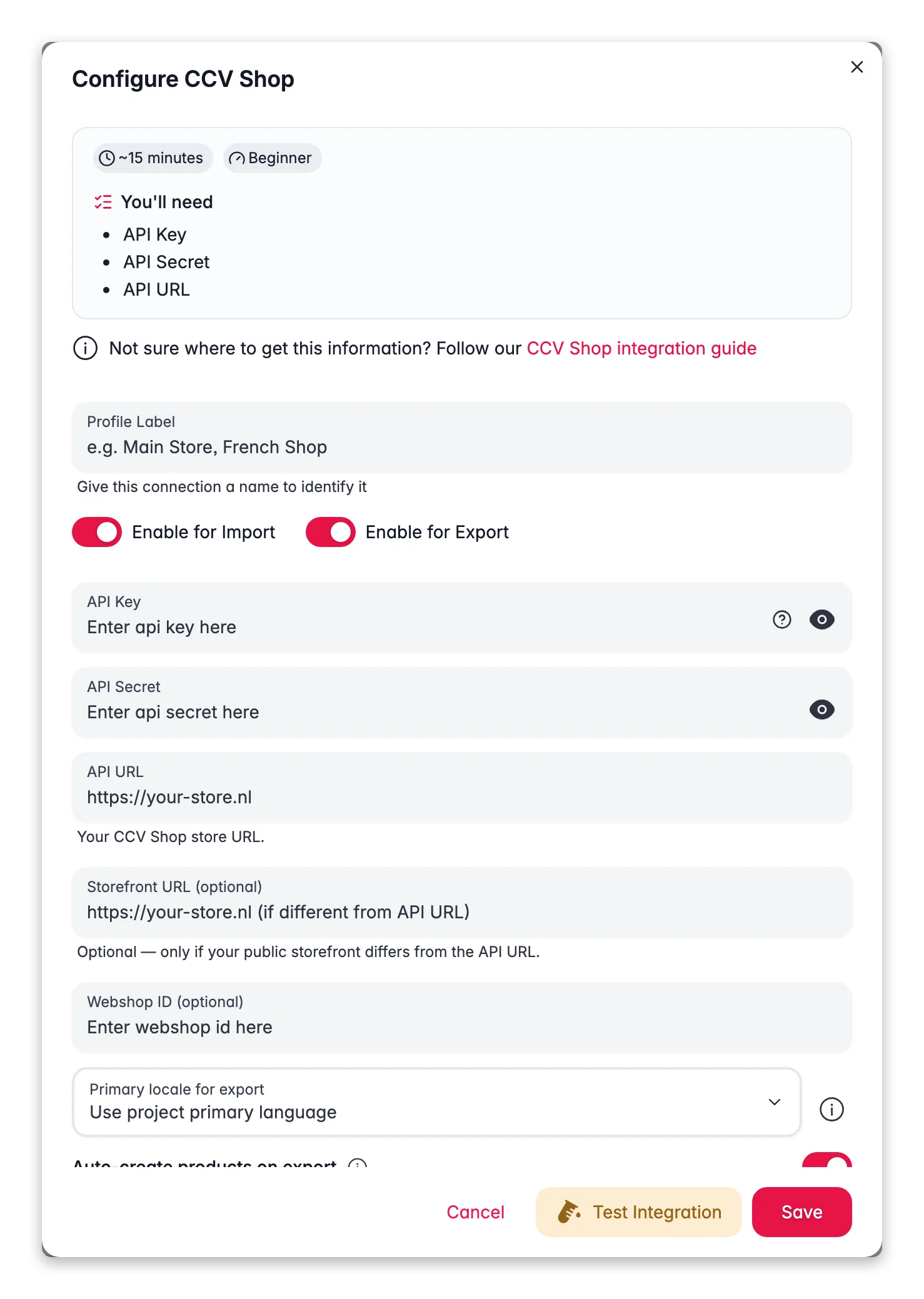
## Add the keys to WISEPIM
Next, connect the store in WISEPIM using the keys you just created.
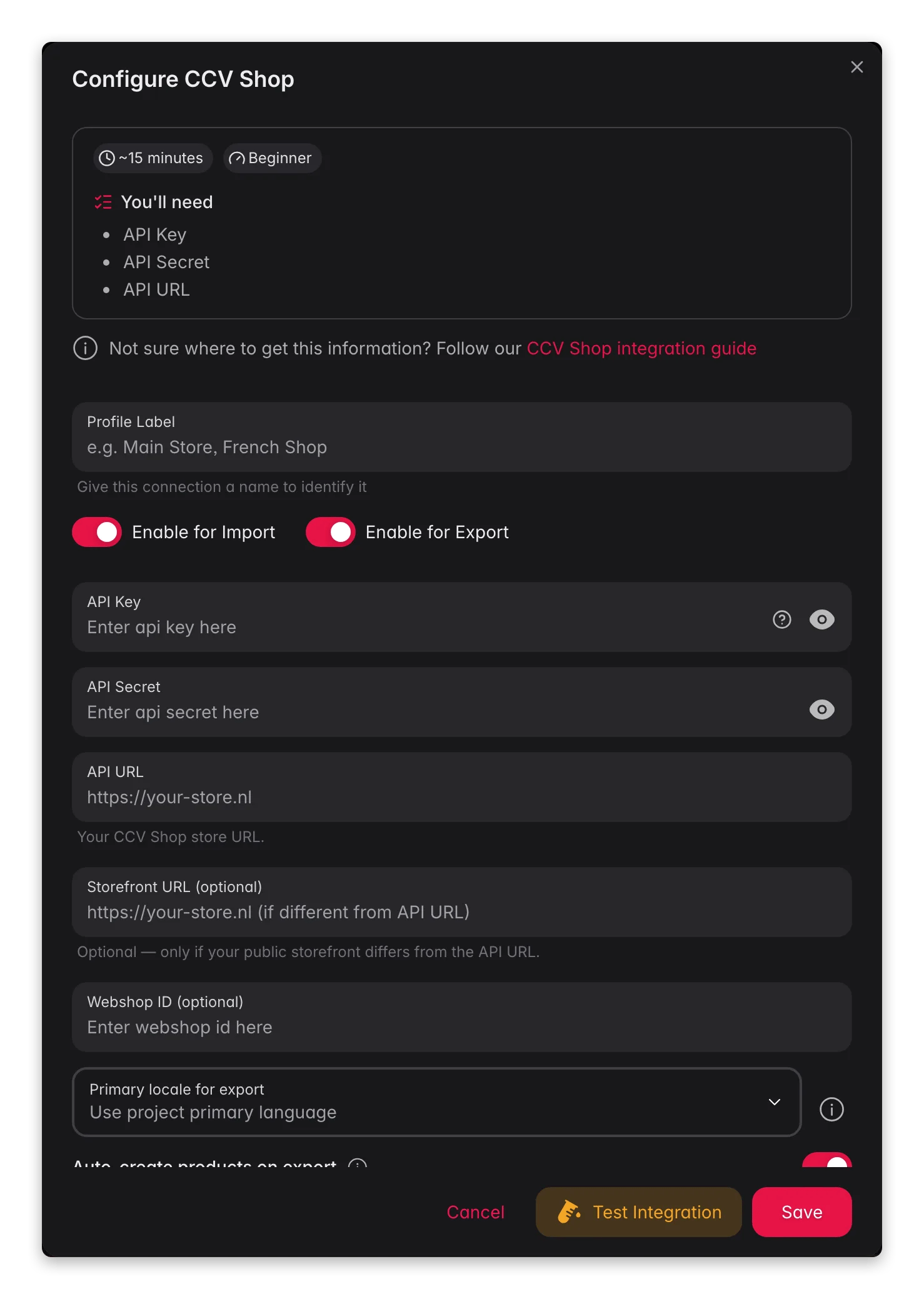
Log in to WISEPIM. Go to **Settings**, then **Integrations**, and select **CCV Shop** from the list of platforms.
Fill in the connection fields:
* **API Key**: your CCV Shop API key
* **API Secret**: your CCV Shop API secret
* **Shop URL**: your store address, such as `https://your-store.ccvshop.com`
Click **Save** to store the configuration.
## Test the connection
Confirm that WISEPIM can reach your store before you sync anything.
Go to the **Integrations** page and find your CCV Shop connection.
Click **Test Connection**.
A confirmation message means you are connected. An error usually means a wrong key or shop URL: check both and test again.
Connected. You can now import, enrich, and export products through CCV Shop.
Stuck during setup? Contact our support team and we will help you connect.
## Keep your API keys safe
Treat your API keys like passwords. Anyone with them can access your store data.
* Never share your keys or post them publicly.
* Never commit keys to version control.
* Store keys in environment variables where you can.
* Rotate your keys regularly.
* Grant only the permissions the integration needs.
## Related
Pull products from CCV Shop into WISEPIM.
Improve product content with AI.
Send products back to CCV Shop.
First, create a key pair in your CCV Shop admin panel.
Log in to your CCV Shop admin panel. Go to **Settings**, then **API & Webhooks**, then open the **API Keys** tab.
Click **Generate new API key** and fill in the details:
* **Description**: a name you recognize, such as `WISEPIM Integration`
* **Permissions**: enable both **read** and **write** for products
Click **Save**. CCV Shop gives you an **API Key** and an **API Secret**. Copy both and keep them somewhere safe. You enter them in WISEPIM next.
## Add the keys to WISEPIM
Next, connect the store in WISEPIM using the keys you just created.
Log in to WISEPIM. Go to **Settings**, then **Integrations**, and select **CCV Shop** from the list of platforms.
Fill in the connection fields:
* **API Key**: your CCV Shop API key
* **API Secret**: your CCV Shop API secret
* **Shop URL**: your store address, such as `https://your-store.ccvshop.com`
Click **Save** to store the configuration.
## Test the connection
Confirm that WISEPIM can reach your store before you sync anything.
Go to the **Integrations** page and find your CCV Shop connection.
Click **Test Connection**.
A confirmation message means you are connected. An error usually means a wrong key or shop URL: check both and test again.
Connected. You can now import, enrich, and export products through CCV Shop.
Stuck during setup? Contact our support team and we will help you connect.
## Keep your API keys safe
Treat your API keys like passwords. Anyone with them can access your store data.
* Never share your keys or post them publicly.
* Never commit keys to version control.
* Store keys in environment variables where you can.
* Rotate your keys regularly.
* Grant only the permissions the integration needs.
## Related
Pull products from CCV Shop into WISEPIM.
Improve product content with AI.
Send products back to CCV Shop.