> ## Documentation Index
> Fetch the complete documentation index at: https://docs.wisepim.com/llms.txt
> Use this file to discover all available pages before exploring further.
# Launch a new market language you trust
> Your catalog needs to be in German by next quarter. Go from one locale to a reviewed, published market language without shipping raw machine output.
Someone has decided you are selling in Germany next quarter. You have a few thousand products in one language, no German speaker on the team, and a launch date. The fear is not that machine translation is bad - it is that you will not know whether it is bad until a German customer tells you.
This guide is the order of operations that makes that risk manageable: fix the source first, prove the quality on a sample, review the whole locale like an editor would, and only then wire up the market. Budget half a day of hands-on work; the AI runs happen in the background.
**Before you start:** pick a project in the project switcher, because languages, translation rules, and keywords are all project-scoped. Your primary-language content should already be enriched - [translation reads it as its source](/en/products/translating-products).
**What you'll get:** a target locale scored and fixed in [Linguistic Review](/en/analytics/linguistic-review), with its own keywords, its own product feed, and hreflang tags pointing search engines at the right version.
Every step below assumes the one before it, which is why the sample sits between the settings and the catalog:
```mermaid theme={null}
flowchart LR
A["Enrich source"] --> B["Translation settings"] --> C["Sample batch"] --> D["Catalog by category"] --> E["Linguistic Review"] --> F["Keywords and feed"]
```
## Get the source and the settings right first
This is the part everyone skips and everyone regrets. Translation quality is capped by source quality, and settings only affect *future* runs - so both are far cheaper to fix now than across 3,000 translated products later.
 In [General settings](/en/settings/general), add German under **Additional languages** and save. Nothing else in this guide is available until the locale exists - the Translation action does not even appear in the enrich modal without a second language.
Run [enrichment](/en/essentials/enriching-products) on your primary language before you translate a single product. When a field has enriched or reviewed content, translation uses that as its source automatically - so a thin English description becomes a thin German description, and you pay credits for the privilege.
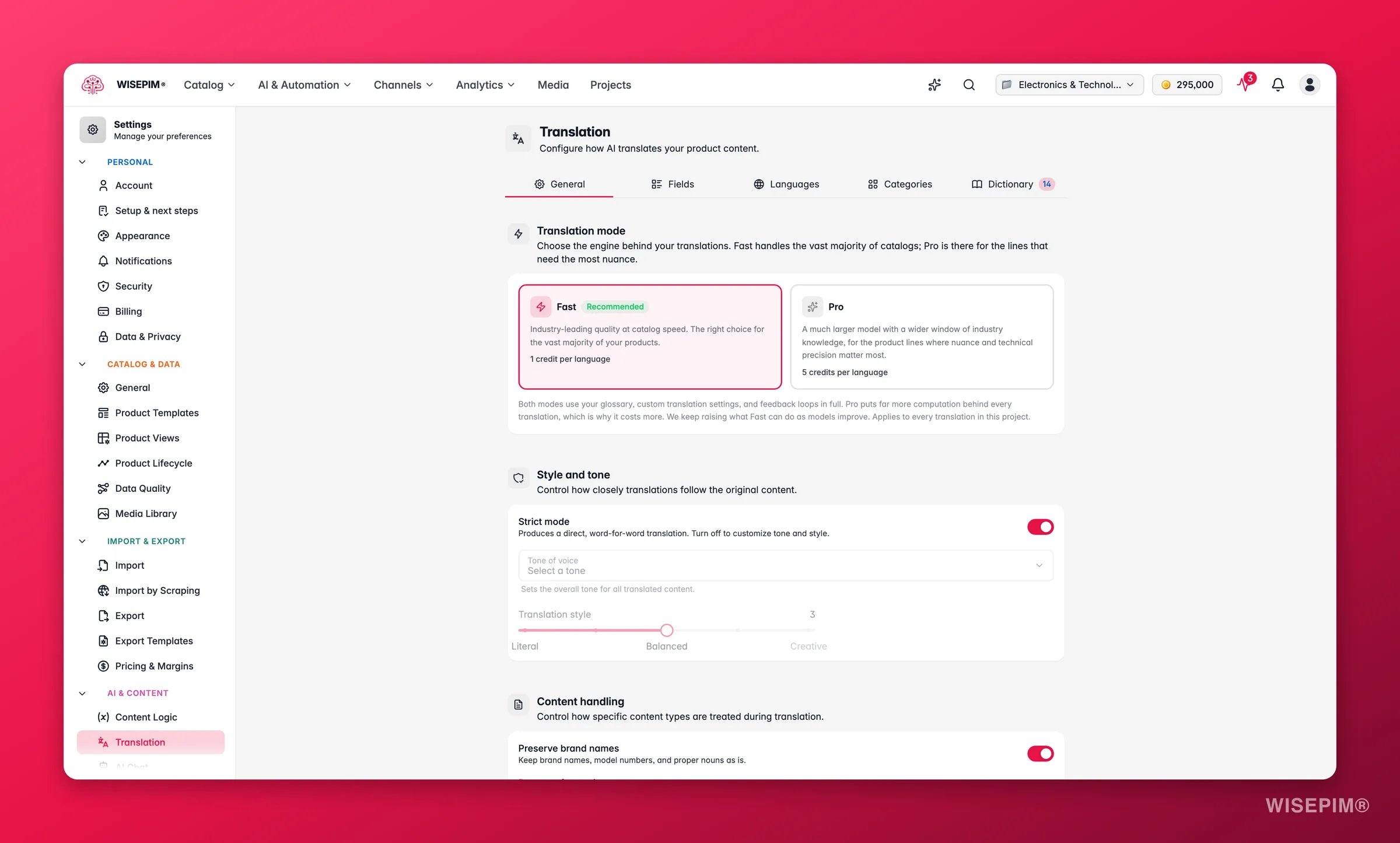
On the **Dictionary** tab of [Translation settings](/en/settings/translation), add the terms you cannot afford to get wrong. Brand names, model codes, and product lines go in as **Keep as-is** so they are never translated by accident. Doing this before the first run is the difference between one entry and 3,000 corrections.
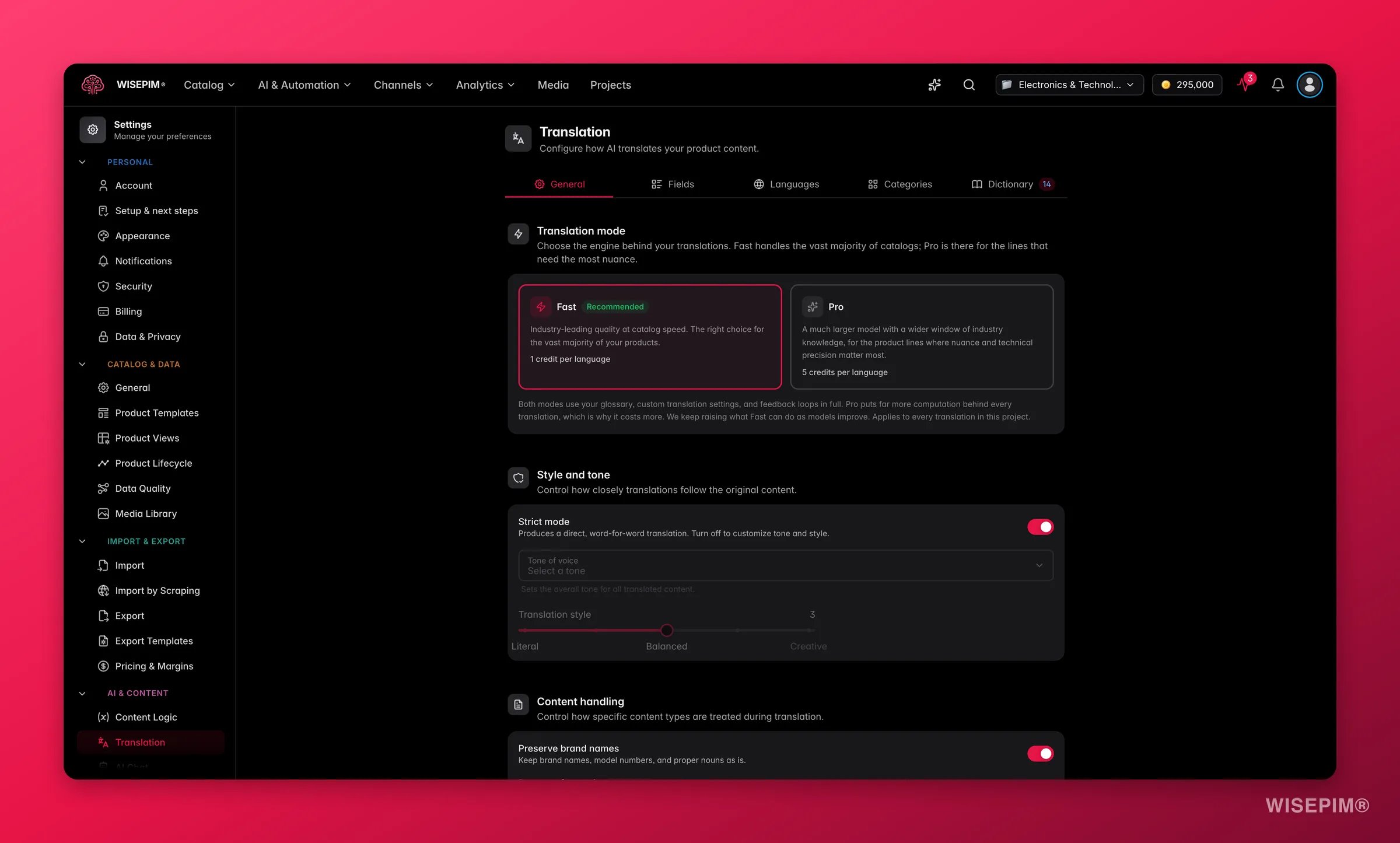
On the **General** tab, strict mode translates word for word with no style changes, and it is on by default. That is the right call for technical, regulated, or spec-heavy catalogs. Turn it off only if your copy sells on voice - that unlocks tone of voice and the **Translation style** slider from literal to creative.
German, like many languages, forces a choice between formal and informal address. Add a language override on the **Languages** tab and set **Formality** explicitly rather than letting each run guess.
**Unit handling** on the General tab decides whether measurements stay as written, convert to the target locale's standard, or show both. Get this wrong and your German pages quote inches.
AI translates six fields: product name, description, short description, meta title, meta description, and meta keywords. Custom attributes are not translated, so spec values and codes stay exactly as they are - plan that as a separate data job.
## Translate a sample, then the catalog
Do not run 3,000 products on your first attempt. The sample exists to catch a settings mistake while it is still worth ten credits instead of three thousand, and to answer the only real cost question in this guide.
| Mode | Cost | Choose it when |
| -------- | ----------------------------------- | ------------------------------------------------------------------------------------------------------------------------------------------------------------------------- |
| **Fast** | 1 credit per product, per language | The recommended default. Handles normal product copy well, and it is what your whole catalog should run on unless the sample proves otherwise. |
| **Pro** | 5 credits per product, per language | A much larger model that reasons before it writes. Worth it where wording carries real nuance: flagship products, luxury copy, regulated wording - not the whole catalog. |
In [General settings](/en/settings/general), add German under **Additional languages** and save. Nothing else in this guide is available until the locale exists - the Translation action does not even appear in the enrich modal without a second language.
Run [enrichment](/en/essentials/enriching-products) on your primary language before you translate a single product. When a field has enriched or reviewed content, translation uses that as its source automatically - so a thin English description becomes a thin German description, and you pay credits for the privilege.
On the **Dictionary** tab of [Translation settings](/en/settings/translation), add the terms you cannot afford to get wrong. Brand names, model codes, and product lines go in as **Keep as-is** so they are never translated by accident. Doing this before the first run is the difference between one entry and 3,000 corrections.
On the **General** tab, strict mode translates word for word with no style changes, and it is on by default. That is the right call for technical, regulated, or spec-heavy catalogs. Turn it off only if your copy sells on voice - that unlocks tone of voice and the **Translation style** slider from literal to creative.
German, like many languages, forces a choice between formal and informal address. Add a language override on the **Languages** tab and set **Formality** explicitly rather than letting each run guess.
**Unit handling** on the General tab decides whether measurements stay as written, convert to the target locale's standard, or show both. Get this wrong and your German pages quote inches.
AI translates six fields: product name, description, short description, meta title, meta description, and meta keywords. Custom attributes are not translated, so spec values and codes stay exactly as they are - plan that as a separate data job.
## Translate a sample, then the catalog
Do not run 3,000 products on your first attempt. The sample exists to catch a settings mistake while it is still worth ten credits instead of three thousand, and to answer the only real cost question in this guide.
| Mode | Cost | Choose it when |
| -------- | ----------------------------------- | ------------------------------------------------------------------------------------------------------------------------------------------------------------------------- |
| **Fast** | 1 credit per product, per language | The recommended default. Handles normal product copy well, and it is what your whole catalog should run on unless the sample proves otherwise. |
| **Pro** | 5 credits per product, per language | A much larger model that reasons before it writes. Worth it where wording carries real nuance: flagship products, luxury copy, regulated wording - not the whole catalog. |
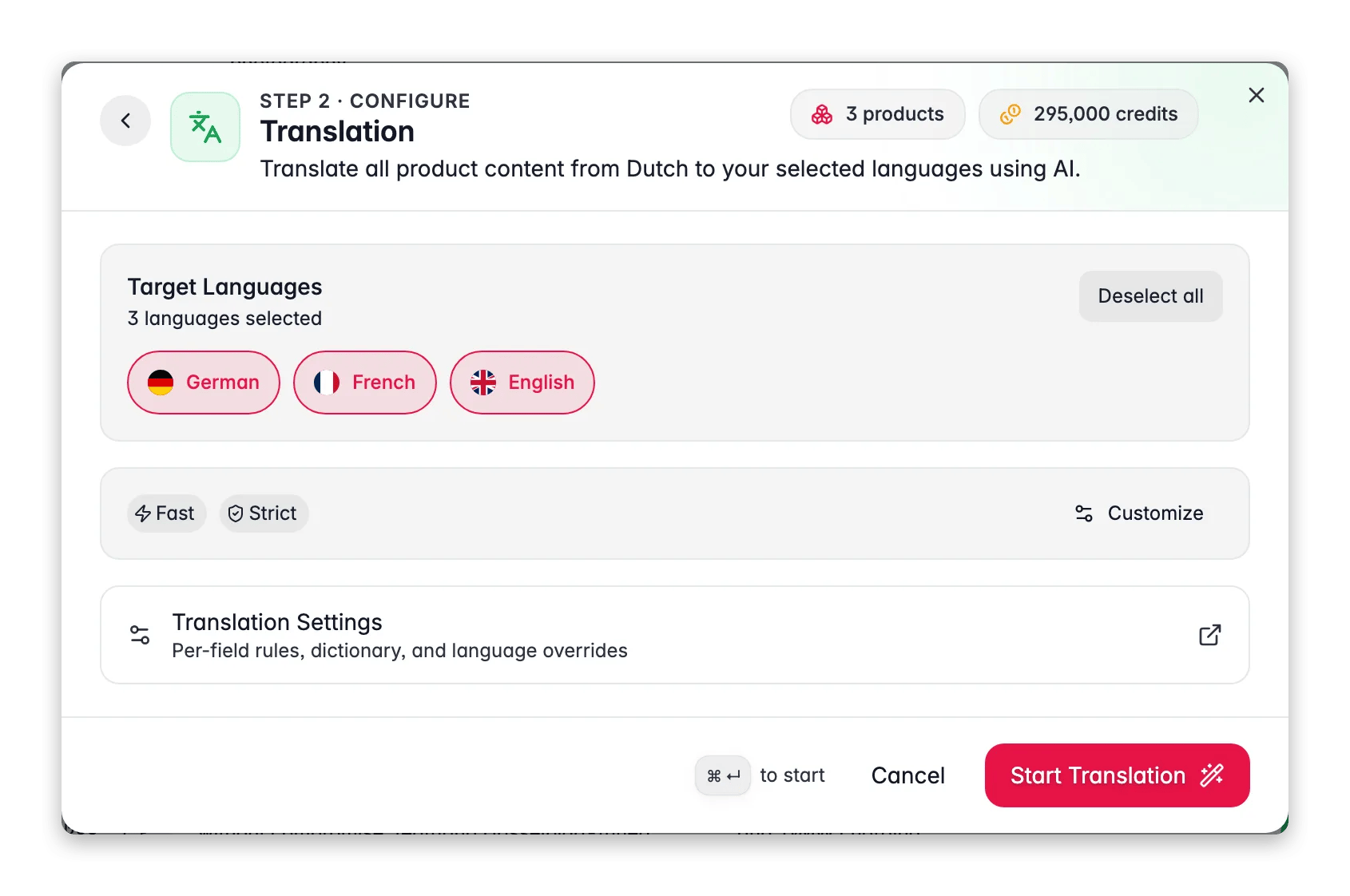
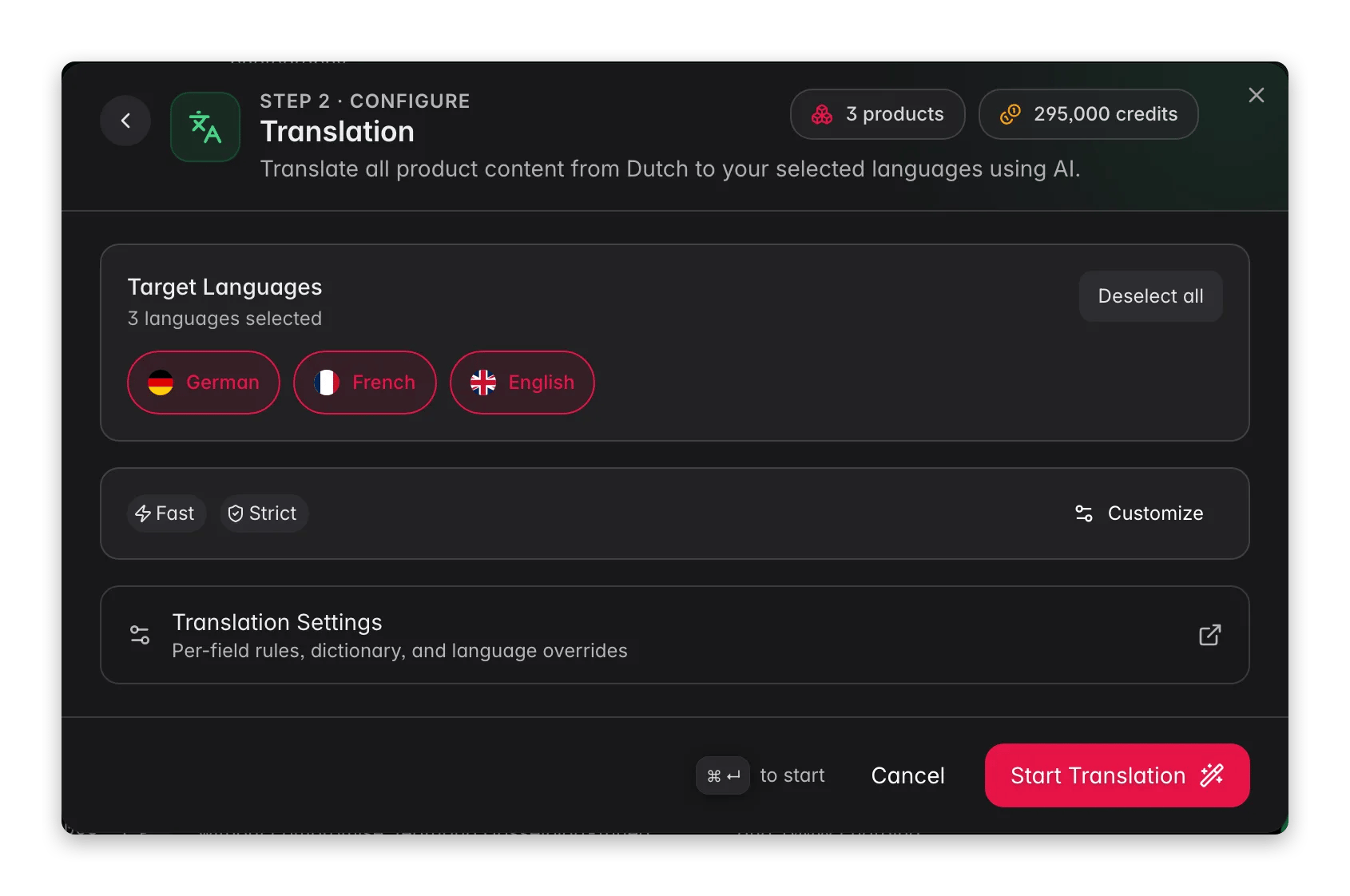 On the Products page, tick a handful of products that represent your range, click **Enrich with AI** in the toolbar, choose **Translation**, leave the mode on **Fast**, and click **Start Enrichment**.
Switch the language selector on the Products page to German and read the output properly. You are looking for tone, terminology, and whether brand names survived - not for typos.
Reach for Pro only on the products where the sample showed Fast genuinely falling short. On a catalog of any size, that choice is the difference between hundreds and thousands of credits, so make it product by product rather than catalog-wide.
Filter by category and translate in batches rather than firing the whole catalog at once. Each batch stays internally consistent, and review is far easier when you are reading one product type at a time.
If a run stops early, open it from the indicator in the header in the [Process Tracker](/en/other-features/process-tracker) and choose **Resume** - it finishes only the untouched products at no extra credit cost, where **Restart** re-runs everything and is charged as a fresh run. Failed translations are refunded automatically.
## Review the locale like an editor would
Machine translation drifts. The same term comes out three ways, meta descriptions blow past their limits, and the tone reads slightly foreign. [Linguistic Review](/en/analytics/linguistic-review) is the gate that catches it before a customer does - run it after the catalog batches, not between them, because it scores one target locale at a time across everything you have translated.
On the Products page, tick a handful of products that represent your range, click **Enrich with AI** in the toolbar, choose **Translation**, leave the mode on **Fast**, and click **Start Enrichment**.
Switch the language selector on the Products page to German and read the output properly. You are looking for tone, terminology, and whether brand names survived - not for typos.
Reach for Pro only on the products where the sample showed Fast genuinely falling short. On a catalog of any size, that choice is the difference between hundreds and thousands of credits, so make it product by product rather than catalog-wide.
Filter by category and translate in batches rather than firing the whole catalog at once. Each batch stays internally consistent, and review is far easier when you are reading one product type at a time.
If a run stops early, open it from the indicator in the header in the [Process Tracker](/en/other-features/process-tracker) and choose **Resume** - it finishes only the untouched products at no extra credit cost, where **Restart** re-runs everything and is charged as a fresh run. Failed translations are refunded automatically.
## Review the locale like an editor would
Machine translation drifts. The same term comes out three ways, meta descriptions blow past their limits, and the tone reads slightly foreign. [Linguistic Review](/en/analytics/linguistic-review) is the gate that catches it before a customer does - run it after the catalog batches, not between them, because it scores one target locale at a time across everything you have translated.
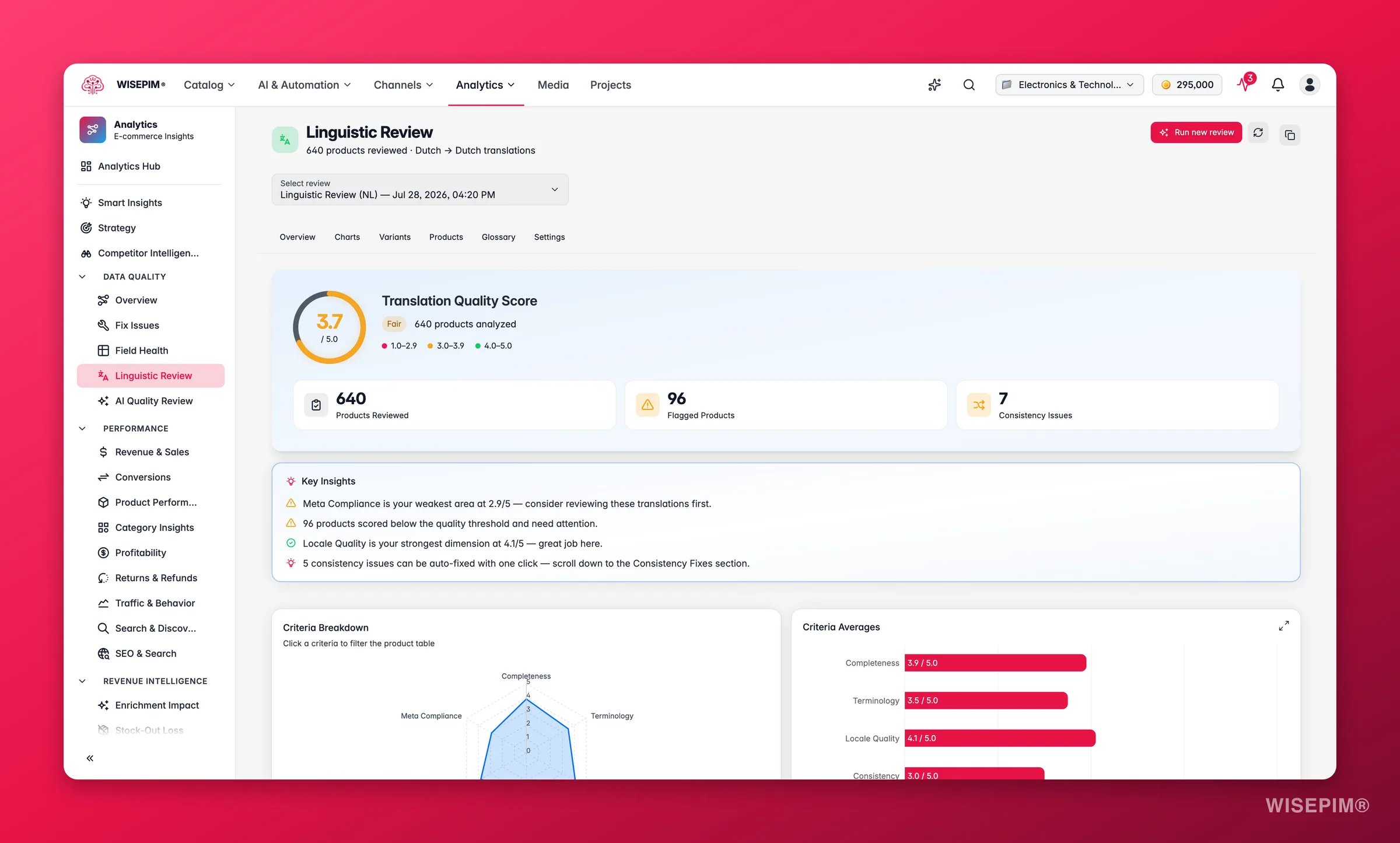
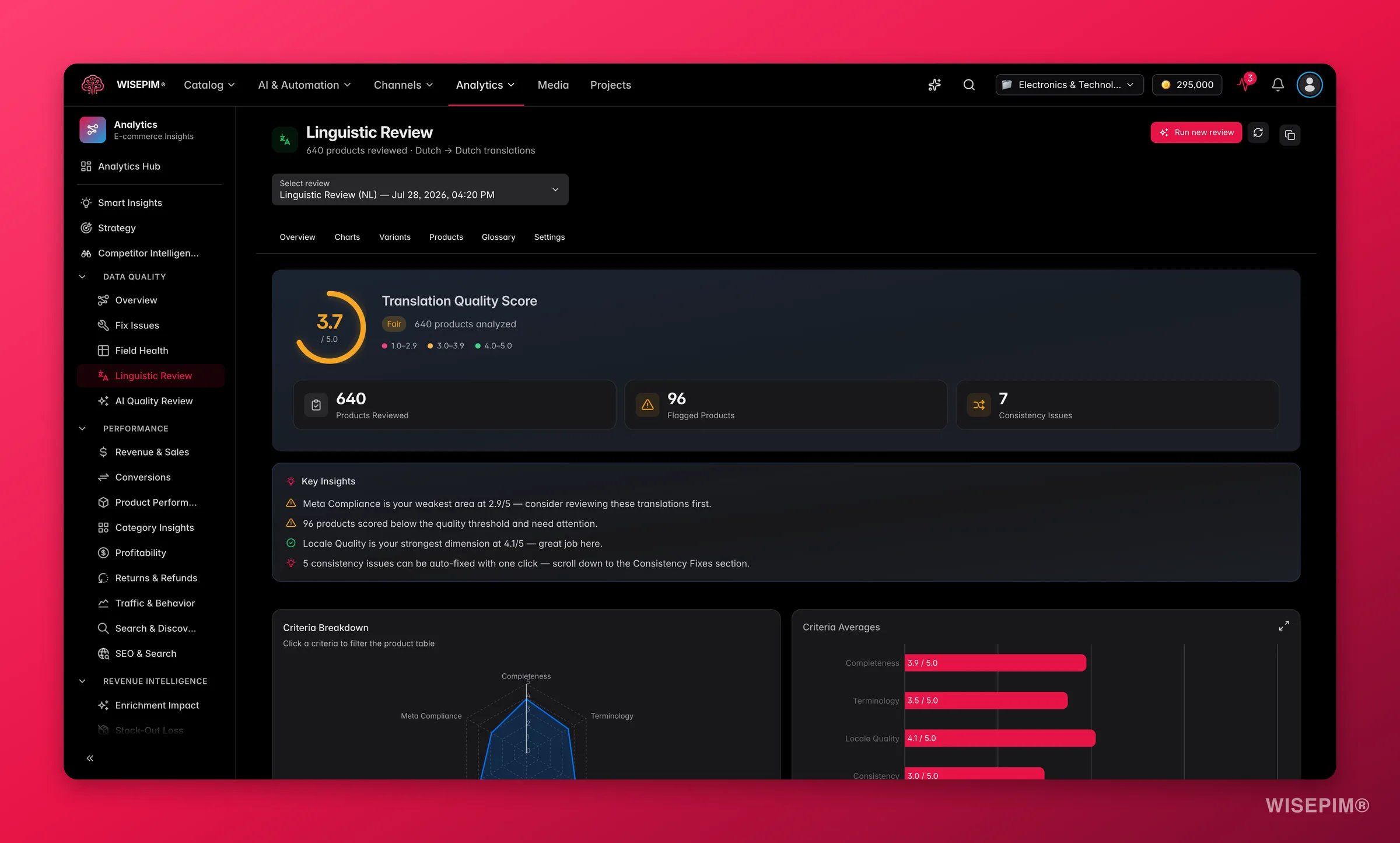 Open [Linguistic Review](/en/analytics/linguistic-review) from the Analytics sidebar and click **Run review**. The button stays disabled until at least one target locale exists. Results are ready in a few minutes.
Completeness, Terminology, Locale Quality, Consistency, Format & Keywords, and Meta Compliance each describe a different failure. The overall score is their average, so a healthy-looking 4.1 can still hide one criterion sitting below 3.
Open **Term Variants**, pick the recommended translation for each inconsistent term, and toggle **Add to dictionary** as you apply it. That fixes the products you have and stops the drift returning on the next run. **Fix All** applies every auto-fixable issue at once.
Fix the flagged products and the consistency issues, then confirm the overall score is comfortably above 4 - the band that reads as ready to publish. Below 3 means fix it before the locale goes live. Treat that as your launch gate.
## Make the market real
A translated catalog is not a market. These are the wiring jobs that turn German copy into German traffic, and they come last because each one assumes reviewed content already exists.
Open [Linguistic Review](/en/analytics/linguistic-review) from the Analytics sidebar and click **Run review**. The button stays disabled until at least one target locale exists. Results are ready in a few minutes.
Completeness, Terminology, Locale Quality, Consistency, Format & Keywords, and Meta Compliance each describe a different failure. The overall score is their average, so a healthy-looking 4.1 can still hide one criterion sitting below 3.
Open **Term Variants**, pick the recommended translation for each inconsistent term, and toggle **Add to dictionary** as you apply it. That fixes the products you have and stops the drift returning on the next run. **Fix All** applies every auto-fixable issue at once.
Fix the flagged products and the consistency issues, then confirm the overall score is comfortably above 4 - the band that reads as ready to publish. Below 3 means fix it before the locale goes live. Treat that as your launch gate.
## Make the market real
A translated catalog is not a market. These are the wiring jobs that turn German copy into German traffic, and they come last because each one assumes reviewed content already exists.
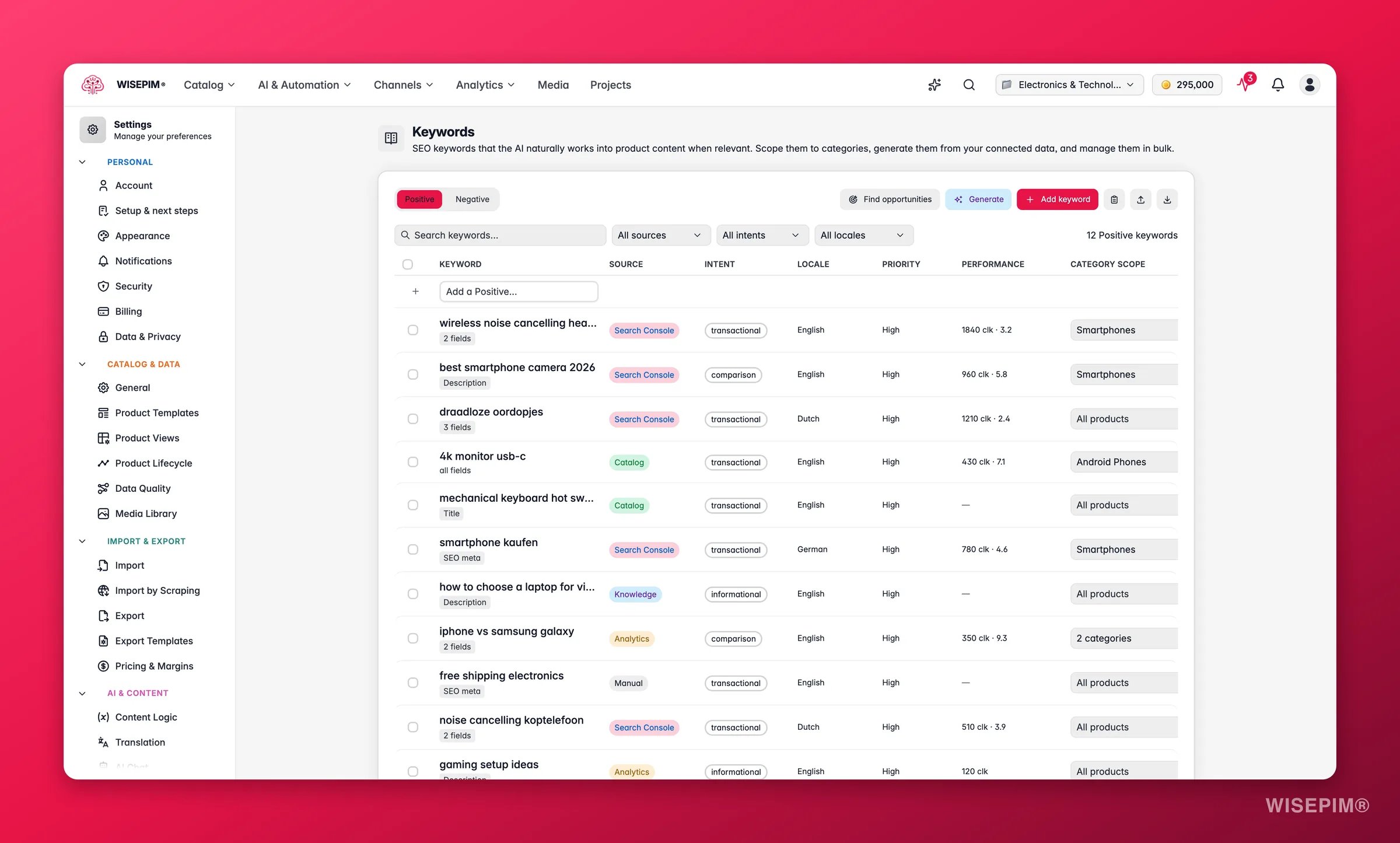
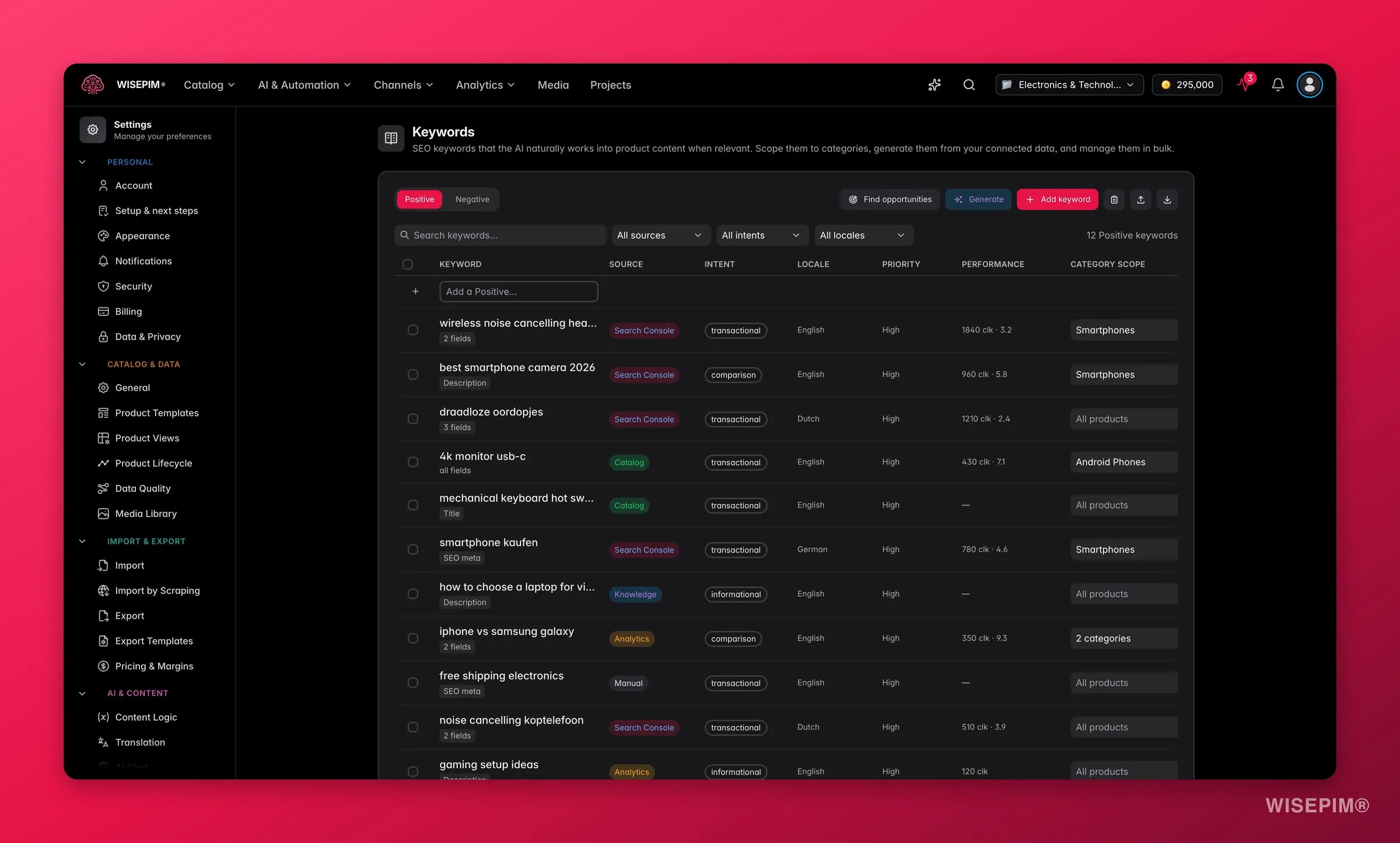 German shoppers do not search in translated English. Add the terms that market actually uses in [Keywords](/en/settings/keywords) and set each one's locale scope so it only applies to German content.
In [Feed Hub](/en/essentials/feed-hub), click **Create Feed** and build a separate feed for the new market. One feed per language is the documented pattern for multilingual catalogs, and most channels expect a separate URL per market anyway.
In [SEO & Sitemap settings](/en/settings/seo), check that **Generate hreflang tags** is enabled - it is by default - and that **Default locale**, which only appears once a project has more than one locale, points at the right language. This is what stops your two languages competing as duplicate content.
When you edit or re-enrich source text, the matching translated field is flagged **Outdated** and re-translated on the next run. Filter for it periodically instead of assuming a translated catalog stays translated.
Back in [Translation settings](/en/settings/translation), **Auto-learn glossary from reviews** turns confident review findings into dictionary entries by itself. It is off by default on purpose - switch it on after your first reviews look right, not before.
## How to tell it worked
| Signal | Where to look | When it moves |
| ----------------------------------------------------- | ------------------------------------------------------ | ------------------------------------------ |
| Products flip to **Fully translated** | Translation status filter on the Products page | As soon as each run finishes |
| Linguistic Review overall score above 4 | [Linguistic Review](/en/analytics/linguistic-review) | A few minutes after each review run |
| Consistency issue count falling toward zero | **Term Variants**, after applying fixes | On the next review run |
| Fields no longer flagged **Outdated** | Products page, per field | After you re-translate changed source text |
| A German feed generating with the right product count | [Feed Hub](/en/essentials/feed-hub) generation history | On the feed's next refresh |
The launch gate is simple: every product **Fully translated**, consistency issues resolved, and a Linguistic Review score comfortably above 4 for the locale.
## When it doesn't work
You have no target language yet. Add one besides your primary language under **Additional languages** in [General settings](/en/settings/general) and the action appears.
A language is skipped when it was already translated with the same settings from the same source text - that is what keeps re-runs from burning credits. Change the setting you meant to change, or edit the source field (which flags the translation **Outdated**), then run again.
That is Locale Quality in the review, and it usually traces back to source text or settings rather than the model. Improve the primary-language content first, then check formality and tone for the language on the **Languages** tab of [Translation settings](/en/settings/translation), and re-translate the affected products.
Open **Term Variants** in [Linguistic Review](/en/analytics/linguistic-review), apply the recommended variant, and toggle **Add to dictionary** in the same click so the next run cannot drift again.
Add them to the **Dictionary** tab in [Translation settings](/en/settings/translation) as **Keep as-is**, and confirm **Preserve brand names** is still on under the General tab. Then re-translate the affected products.
That is expected. Translation covers the six content fields only; custom attributes are not translated. Handle spec values as a separate data job rather than waiting for a translation run to fix them.
## Related
The full reference: modes, fields, statuses, and what keeps runs consistent.
The six criteria, the scores, and the one-click fixes behind your launch gate.
Get the source copy sounding like you before you multiply it across languages.
Take the new locale to a marketplace without collecting rejections.
German shoppers do not search in translated English. Add the terms that market actually uses in [Keywords](/en/settings/keywords) and set each one's locale scope so it only applies to German content.
In [Feed Hub](/en/essentials/feed-hub), click **Create Feed** and build a separate feed for the new market. One feed per language is the documented pattern for multilingual catalogs, and most channels expect a separate URL per market anyway.
In [SEO & Sitemap settings](/en/settings/seo), check that **Generate hreflang tags** is enabled - it is by default - and that **Default locale**, which only appears once a project has more than one locale, points at the right language. This is what stops your two languages competing as duplicate content.
When you edit or re-enrich source text, the matching translated field is flagged **Outdated** and re-translated on the next run. Filter for it periodically instead of assuming a translated catalog stays translated.
Back in [Translation settings](/en/settings/translation), **Auto-learn glossary from reviews** turns confident review findings into dictionary entries by itself. It is off by default on purpose - switch it on after your first reviews look right, not before.
## How to tell it worked
| Signal | Where to look | When it moves |
| ----------------------------------------------------- | ------------------------------------------------------ | ------------------------------------------ |
| Products flip to **Fully translated** | Translation status filter on the Products page | As soon as each run finishes |
| Linguistic Review overall score above 4 | [Linguistic Review](/en/analytics/linguistic-review) | A few minutes after each review run |
| Consistency issue count falling toward zero | **Term Variants**, after applying fixes | On the next review run |
| Fields no longer flagged **Outdated** | Products page, per field | After you re-translate changed source text |
| A German feed generating with the right product count | [Feed Hub](/en/essentials/feed-hub) generation history | On the feed's next refresh |
The launch gate is simple: every product **Fully translated**, consistency issues resolved, and a Linguistic Review score comfortably above 4 for the locale.
## When it doesn't work
You have no target language yet. Add one besides your primary language under **Additional languages** in [General settings](/en/settings/general) and the action appears.
A language is skipped when it was already translated with the same settings from the same source text - that is what keeps re-runs from burning credits. Change the setting you meant to change, or edit the source field (which flags the translation **Outdated**), then run again.
That is Locale Quality in the review, and it usually traces back to source text or settings rather than the model. Improve the primary-language content first, then check formality and tone for the language on the **Languages** tab of [Translation settings](/en/settings/translation), and re-translate the affected products.
Open **Term Variants** in [Linguistic Review](/en/analytics/linguistic-review), apply the recommended variant, and toggle **Add to dictionary** in the same click so the next run cannot drift again.
Add them to the **Dictionary** tab in [Translation settings](/en/settings/translation) as **Keep as-is**, and confirm **Preserve brand names** is still on under the General tab. Then re-translate the affected products.
That is expected. Translation covers the six content fields only; custom attributes are not translated. Handle spec values as a separate data job rather than waiting for a translation run to fix them.
## Related
The full reference: modes, fields, statuses, and what keeps runs consistent.
The six criteria, the scores, and the one-click fixes behind your launch gate.
Get the source copy sounding like you before you multiply it across languages.
Take the new locale to a marketplace without collecting rejections.