> ## Documentation Index
> Fetch the complete documentation index at: https://docs.wisepim.com/llms.txt
> Use this file to discover all available pages before exploring further.
# Set Field Value
> Bulk set any built-in product field to a fixed value or a dynamic formula. Update names, descriptions, prices, and identifiers across your catalog in one step.
Set any built-in product field across many products at once. Text fields also accept dynamic formulas, so you can build names, descriptions, and SEO copy from product data at scale.
This action works with **built-in product fields**. To set your own custom attributes, use [Set Attribute Value](/en/essentials/bulk-editing/set-attribute) instead.
## Set a field value
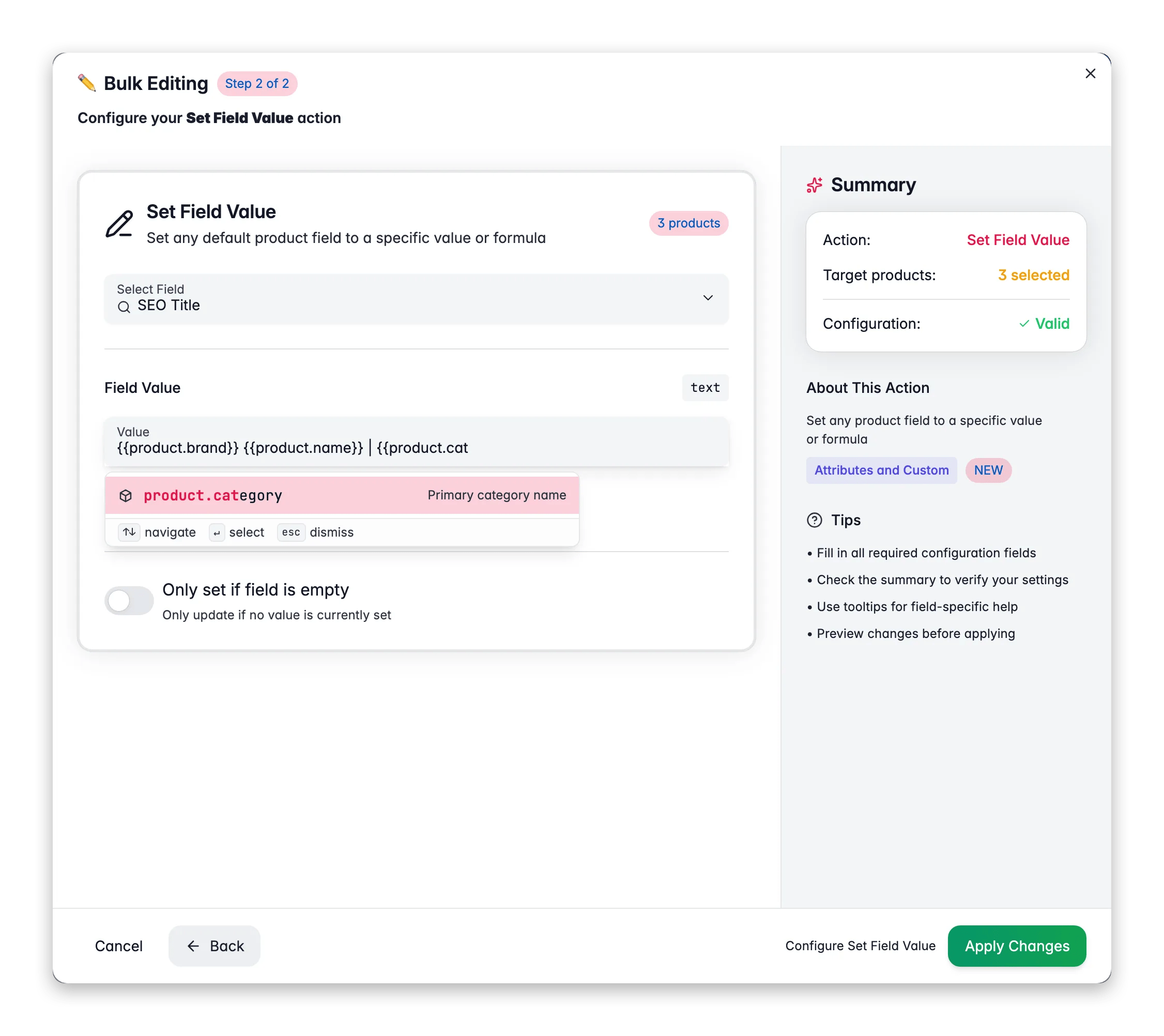
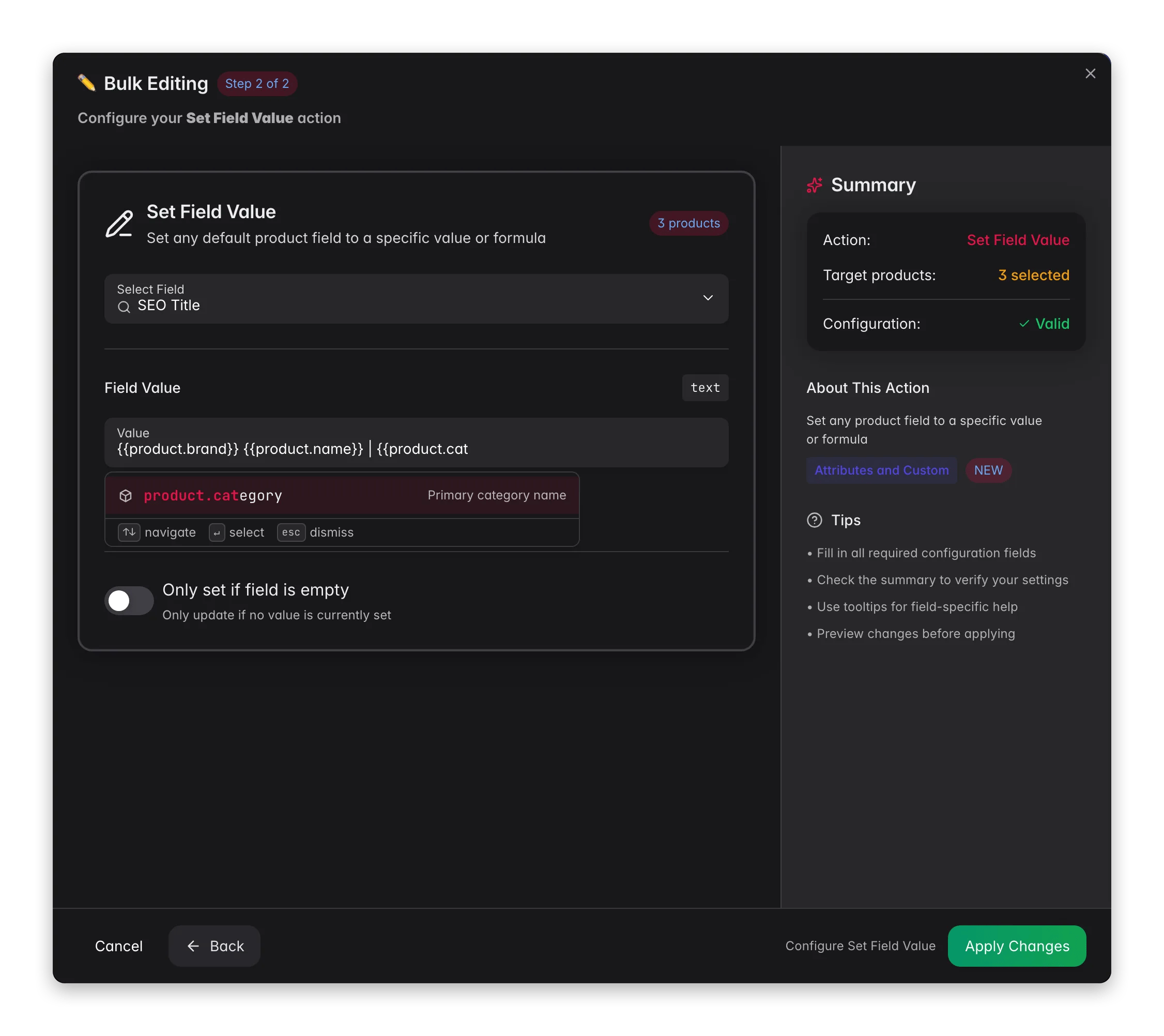 Check the products you want to update, or use filters and select all matching results.
Click **Bulk Edit**, then search for "Set Field" or find it under **Attributes & Custom Fields**.
Pick the field to set. Fields are grouped by type: text, identifiers, numeric, enum, and boolean.
Set the value. Text and identifier fields also accept formula variables in the `{{scope.key}}` syntax.
Turn on **Only if empty** if needed, then click **Apply**.
## Options
| Option | What it does | Default |
| ----------------- | ----------------------------------------------------- | -------- |
| **Field** | The product field to set | Required |
| **Value** | The value to apply (input matches the field type) | Required |
| **Only if empty** | Sets the value only when the field is currently empty | Off |
## Available fields
Product Name, Reviewed Name, Description, Enriched Description, Short Description, Enriched Short Description, SEO Title, SEO Description, SEO Keywords, Brand, Supplier.
SKU, EAN, UPC, MPN (Manufacturer Part Number), HS Code, Country of Origin.
Price, Special Price, Cost, Weight, Length, Width, Height, Stock Quantity, Low Stock Threshold.
Status (Active/Inactive/Pending/Archived), Review Status (Unreviewed/Reviewed), Stock Status (In Stock/Out of Stock/On Backorder), Product Type (Simple/Configurable/Virtual/Bundle/Grouped), Dimension Unit (mm/cm/m/in/ft), Weight Unit (g/kg/oz/lb).
Manage Stock, Requires Shipping, Backorders Allowed, Is Dangerous Good, Is Visible.
## Use formulas in text fields
Text and identifier fields support [Content Logic](/en/workflows/content-logic) variables in the `{{scope.key}}` syntax. Type `{{` to open the autocomplete dropdown. It lists every variable across all scopes. A preview below the input shows which variables it detected.
**Fields that accept formulas:** Product Name, Reviewed Name, Description, Enriched Description, Short Description, Enriched Short Description, SEO Title, SEO Description, SEO Keywords, Brand, Supplier, SKU, EAN, UPC, MPN, HS Code, Country of Origin.
| Scope | Example variable | Resolves to |
| ---------- | --------------------------------------------------------------------- | ---------------------------------- |
| `product` | `{{product.name}}`, `{{product.sku}}`, `{{product.price}}` | Built-in product data |
| `global` | `{{global.company_name}}`, `{{global.website_url}}` | Shared values across all products |
| `brand` | `{{brand.tagline}}`, `{{brand.origin_story}}` | Brand-specific content |
| `category` | `{{category.care_instructions}}`, `{{category.material_description}}` | Category-specific content |
| `defaults` | `{{defaults.current_year}}`, `{{defaults.season}}` | Auto-resolved date and time values |
Define your own global, brand, and category variables in [Content Logic](/en/workflows/content-logic), then use them here to generate rich content at scale. Update a variable once, and every product that uses it gets the new value automatically.
### Examples
**Generate SEO titles from product data**
* Field: **SEO Title**
* Value: `{{product.name}} | {{product.brand}} | Buy Online`
> "Air Max 90 | Nike | Buy Online". Each product gets a unique, keyword-rich title.
**Build structured short descriptions**
* Field: **Short Description**
* Value: `{{product.name}} by {{product.brand}}. {{category.short_intro}} Shop now at {{global.website_url}}.`
> "Air Max 90 by Nike. Premium running shoes for everyday performance. Shop now at shop.example.com."
**Set SEO descriptions with pricing and brand context**
* Field: **SEO Description**
* Value: `Buy {{product.name}} for only €{{product.price}}. {{brand.tagline}}. Free shipping on orders over €50.`
> "Buy Air Max 90 for only €129.99. Just Do It. Free shipping on orders over €50."
**Bulk-set meta keywords with dynamic values**
* Field: **SEO Keywords**
* Value: `{{product.name}}, {{product.brand}}, {{product.sku}}, {{category.name}}`
> "Air Max 90, Nike, NK-AM90, Running Shoes"
**Standardized short descriptions with technical specs**
* Field: **Short Description**
* Value: `{{product.name}} ({{product.sku}}) | {{category.material}} | {{product.weight}} {{product.weight_unit}} | {{product.dimensions_l}}×{{product.dimensions_w}}×{{product.dimensions_h}} {{product.dimension_unit}}`
> "Stainless Steel Hex Bolt M10x50 (SS-HB-M1050) | AISI 304 | 0.085 kg | 50×17×17 mm". Every product gets a consistent, spec-first format that purchasing teams can scan quickly.
**Generate B2B product titles with manufacturer part number**
* Field: **Product Name**
* Value: `{{product.name}} | {{product.manufacturer_part_number}} | {{product.brand}}`
> "Industrial Ball Bearing 6205-2RS | 6205-2RS-SKF | SKF". Standardizes naming so buyers can search by MPN or brand.
**Structured descriptions for product data sheets**
* Field: **Description**
* Value: `{{product.name}} by {{product.brand}}.\n\nSpecifications:\n- Material: {{category.material}}\n- Weight: {{product.weight}} {{product.weight_unit}}\n- Dimensions: {{product.dimensions_l}} × {{product.dimensions_w}} × {{product.dimensions_h}} {{product.dimension_unit}}\n- HS Code: {{product.hs_code}}\n- Country of Origin: {{product.country_of_origin}}\n\n{{brand.compliance_text}}\n\nMinimum order: {{category.moq}} units. {{global.lead_time_text}}`
> Creates a complete, standardized description with specs, compliance info, MOQ, and lead times, all pulled from product, brand, and category variables.
**SEO descriptions targeting B2B search queries**
* Field: **SEO Description**
* Value: `Order {{product.name}} ({{product.sku}}) from {{global.company_name}}. {{category.short_intro}} MOQ: {{category.moq}} units. {{global.lead_time_text}}.`
> "Order Stainless Steel Hex Bolt M10x50 (SS-HB-M1050) from Industrial Supplies BV. High-grade fasteners for structural applications. MOQ: 100 units. Ships within 3-5 business days."
Setting the **SKU** field to the same value for multiple products creates duplicates. WISEPIM shows a warning when it detects this.
## Tips
* Use **Only if empty** to fill missing SEO fields with formula content without overwriting copy you wrote by hand.
* Combine scopes in one formula, for example product data plus brand messaging plus global store info.
* Numeric fields use a fitting step size (€0.01 for prices, whole numbers for stock). Formulas are not available for numeric, enum, or boolean fields.
## Related
Set your own custom attributes in bulk.
Define the variables you use in formulas.
Check the products you want to update, or use filters and select all matching results.
Click **Bulk Edit**, then search for "Set Field" or find it under **Attributes & Custom Fields**.
Pick the field to set. Fields are grouped by type: text, identifiers, numeric, enum, and boolean.
Set the value. Text and identifier fields also accept formula variables in the `{{scope.key}}` syntax.
Turn on **Only if empty** if needed, then click **Apply**.
## Options
| Option | What it does | Default |
| ----------------- | ----------------------------------------------------- | -------- |
| **Field** | The product field to set | Required |
| **Value** | The value to apply (input matches the field type) | Required |
| **Only if empty** | Sets the value only when the field is currently empty | Off |
## Available fields
Product Name, Reviewed Name, Description, Enriched Description, Short Description, Enriched Short Description, SEO Title, SEO Description, SEO Keywords, Brand, Supplier.
SKU, EAN, UPC, MPN (Manufacturer Part Number), HS Code, Country of Origin.
Price, Special Price, Cost, Weight, Length, Width, Height, Stock Quantity, Low Stock Threshold.
Status (Active/Inactive/Pending/Archived), Review Status (Unreviewed/Reviewed), Stock Status (In Stock/Out of Stock/On Backorder), Product Type (Simple/Configurable/Virtual/Bundle/Grouped), Dimension Unit (mm/cm/m/in/ft), Weight Unit (g/kg/oz/lb).
Manage Stock, Requires Shipping, Backorders Allowed, Is Dangerous Good, Is Visible.
## Use formulas in text fields
Text and identifier fields support [Content Logic](/en/workflows/content-logic) variables in the `{{scope.key}}` syntax. Type `{{` to open the autocomplete dropdown. It lists every variable across all scopes. A preview below the input shows which variables it detected.
**Fields that accept formulas:** Product Name, Reviewed Name, Description, Enriched Description, Short Description, Enriched Short Description, SEO Title, SEO Description, SEO Keywords, Brand, Supplier, SKU, EAN, UPC, MPN, HS Code, Country of Origin.
| Scope | Example variable | Resolves to |
| ---------- | --------------------------------------------------------------------- | ---------------------------------- |
| `product` | `{{product.name}}`, `{{product.sku}}`, `{{product.price}}` | Built-in product data |
| `global` | `{{global.company_name}}`, `{{global.website_url}}` | Shared values across all products |
| `brand` | `{{brand.tagline}}`, `{{brand.origin_story}}` | Brand-specific content |
| `category` | `{{category.care_instructions}}`, `{{category.material_description}}` | Category-specific content |
| `defaults` | `{{defaults.current_year}}`, `{{defaults.season}}` | Auto-resolved date and time values |
Define your own global, brand, and category variables in [Content Logic](/en/workflows/content-logic), then use them here to generate rich content at scale. Update a variable once, and every product that uses it gets the new value automatically.
### Examples
**Generate SEO titles from product data**
* Field: **SEO Title**
* Value: `{{product.name}} | {{product.brand}} | Buy Online`
> "Air Max 90 | Nike | Buy Online". Each product gets a unique, keyword-rich title.
**Build structured short descriptions**
* Field: **Short Description**
* Value: `{{product.name}} by {{product.brand}}. {{category.short_intro}} Shop now at {{global.website_url}}.`
> "Air Max 90 by Nike. Premium running shoes for everyday performance. Shop now at shop.example.com."
**Set SEO descriptions with pricing and brand context**
* Field: **SEO Description**
* Value: `Buy {{product.name}} for only €{{product.price}}. {{brand.tagline}}. Free shipping on orders over €50.`
> "Buy Air Max 90 for only €129.99. Just Do It. Free shipping on orders over €50."
**Bulk-set meta keywords with dynamic values**
* Field: **SEO Keywords**
* Value: `{{product.name}}, {{product.brand}}, {{product.sku}}, {{category.name}}`
> "Air Max 90, Nike, NK-AM90, Running Shoes"
**Standardized short descriptions with technical specs**
* Field: **Short Description**
* Value: `{{product.name}} ({{product.sku}}) | {{category.material}} | {{product.weight}} {{product.weight_unit}} | {{product.dimensions_l}}×{{product.dimensions_w}}×{{product.dimensions_h}} {{product.dimension_unit}}`
> "Stainless Steel Hex Bolt M10x50 (SS-HB-M1050) | AISI 304 | 0.085 kg | 50×17×17 mm". Every product gets a consistent, spec-first format that purchasing teams can scan quickly.
**Generate B2B product titles with manufacturer part number**
* Field: **Product Name**
* Value: `{{product.name}} | {{product.manufacturer_part_number}} | {{product.brand}}`
> "Industrial Ball Bearing 6205-2RS | 6205-2RS-SKF | SKF". Standardizes naming so buyers can search by MPN or brand.
**Structured descriptions for product data sheets**
* Field: **Description**
* Value: `{{product.name}} by {{product.brand}}.\n\nSpecifications:\n- Material: {{category.material}}\n- Weight: {{product.weight}} {{product.weight_unit}}\n- Dimensions: {{product.dimensions_l}} × {{product.dimensions_w}} × {{product.dimensions_h}} {{product.dimension_unit}}\n- HS Code: {{product.hs_code}}\n- Country of Origin: {{product.country_of_origin}}\n\n{{brand.compliance_text}}\n\nMinimum order: {{category.moq}} units. {{global.lead_time_text}}`
> Creates a complete, standardized description with specs, compliance info, MOQ, and lead times, all pulled from product, brand, and category variables.
**SEO descriptions targeting B2B search queries**
* Field: **SEO Description**
* Value: `Order {{product.name}} ({{product.sku}}) from {{global.company_name}}. {{category.short_intro}} MOQ: {{category.moq}} units. {{global.lead_time_text}}.`
> "Order Stainless Steel Hex Bolt M10x50 (SS-HB-M1050) from Industrial Supplies BV. High-grade fasteners for structural applications. MOQ: 100 units. Ships within 3-5 business days."
Setting the **SKU** field to the same value for multiple products creates duplicates. WISEPIM shows a warning when it detects this.
## Tips
* Use **Only if empty** to fill missing SEO fields with formula content without overwriting copy you wrote by hand.
* Combine scopes in one formula, for example product data plus brand messaging plus global store info.
* Numeric fields use a fitting step size (€0.01 for prices, whole numbers for stock). Formulas are not available for numeric, enum, or boolean fields.
## Related
Set your own custom attributes in bulk.
Define the variables you use in formulas.