> ## Documentation Index
> Fetch the complete documentation index at: https://docs.wisepim.com/llms.txt
> Use this file to discover all available pages before exploring further.
# AI Quality Review
> Let AI read your catalog like a demanding customer would, score every product across 12 quality dimensions, and hand you a ranked list of one-click fixes.
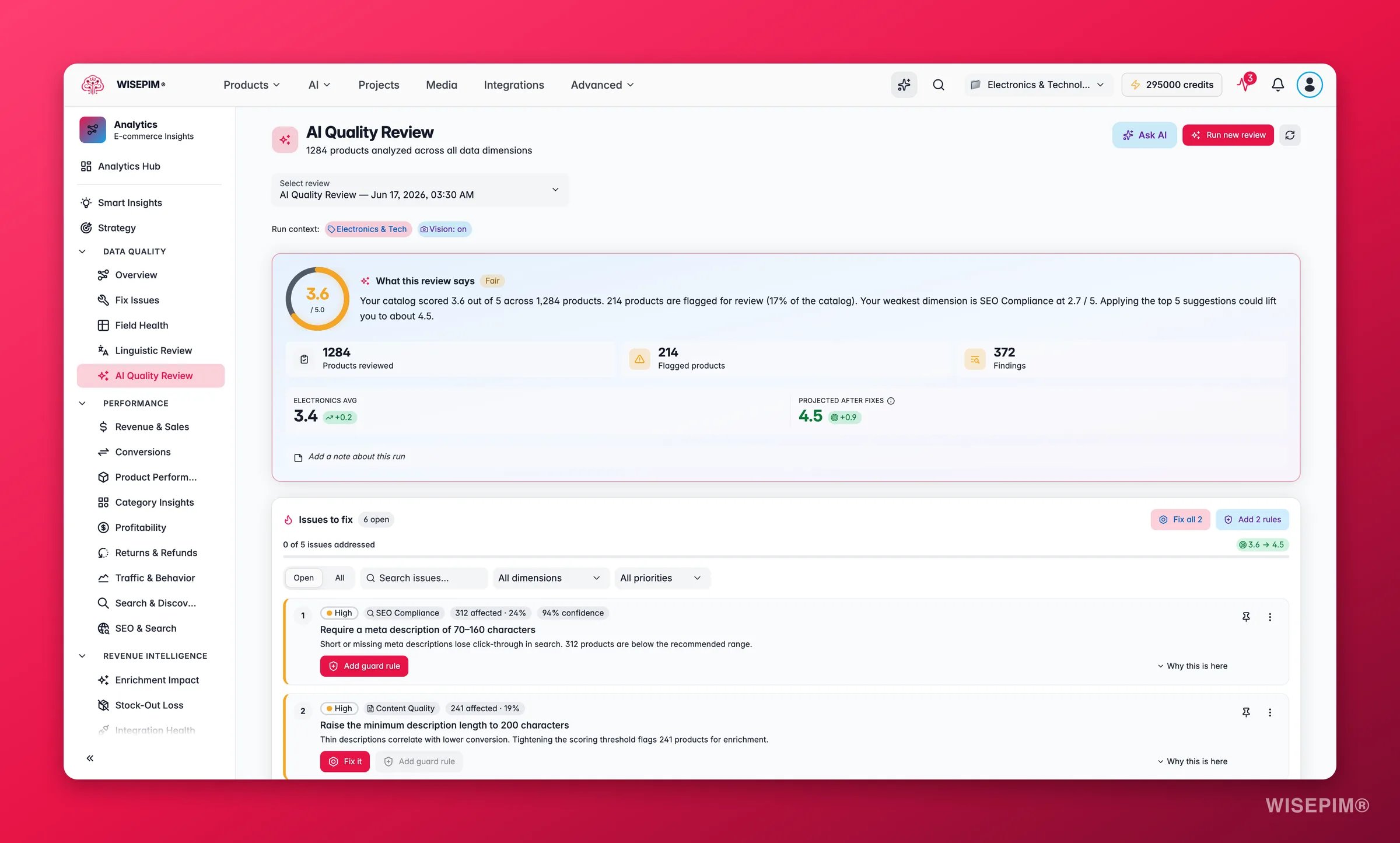
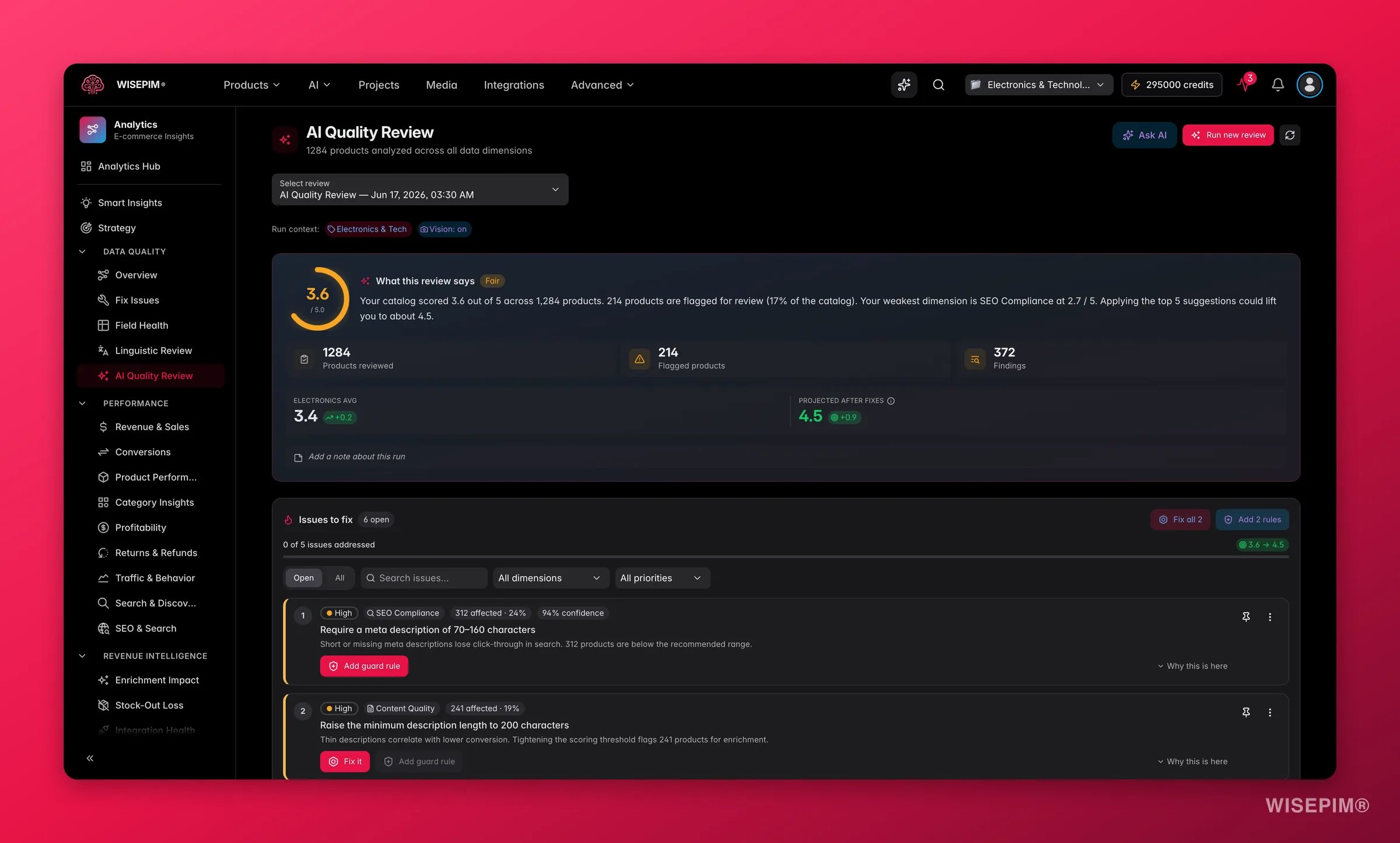 A rules-based score tells you a field is empty. The **AI Quality Review** tells you whether the content actually does its job: does the description read well, do the images match the attributes, is the price sane for the family, will the page convert? It reads each product across 12 dimensions, scores it 1 to 5, and turns the findings into a ranked list of fixes you can apply in one click.
**What acting on it enables:** ship cleaner listings faster, lift conversion on the products that need it most, cut returns caused by misleading content, and lock in the gains with guard rules so quality does not slip back.
A review runs on demand and analyzes the products you choose. Vision dimensions (checking images against your data) use AI credits, so the cost scales with catalog size and the dimensions you pick. Results are queued and typically ready in a few minutes; they never expire, so you can revisit any past run.
## Run a review
Find it in the Analytics sidebar under the quality section, or trigger it straight from a product selection in the [Products](/en/essentials/managing-products) table.
Review your current selection or everything matching your active filters. Start small (one family or category) if you just want a read on a specific area.
**Prelaunch** (all text dimensions), **SEO**, **Image** (turns on vision), or **Conversion**. Each preset selects the dimensions that matter for that goal. **Custom** lets you choose dimensions yourself.
Set an industry for vertical-specific expectations, add up to three buyer personas to simulate how different shoppers react, or add a freeform instruction for anything specific you care about.
The review processes in the background. When it finishes, the dashboard fills with your score, the dimension breakdown, and a prioritized list of issues to act on.
## The 12 dimensions
Each product is scored on these dimensions. The two image dimensions require vision and use additional AI credits.
| Dimension | What it checks |
| ----------------------------------- | ----------------------------------------------------------------------------------------------------------- |
| **Completeness** | Are the required fields (name, description, attributes, images) populated? |
| **Content Quality** | Does the copy read well, with appropriate tone, length, and structure? |
| **Image vs Data** *(vision)* | Do the images agree with the attributes (color, type, count)? |
| **Image vs Description** *(vision)* | Does the image show what the description and category claim? |
| **Attribute Coverage** | Are family-relevant attributes filled to a useful depth? |
| **Cross-field Math** | Are sizing, weight, volume, and units internally consistent? |
| **Semantic Consistency** | Do cross-field claims agree (material vs description, category vs department)? |
| **Pricing Sanity** | Are prices and stock values within a reasonable range for the family? |
| **SEO Compliance** | Do meta titles and descriptions sit within recommended character ranges? |
| **Consistency** | Are brand spelling, units, and formatting consistent across the catalog? |
| **Near-duplicates** | Are there products that look like the same SKU varying by one attribute? |
| **Conversion Readiness** | Are the conversion signals expected for this category present (size charts, what's-in-box, certifications)? |
### What the scores mean
| Score | Status | Read it as |
| --------- | -------------- | -------------------------------------------------- |
| 4.0 – 5.0 | **Good** | Solid. Spot-check, then move on. |
| 3.0 – 3.9 | **Fair** | Worth improving. There is upside here. |
| Below 3.0 | **Needs work** | Act first. These products are likely losing sales. |
Each product also gets a **priority** (Critical, High, Medium, Low) from its overall score, so you always know where to start. The dashboard compares your overall score against an **industry benchmark** and projects the score you would reach if you applied the open suggestions.
## Reading the results
* **The dimension radar** shows your shape at a glance. One spoke pulled toward the center is the dimension to fix first.
* **The Issues to fix** list is the heart of the page: every issue is ranked by how many products it touches and how severe it is, with a plain-language title and the affected count.
* **Confidence and consensus chips** tell you how sure the AI is. A suggestion flagged for review (consensus dissent) shipped anyway but deserves a human glance before you apply it in bulk.
* **The Insights tabs** add depth: priority breakdown, score trends across past runs, a conversion-readiness checklist, buyer-persona findings, and open-ended observations the AI surfaced outside the fixed dimensions.
* **The per-product findings table** lets you drill into any single product to see its per-dimension scores and the exact findings behind them.
## Fix it, or guard against it
Every issue offers two actions, and the difference matters:
* **Fix** applies the suggestion now. Depending on the issue that might create a Quality Guard rule, adjust a scoring setting, add a missing attribute to a family, or fill a value the AI derived from an image.
* **Add guard rule** creates a [Quality Guard](/en/quality-guard/overview) rule (left inactive for you to review and enable) so the same issue is caught automatically on every future import and edit.
Use **Fix** to clean up what is wrong today. Use **Add guard rule** to make sure it stays fixed. The strongest workflow is to do both: fix the current products, then guard the rule so the problem never silently returns.
## Act on what you find
Open the dimension radar and find the lowest spoke, then filter the Issues list to that dimension and work top-down by affected count. Apply the highest-impact fixes first and watch the projected score climb. **Outcome:** the fastest possible lift, because you are fixing the issues that touch the most products.
A single weak dimension (often SEO Compliance or Attribute Coverage) is usually one systemic gap, not a thousand unique problems. Apply the matching suggestion (for example, raising the minimum description length or adding a missing attribute to a family) to fix it across the catalog at once. **Outcome:** a broad quality jump from a single action.
Recurring issues are a data-discipline problem, not a one-off. Use **Add guard rule** to create a [Quality Guard](/en/quality-guard/rules) rule that blocks it at import and edit time, then enable it. **Outcome:** the issue stops reappearing, so each future review starts from a cleaner baseline.
When the consensus pass disagrees with itself, the suggestion still ships but is flagged. Open the affected products and confirm before applying in bulk. These are the cases where AI is least certain and a human eye pays off most. **Outcome:** you keep the speed of automation without applying a wrong fix at scale.
Image-vs-data findings (a red product photographed in blue, three items shown for a single-unit listing) are common after supplier imports. Fix the attribute or the image, or fill the AI-derived value where it is confident. **Outcome:** images and data finally agree, which reduces returns and channel rejections.
The Conversion Readiness tab lists the signals buyers expect for your vertical (size charts, what's-in-box, certifications) and how many products are missing each. Add the missing attributes, starting with the signals marked critical. **Outcome:** listings carry the information that turns a browse into a purchase.
## How it relates to the other quality tools
* **[Data Quality](/en/analytics/data-quality)** is the always-on, rule-based health monitor: it tells you what is missing. AI Quality Review is the improvement engine on top: it tells you what is *wrong or weak* and how to fix it.
* **[Quality Guard](/en/quality-guard/overview)** is the enforcement layer. AI Quality Review discovers the rules worth having; Quality Guard keeps them enforced.
* **[Linguistic Review](/en/analytics/linguistic-review)** is the language-quality counterpart, focused on translation quality rather than product data.
## Related
The rule-based completeness score that runs continuously across your catalog.
Turn review findings into rules that block bad data before it lands.
The same idea applied to translation quality across your locales.
Fix the content the review flags with targeted AI enrichment.
A rules-based score tells you a field is empty. The **AI Quality Review** tells you whether the content actually does its job: does the description read well, do the images match the attributes, is the price sane for the family, will the page convert? It reads each product across 12 dimensions, scores it 1 to 5, and turns the findings into a ranked list of fixes you can apply in one click.
**What acting on it enables:** ship cleaner listings faster, lift conversion on the products that need it most, cut returns caused by misleading content, and lock in the gains with guard rules so quality does not slip back.
A review runs on demand and analyzes the products you choose. Vision dimensions (checking images against your data) use AI credits, so the cost scales with catalog size and the dimensions you pick. Results are queued and typically ready in a few minutes; they never expire, so you can revisit any past run.
## Run a review
Find it in the Analytics sidebar under the quality section, or trigger it straight from a product selection in the [Products](/en/essentials/managing-products) table.
Review your current selection or everything matching your active filters. Start small (one family or category) if you just want a read on a specific area.
**Prelaunch** (all text dimensions), **SEO**, **Image** (turns on vision), or **Conversion**. Each preset selects the dimensions that matter for that goal. **Custom** lets you choose dimensions yourself.
Set an industry for vertical-specific expectations, add up to three buyer personas to simulate how different shoppers react, or add a freeform instruction for anything specific you care about.
The review processes in the background. When it finishes, the dashboard fills with your score, the dimension breakdown, and a prioritized list of issues to act on.
## The 12 dimensions
Each product is scored on these dimensions. The two image dimensions require vision and use additional AI credits.
| Dimension | What it checks |
| ----------------------------------- | ----------------------------------------------------------------------------------------------------------- |
| **Completeness** | Are the required fields (name, description, attributes, images) populated? |
| **Content Quality** | Does the copy read well, with appropriate tone, length, and structure? |
| **Image vs Data** *(vision)* | Do the images agree with the attributes (color, type, count)? |
| **Image vs Description** *(vision)* | Does the image show what the description and category claim? |
| **Attribute Coverage** | Are family-relevant attributes filled to a useful depth? |
| **Cross-field Math** | Are sizing, weight, volume, and units internally consistent? |
| **Semantic Consistency** | Do cross-field claims agree (material vs description, category vs department)? |
| **Pricing Sanity** | Are prices and stock values within a reasonable range for the family? |
| **SEO Compliance** | Do meta titles and descriptions sit within recommended character ranges? |
| **Consistency** | Are brand spelling, units, and formatting consistent across the catalog? |
| **Near-duplicates** | Are there products that look like the same SKU varying by one attribute? |
| **Conversion Readiness** | Are the conversion signals expected for this category present (size charts, what's-in-box, certifications)? |
### What the scores mean
| Score | Status | Read it as |
| --------- | -------------- | -------------------------------------------------- |
| 4.0 – 5.0 | **Good** | Solid. Spot-check, then move on. |
| 3.0 – 3.9 | **Fair** | Worth improving. There is upside here. |
| Below 3.0 | **Needs work** | Act first. These products are likely losing sales. |
Each product also gets a **priority** (Critical, High, Medium, Low) from its overall score, so you always know where to start. The dashboard compares your overall score against an **industry benchmark** and projects the score you would reach if you applied the open suggestions.
## Reading the results
* **The dimension radar** shows your shape at a glance. One spoke pulled toward the center is the dimension to fix first.
* **The Issues to fix** list is the heart of the page: every issue is ranked by how many products it touches and how severe it is, with a plain-language title and the affected count.
* **Confidence and consensus chips** tell you how sure the AI is. A suggestion flagged for review (consensus dissent) shipped anyway but deserves a human glance before you apply it in bulk.
* **The Insights tabs** add depth: priority breakdown, score trends across past runs, a conversion-readiness checklist, buyer-persona findings, and open-ended observations the AI surfaced outside the fixed dimensions.
* **The per-product findings table** lets you drill into any single product to see its per-dimension scores and the exact findings behind them.
## Fix it, or guard against it
Every issue offers two actions, and the difference matters:
* **Fix** applies the suggestion now. Depending on the issue that might create a Quality Guard rule, adjust a scoring setting, add a missing attribute to a family, or fill a value the AI derived from an image.
* **Add guard rule** creates a [Quality Guard](/en/quality-guard/overview) rule (left inactive for you to review and enable) so the same issue is caught automatically on every future import and edit.
Use **Fix** to clean up what is wrong today. Use **Add guard rule** to make sure it stays fixed. The strongest workflow is to do both: fix the current products, then guard the rule so the problem never silently returns.
## Act on what you find
Open the dimension radar and find the lowest spoke, then filter the Issues list to that dimension and work top-down by affected count. Apply the highest-impact fixes first and watch the projected score climb. **Outcome:** the fastest possible lift, because you are fixing the issues that touch the most products.
A single weak dimension (often SEO Compliance or Attribute Coverage) is usually one systemic gap, not a thousand unique problems. Apply the matching suggestion (for example, raising the minimum description length or adding a missing attribute to a family) to fix it across the catalog at once. **Outcome:** a broad quality jump from a single action.
Recurring issues are a data-discipline problem, not a one-off. Use **Add guard rule** to create a [Quality Guard](/en/quality-guard/rules) rule that blocks it at import and edit time, then enable it. **Outcome:** the issue stops reappearing, so each future review starts from a cleaner baseline.
When the consensus pass disagrees with itself, the suggestion still ships but is flagged. Open the affected products and confirm before applying in bulk. These are the cases where AI is least certain and a human eye pays off most. **Outcome:** you keep the speed of automation without applying a wrong fix at scale.
Image-vs-data findings (a red product photographed in blue, three items shown for a single-unit listing) are common after supplier imports. Fix the attribute or the image, or fill the AI-derived value where it is confident. **Outcome:** images and data finally agree, which reduces returns and channel rejections.
The Conversion Readiness tab lists the signals buyers expect for your vertical (size charts, what's-in-box, certifications) and how many products are missing each. Add the missing attributes, starting with the signals marked critical. **Outcome:** listings carry the information that turns a browse into a purchase.
## How it relates to the other quality tools
* **[Data Quality](/en/analytics/data-quality)** is the always-on, rule-based health monitor: it tells you what is missing. AI Quality Review is the improvement engine on top: it tells you what is *wrong or weak* and how to fix it.
* **[Quality Guard](/en/quality-guard/overview)** is the enforcement layer. AI Quality Review discovers the rules worth having; Quality Guard keeps them enforced.
* **[Linguistic Review](/en/analytics/linguistic-review)** is the language-quality counterpart, focused on translation quality rather than product data.
## Related
The rule-based completeness score that runs continuously across your catalog.
Turn review findings into rules that block bad data before it lands.
The same idea applied to translation quality across your locales.
Fix the content the review flags with targeted AI enrichment.