> ## Documentation Index
> Fetch the complete documentation index at: https://docs.wisepim.com/llms.txt
> Use this file to discover all available pages before exploring further.
# Bulk Enrich
> Regenerate the fields you pick across every selected product in one run: titles, descriptions, SEO meta, and attributes, each with your chosen prompt.
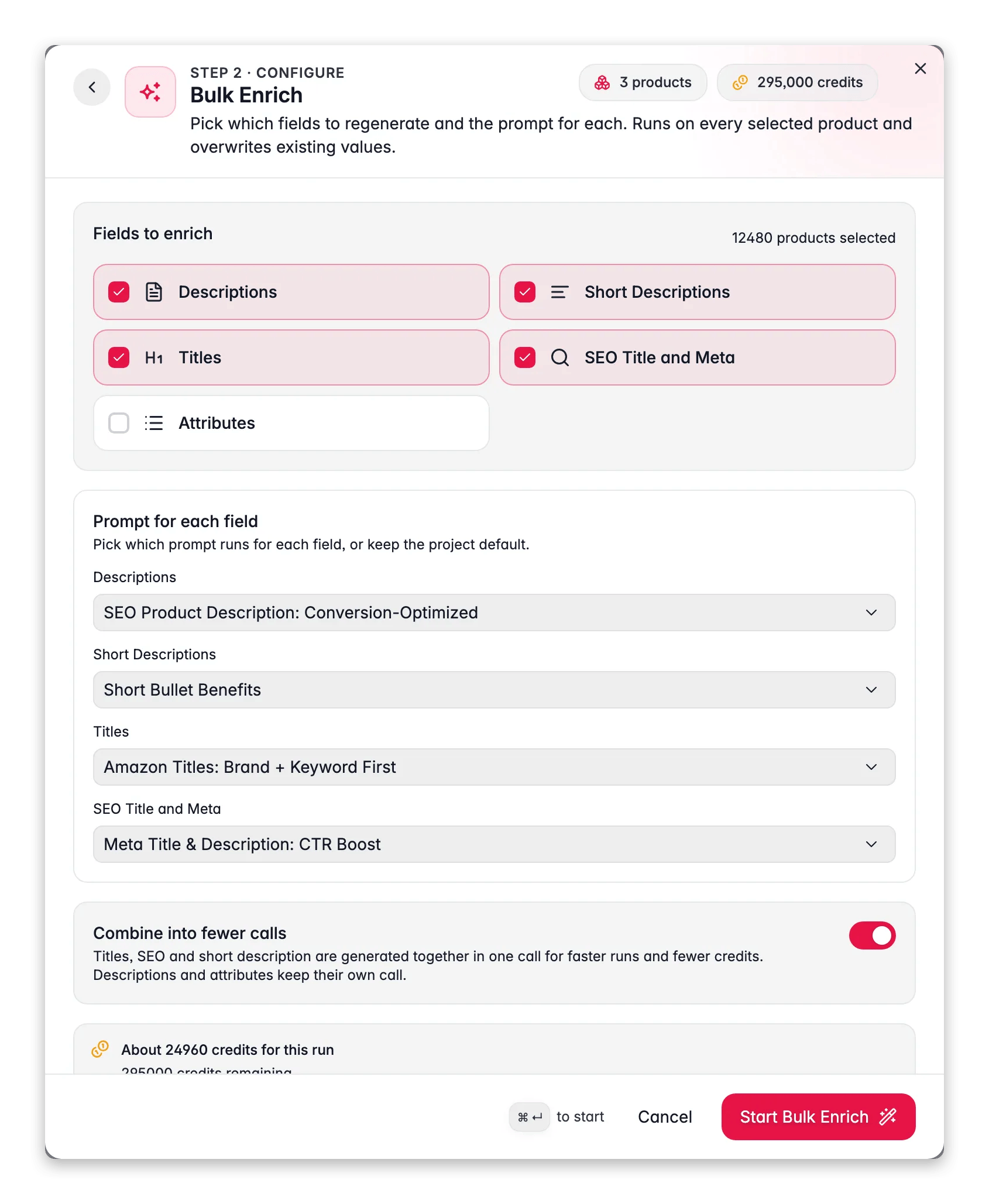
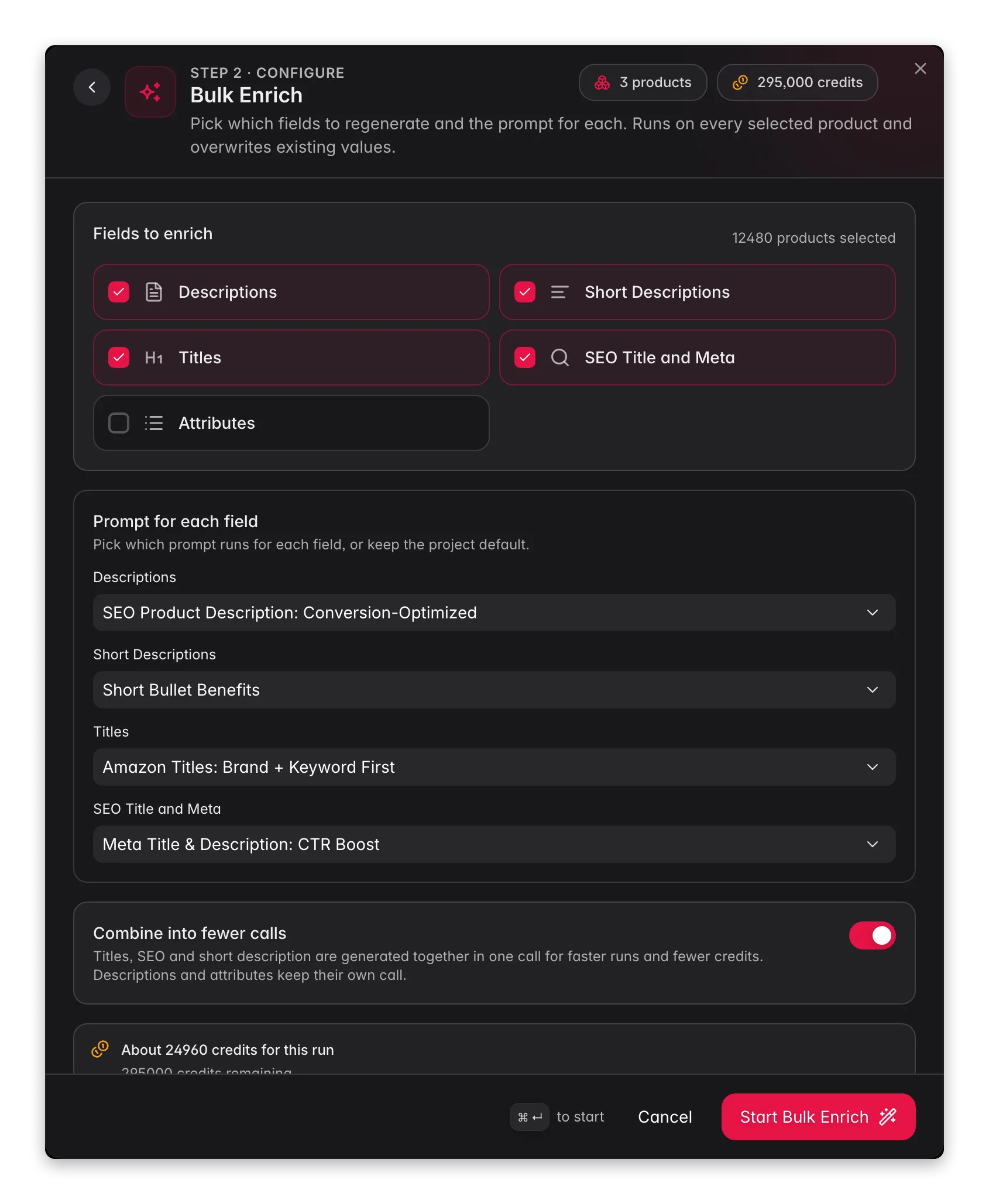 Bulk Enrich regenerates the fields you pick across every product you select, overwriting what's there with freshly written content from your chosen prompts. It's the tool for "start over, but better": you improved a prompt, rebranded your tone of voice, or inherited a catalog whose copy isn't worth keeping.
**What it enables:** rewrite the titles, descriptions, and SEO of an entire product range in one run, instead of enriching field by field.
Bulk Enrich **always overwrites**. If you only want to fill what's missing, use [Auto-Fill](/en/ai/auto-fill) instead - same fields, same prompts, but it leaves existing content alone.
## Run a Bulk Enrich
Tick rows in the product table, or [filter](/en/products/filtering-products) to a set and choose **Select all** to run on every matching product across all pages.
In the toolbar. **Bulk Enrich** is the first card in the **Start here** shelf.
Choose which of the five fields to regenerate. Everything is pre-selected except **Attributes** - re-deriving attributes in bulk is rarely wanted, so it's opt-in.
Each field runs your project default prompt unless you pick another from the dropdown. Fields with no usable prompt are dimmed with "no prompt" - set defaults in [Enrich Prompts](/en/settings/enrich-defaults) first.
Check the credit estimate, then click **Start Bulk Enrich**. The run continues in the background - track it in the Process Tracker.
## The five fields
| Field | What gets written |
| ---------------------- | ---------------------------------------- |
| **Titles** | Product names / titles |
| **Descriptions** | Full product descriptions |
| **Short Descriptions** | Concise product summaries |
| **SEO Title and Meta** | Meta title, description, and keywords |
| **Attributes** | Custom attribute values (off by default) |
Other enrichment types - categorization, web research, translation, internal linking, image alt text - are separate actions in the same modal, not part of a Bulk Enrich run.
## Credits: the combine switch
**Combine into fewer calls** is on by default, and it's the main cost lever:
* **On**: titles, SEO, and short description are generated together in one call. The whole run costs **1 credit per product** for one field, **2 credits per product** for two or more - regardless of how many of the five you pick. Descriptions and attributes keep their own call but are included in that flat price.
* **Off**: each field is generated in its own AI call at **1 credit per product per field** - five fields would cost 5 credits per product.
The modal shows a live estimate ("About N credits for this run") against your balance before you start. Fields without a usable prompt are excluded from both the run and the bill.
Leave combine on. Separate calls only make sense when you want one field's output to be completely independent of the others - for example, a deliberately different angle in the short description than the description.
## While it runs
Bulk Enrich regenerates the fields you pick across every product you select, overwriting what's there with freshly written content from your chosen prompts. It's the tool for "start over, but better": you improved a prompt, rebranded your tone of voice, or inherited a catalog whose copy isn't worth keeping.
**What it enables:** rewrite the titles, descriptions, and SEO of an entire product range in one run, instead of enriching field by field.
Bulk Enrich **always overwrites**. If you only want to fill what's missing, use [Auto-Fill](/en/ai/auto-fill) instead - same fields, same prompts, but it leaves existing content alone.
## Run a Bulk Enrich
Tick rows in the product table, or [filter](/en/products/filtering-products) to a set and choose **Select all** to run on every matching product across all pages.
In the toolbar. **Bulk Enrich** is the first card in the **Start here** shelf.
Choose which of the five fields to regenerate. Everything is pre-selected except **Attributes** - re-deriving attributes in bulk is rarely wanted, so it's opt-in.
Each field runs your project default prompt unless you pick another from the dropdown. Fields with no usable prompt are dimmed with "no prompt" - set defaults in [Enrich Prompts](/en/settings/enrich-defaults) first.
Check the credit estimate, then click **Start Bulk Enrich**. The run continues in the background - track it in the Process Tracker.
## The five fields
| Field | What gets written |
| ---------------------- | ---------------------------------------- |
| **Titles** | Product names / titles |
| **Descriptions** | Full product descriptions |
| **Short Descriptions** | Concise product summaries |
| **SEO Title and Meta** | Meta title, description, and keywords |
| **Attributes** | Custom attribute values (off by default) |
Other enrichment types - categorization, web research, translation, internal linking, image alt text - are separate actions in the same modal, not part of a Bulk Enrich run.
## Credits: the combine switch
**Combine into fewer calls** is on by default, and it's the main cost lever:
* **On**: titles, SEO, and short description are generated together in one call. The whole run costs **1 credit per product** for one field, **2 credits per product** for two or more - regardless of how many of the five you pick. Descriptions and attributes keep their own call but are included in that flat price.
* **Off**: each field is generated in its own AI call at **1 credit per product per field** - five fields would cost 5 credits per product.
The modal shows a live estimate ("About N credits for this run") against your balance before you start. Fields without a usable prompt are excluded from both the run and the bill.
Leave combine on. Separate calls only make sense when you want one field's output to be completely independent of the others - for example, a deliberately different angle in the short description than the description.
## While it runs
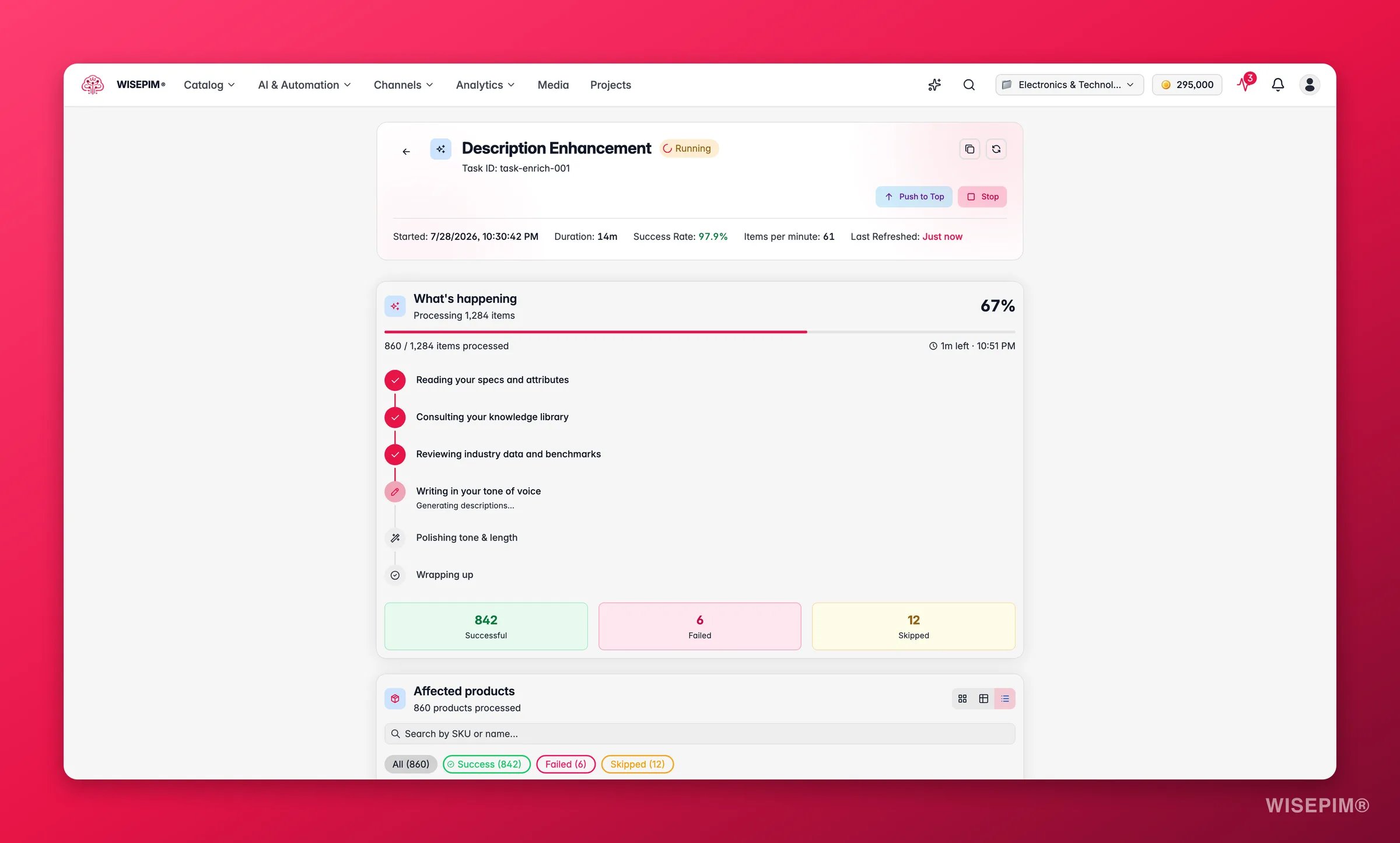
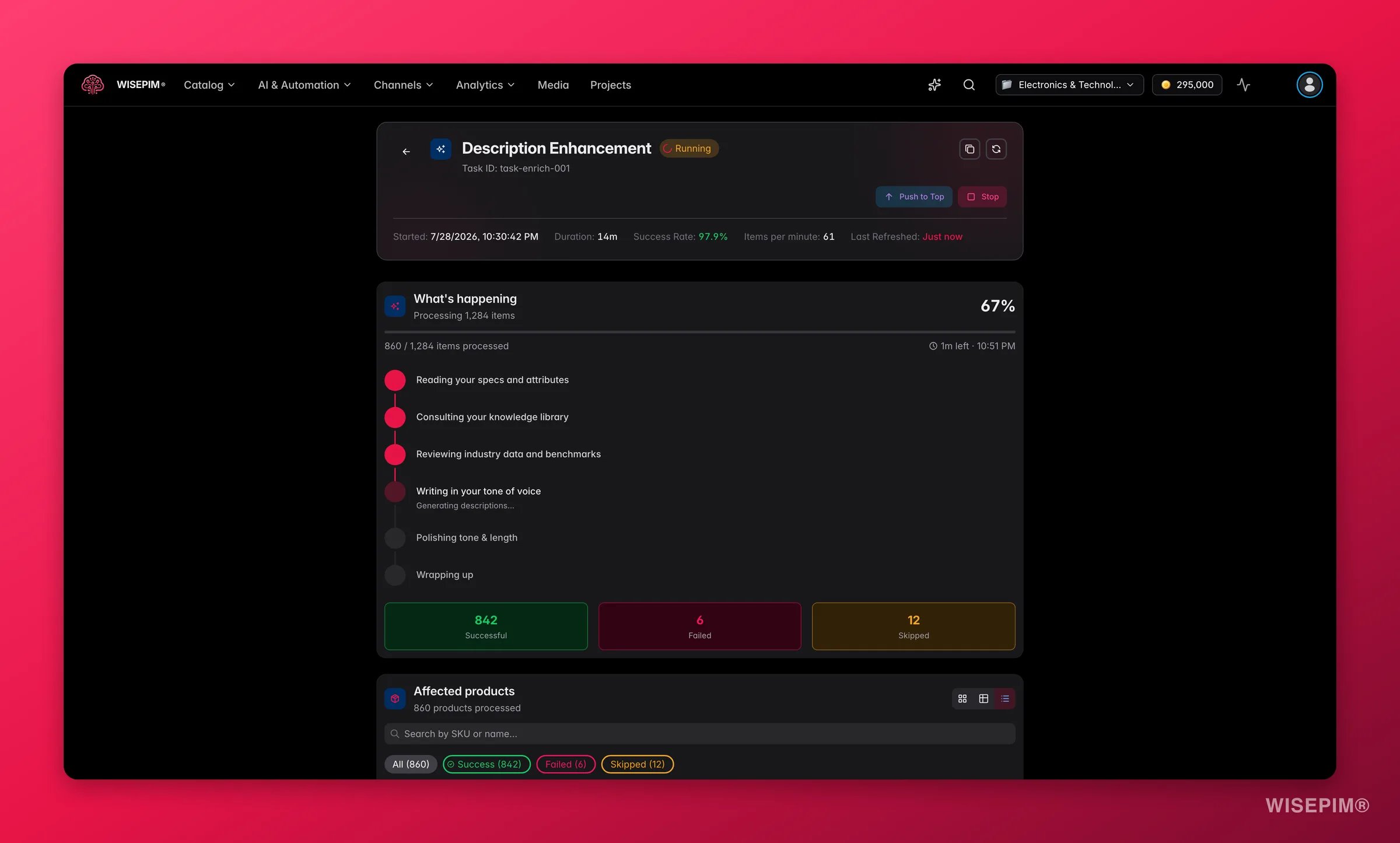 The run appears in the **Process Tracker** under the AI Enrichment filter: one parent **Bulk Enrich** task orchestrating a child task per field, with live progress over WebSocket.
* **Stop and resume**: you can stop a run at any point and resume it later - resume picks up exactly where it left off and **never re-charges credits** for the remainder.
* **Failures**: if a run fails partway, the same Resume button runs the unprocessed items once the cause is fixed. If a run can't be queued at all, the upfront credits are refunded in full.
* When it finishes you get a recap: how many products were enriched and how long it took.
Existing values in the selected fields are overwritten - that's the point of Bulk Enrich, but it means running it on the wrong selection rewrites content you wanted to keep. Check the product count in the modal header before starting, especially in "all matching products" mode.
## Bulk Enrich elsewhere
* **After scraped imports**: the [Import by Scraping settings](/en/settings/import-by-scraping) can chain Bulk Enrich onto every import, optionally after [web research](/en/ai/web-research) has merged verified facts first.
* **In Automations**: Bulk Enrich is available as an [automation action](/en/automations/action-nodes), so a schedule or trigger can regenerate content without anyone clicking.
## Related
Same fields, but only fills gaps - existing content stays.
Set the default prompt each field runs with.
Write and manage the prompts Bulk Enrich can use.
All enrichment types side by side.
The run appears in the **Process Tracker** under the AI Enrichment filter: one parent **Bulk Enrich** task orchestrating a child task per field, with live progress over WebSocket.
* **Stop and resume**: you can stop a run at any point and resume it later - resume picks up exactly where it left off and **never re-charges credits** for the remainder.
* **Failures**: if a run fails partway, the same Resume button runs the unprocessed items once the cause is fixed. If a run can't be queued at all, the upfront credits are refunded in full.
* When it finishes you get a recap: how many products were enriched and how long it took.
Existing values in the selected fields are overwritten - that's the point of Bulk Enrich, but it means running it on the wrong selection rewrites content you wanted to keep. Check the product count in the modal header before starting, especially in "all matching products" mode.
## Bulk Enrich elsewhere
* **After scraped imports**: the [Import by Scraping settings](/en/settings/import-by-scraping) can chain Bulk Enrich onto every import, optionally after [web research](/en/ai/web-research) has merged verified facts first.
* **In Automations**: Bulk Enrich is available as an [automation action](/en/automations/action-nodes), so a schedule or trigger can regenerate content without anyone clicking.
## Related
Same fields, but only fills gaps - existing content stays.
Set the default prompt each field runs with.
Write and manage the prompts Bulk Enrich can use.
All enrichment types side by side.