> ## Documentation Index
> Fetch the complete documentation index at: https://docs.wisepim.com/llms.txt
> Use this file to discover all available pages before exploring further.
# AI Attribute Extraction
> Pull structured attributes, material, dimensions, color, compatibility, out of unstructured product text with AI, so every product has complete, filterable specs.
 Attributes are the structured specs that power filters, comparison tables, feeds, and faceted search, material, dimensions, color, weight, compatibility, and more. The problem is they are usually buried inside description text or missing entirely. Attribute enrichment uses AI to read each product's existing content and extract those specs into clean, structured attribute fields.
**What it enables:** make your catalog filterable and feed-ready. Structured attributes drive on-site faceted search, marketplace requirements, and the comparison data shoppers use to choose, all extracted automatically from text you already have.
Attribute enrichment costs **1 credit per product**. Extracted values are written to your product's attribute fields, mapped to the attributes defined for that product's family.
## When to use it
* **Specs live in description text** but not in structured fields, so shoppers can't filter on them.
* **A marketplace or feed requires specific attributes** (Google Shopping needs GTIN, color, size, material; Amazon has category-specific required fields).
* **Filters return incomplete results** because many products are missing the attribute being filtered on.
* **As part of [Auto-Fill](/en/ai/auto-fill)**, which extracts missing attributes using your default attribute prompt.
## How to run it
Check products individually, or filter (for example, by a missing key attribute) and select all matching results.
Click **Enrich with AI** in the toolbar.
Pick **Attributes** as the enrichment type.
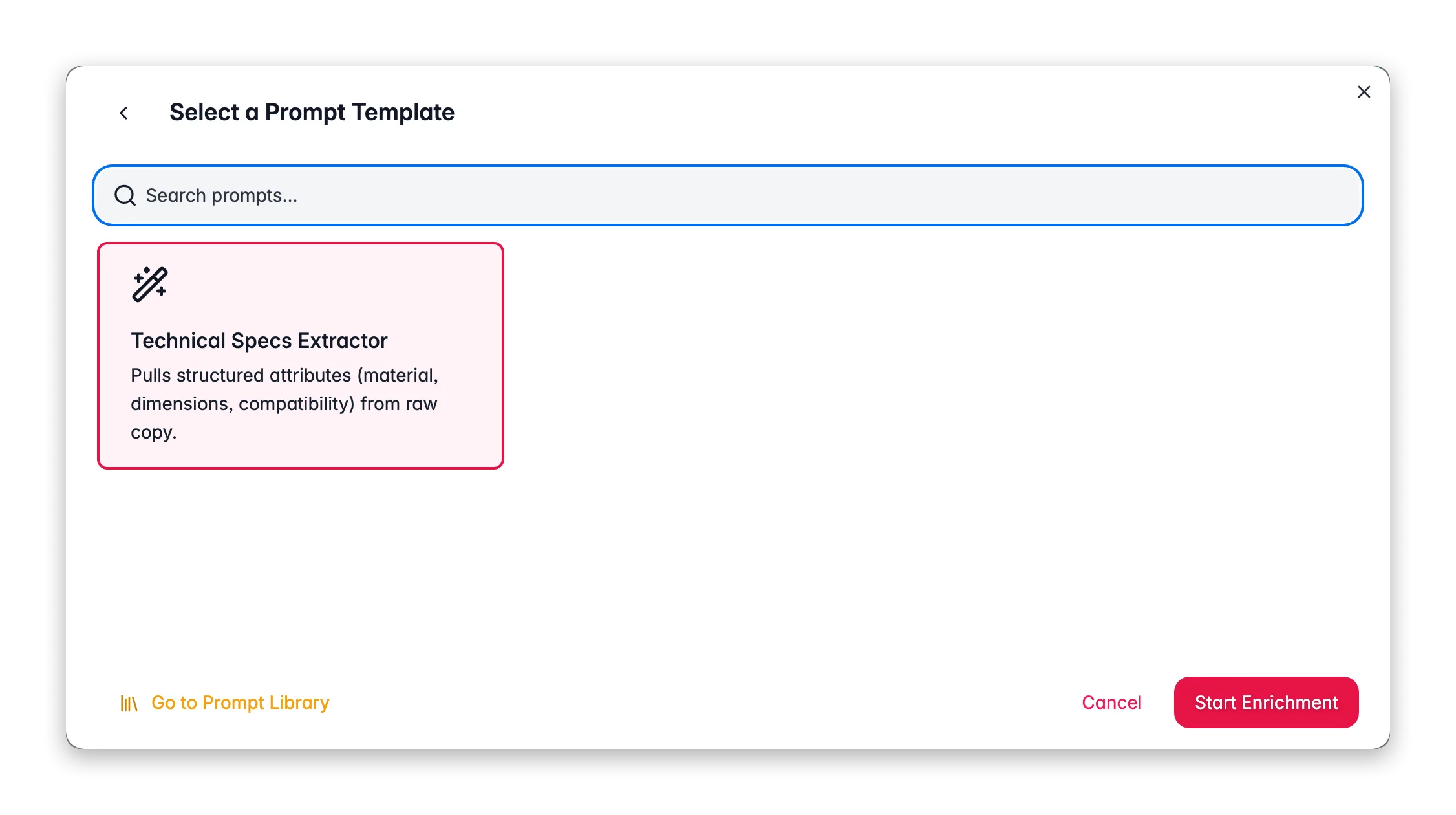
Choose an attribute prompt from your [Prompt Library](/en/essentials/prompt-library). The prompt guides which attributes to look for and how to format values.
Click **Start Enrichment** and track it in the [Process Tracker](/en/other-features/process-tracker).
## How extraction works
The AI reads each product's title, description, and any existing data, then extracts values for the attributes defined on that product's **family**. It only fills attributes that exist in your structure, it does not invent new attribute types. Values are normalized to match your conventions where the prompt asks for it (for example, "Red" rather than "red", or units like "cm").
Attribute extraction is only as good as the source text. If descriptions are thin, run [Web Research](/en/ai/web-research) first to pull in specs from external sources, then extract attributes from the enriched data.
## What good looks like
* **Consistent value formatting.** "Stainless Steel" everywhere, not a mix of "stainless", "S/S", and "inox". Ask the prompt to normalize.
* **Units included and consistent.** Dimensions and weights carry their unit, in the same system across the catalog.
* **No invented values.** A blank is better than a guess. Tell the prompt to leave an attribute empty if the value isn't present in the source.
* **High coverage on filterable attributes.** The attributes shoppers filter on (size, color, material) should be populated on nearly every product.
## Act on what you find
Low coverage usually means the source text doesn't contain the specs. Run [Web Research](/en/ai/web-research) to fetch specs from external sources first, then re-extract. **Outcome:** attributes populated even where your own data was thin.
Add normalization rules to the prompt ("Capitalize color names; express all dimensions in cm"). Re-run. **Outcome:** clean, uniform values that group correctly in filters and feeds.
Confirm the attribute exists on the product family, then enrich. If the value genuinely isn't determinable from content, Web Research or a supplier import may be needed. **Outcome:** feed-ready products that pass marketplace validation.
Review extracted attributes in the [Data Quality](/en/analytics/data-quality) tab, which scores attribute coverage and flags suspicious values. **Outcome:** confidence that extracted specs are accurate before they go live.
## Related
Fetch specs from external sources when your own data is thin.
Track attribute coverage and catch suspicious values.
Overview of all 14 enrichment types.
Build and organize your attribute prompts.
Attributes are the structured specs that power filters, comparison tables, feeds, and faceted search, material, dimensions, color, weight, compatibility, and more. The problem is they are usually buried inside description text or missing entirely. Attribute enrichment uses AI to read each product's existing content and extract those specs into clean, structured attribute fields.
**What it enables:** make your catalog filterable and feed-ready. Structured attributes drive on-site faceted search, marketplace requirements, and the comparison data shoppers use to choose, all extracted automatically from text you already have.
Attribute enrichment costs **1 credit per product**. Extracted values are written to your product's attribute fields, mapped to the attributes defined for that product's family.
## When to use it
* **Specs live in description text** but not in structured fields, so shoppers can't filter on them.
* **A marketplace or feed requires specific attributes** (Google Shopping needs GTIN, color, size, material; Amazon has category-specific required fields).
* **Filters return incomplete results** because many products are missing the attribute being filtered on.
* **As part of [Auto-Fill](/en/ai/auto-fill)**, which extracts missing attributes using your default attribute prompt.
## How to run it
Check products individually, or filter (for example, by a missing key attribute) and select all matching results.
Click **Enrich with AI** in the toolbar.
Pick **Attributes** as the enrichment type.
Choose an attribute prompt from your [Prompt Library](/en/essentials/prompt-library). The prompt guides which attributes to look for and how to format values.
Click **Start Enrichment** and track it in the [Process Tracker](/en/other-features/process-tracker).
## How extraction works
The AI reads each product's title, description, and any existing data, then extracts values for the attributes defined on that product's **family**. It only fills attributes that exist in your structure, it does not invent new attribute types. Values are normalized to match your conventions where the prompt asks for it (for example, "Red" rather than "red", or units like "cm").
Attribute extraction is only as good as the source text. If descriptions are thin, run [Web Research](/en/ai/web-research) first to pull in specs from external sources, then extract attributes from the enriched data.
## What good looks like
* **Consistent value formatting.** "Stainless Steel" everywhere, not a mix of "stainless", "S/S", and "inox". Ask the prompt to normalize.
* **Units included and consistent.** Dimensions and weights carry their unit, in the same system across the catalog.
* **No invented values.** A blank is better than a guess. Tell the prompt to leave an attribute empty if the value isn't present in the source.
* **High coverage on filterable attributes.** The attributes shoppers filter on (size, color, material) should be populated on nearly every product.
## Act on what you find
Low coverage usually means the source text doesn't contain the specs. Run [Web Research](/en/ai/web-research) to fetch specs from external sources first, then re-extract. **Outcome:** attributes populated even where your own data was thin.
Add normalization rules to the prompt ("Capitalize color names; express all dimensions in cm"). Re-run. **Outcome:** clean, uniform values that group correctly in filters and feeds.
Confirm the attribute exists on the product family, then enrich. If the value genuinely isn't determinable from content, Web Research or a supplier import may be needed. **Outcome:** feed-ready products that pass marketplace validation.
Review extracted attributes in the [Data Quality](/en/analytics/data-quality) tab, which scores attribute coverage and flags suspicious values. **Outcome:** confidence that extracted specs are accurate before they go live.
## Related
Fetch specs from external sources when your own data is thin.
Track attribute coverage and catch suspicious values.
Overview of all 14 enrichment types.
Build and organize your attribute prompts.